PROLiNK® PRN3009 Wireless-N 300 Routers
32
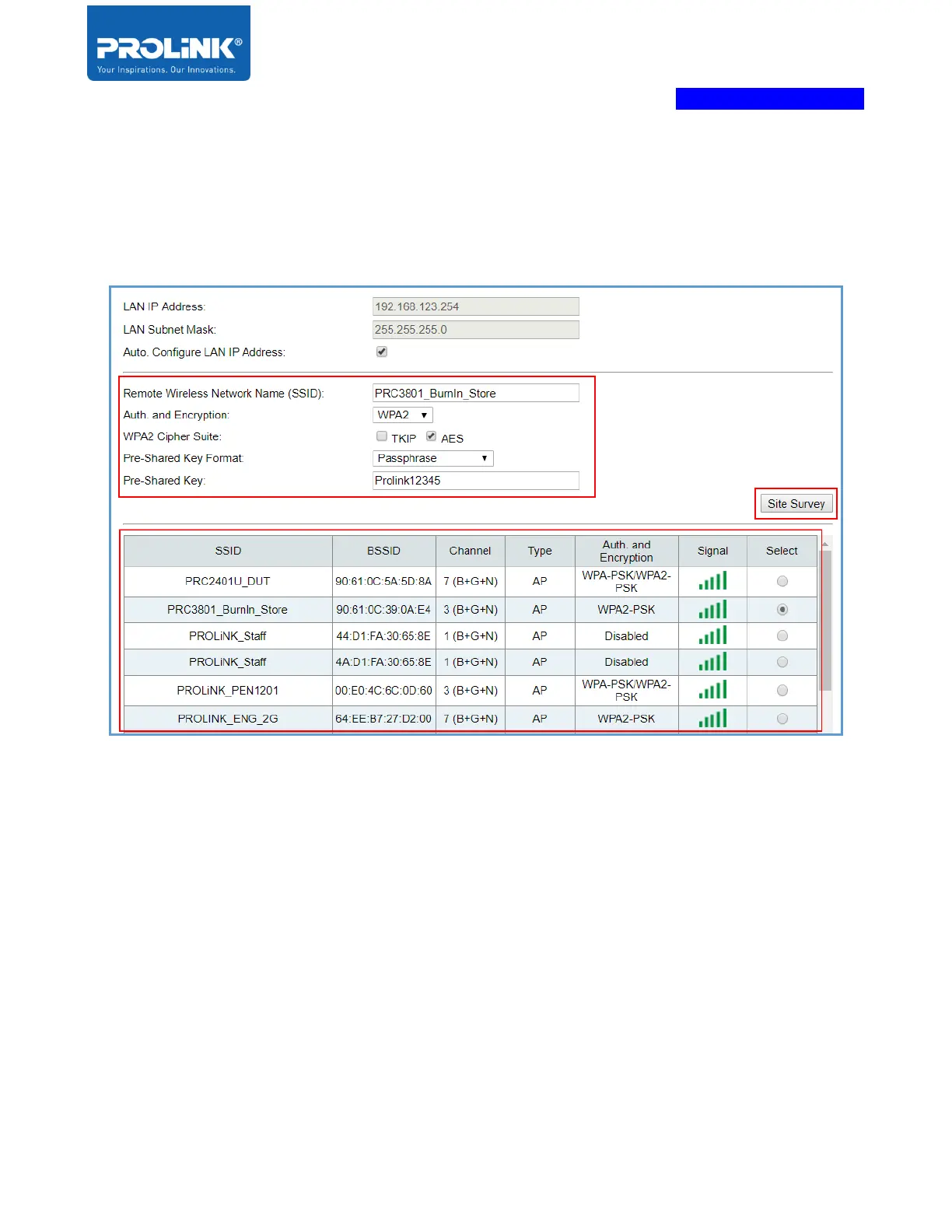
3. Click “Site Survey” to scan the host network if your host network is hidden, user need to enter
it manually. Select the network host and enter the Network Key. Note that if the PRN3009 in
Client Mode, the PRN3009 will no longer accept wireless clients or broadcast the wireless
signal.
4. After click “Save/Apply”, PRN3009 will reboot and if your PC connected to the Wi-Fi while
setup the Client Wizard, please connect using a wired connection to the LAN Port of PRN3009.
Refer hardware setup “Client/ Client (WISP) Mode Setup”. After PC is connected, user need to
login and it shows the wizard page with the “Client” configuration set earlier.



 To Next Page