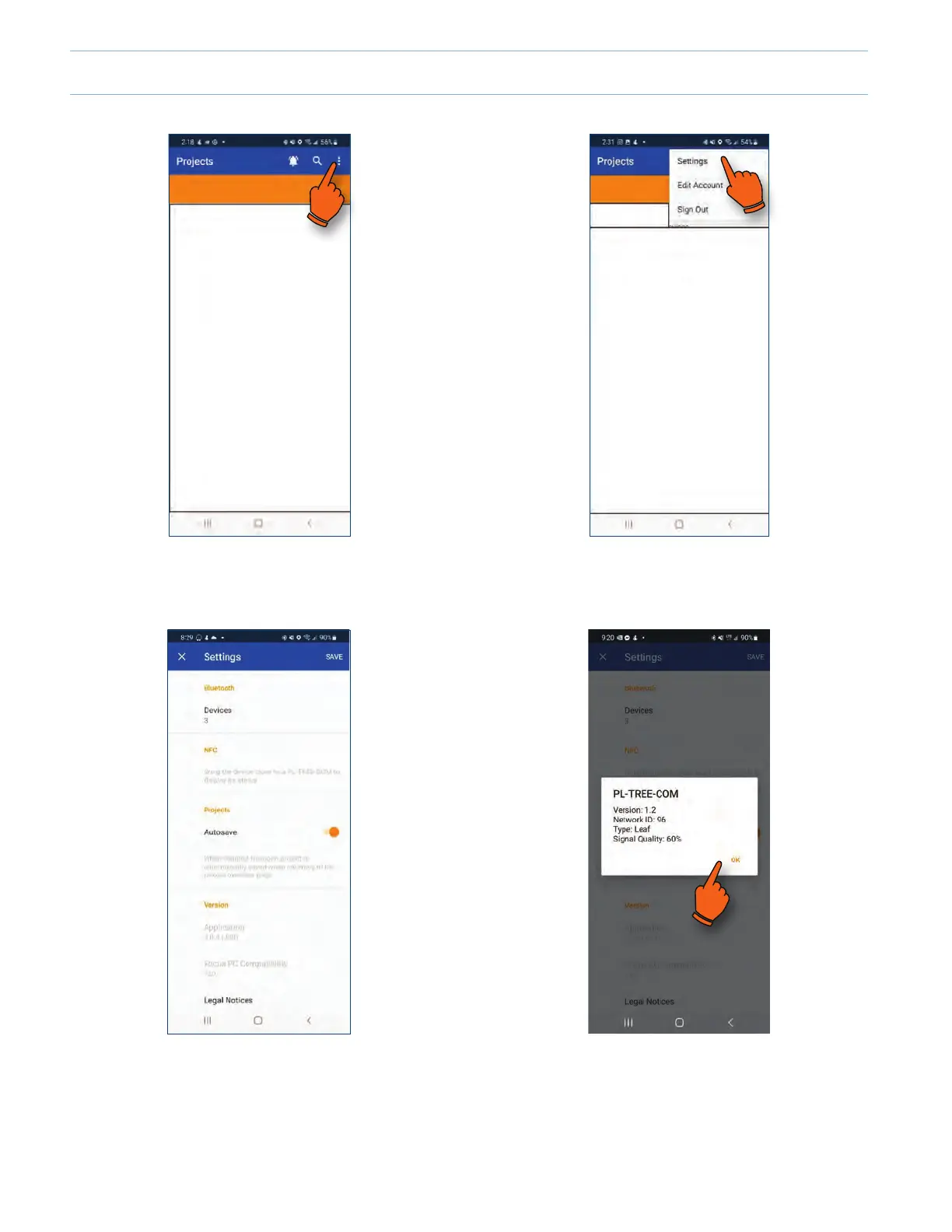
Once on the settings page, hold your phone (back of the phone) close to the face of a powered-up PL-TREE-COM device.
1. To access NFC, tap on the vertical ellopsis icon at the
top right of the screen.
2. Tap on "Settings".
3. Approach and hold the back of the mobile device very
near the powered up TREE-COM module.
4. Once detected, a popup will show you the information
about the TREE-COM found. Tap OK to go back to the
settings.
Android
6-10



 To Next Page