Prolon Focus - Computer Access and Controller
8-1
Computer and software
• To avoid problems and delays, make sure to follow these guidelines.
• Usealaptopcomputer(withWindows7orlaterOS)equippedwiththemostrecentversionofProlon Focus. Visit our
website (www.proloncontrols.com) to download the latest version.
• IfyouareusingaProlonRS485communicationinterface(PL-485-USB,PL-485-BT)forthersttime,youmustinstallthe
driver software that comes with it. This driver is included in the Focus software download package.
• Once installed, you must validate the communication port (COM) number your computer assigned to that interface.
• Tondout,researchandclickonthe“Device Manager” section of your computer. Click on “Ports COM & LPT”. The
COMportidentiedas:“USB Serial Port COMx” or “RS485 Isolated Port COMx” or Silicon Labs CP210x USB to UART
bridge (COMx), will be the one to use.
For more detailed information, please consult the Prolon User Guide document, and/or any Focus Guide relevant to
the controller(s) you are working with.
Opening a session on Prolon Focus
• First, connect the RS485 communication interface to your computer’s USB outlet. On the PL-485-BT interface there is a
power switch, turn it on.
• Connect either the CAT5e socket with a RJ45 male cable -or- screw type terminal block outlet of the interface to the
matching port connection of the Prolon controller you wish to communicate with: (see section #7 for connection details)
> On the NC-2000, it is the RS485 IN on the lower right (RJ45 socket or screw terminal block)
> On the M2000, it is the RS485 INT on the upper left (any of the twin RJ45 sockets or terminal blocks)
> On all other controllers, it will typically be the RS485 INT, unless it is already connected to another device, such as a wall
sensor, in which case it would be the RS485 NET.
• Launch the Focus software by double-clicking on the Prolon icon located on your computer’s desktop.
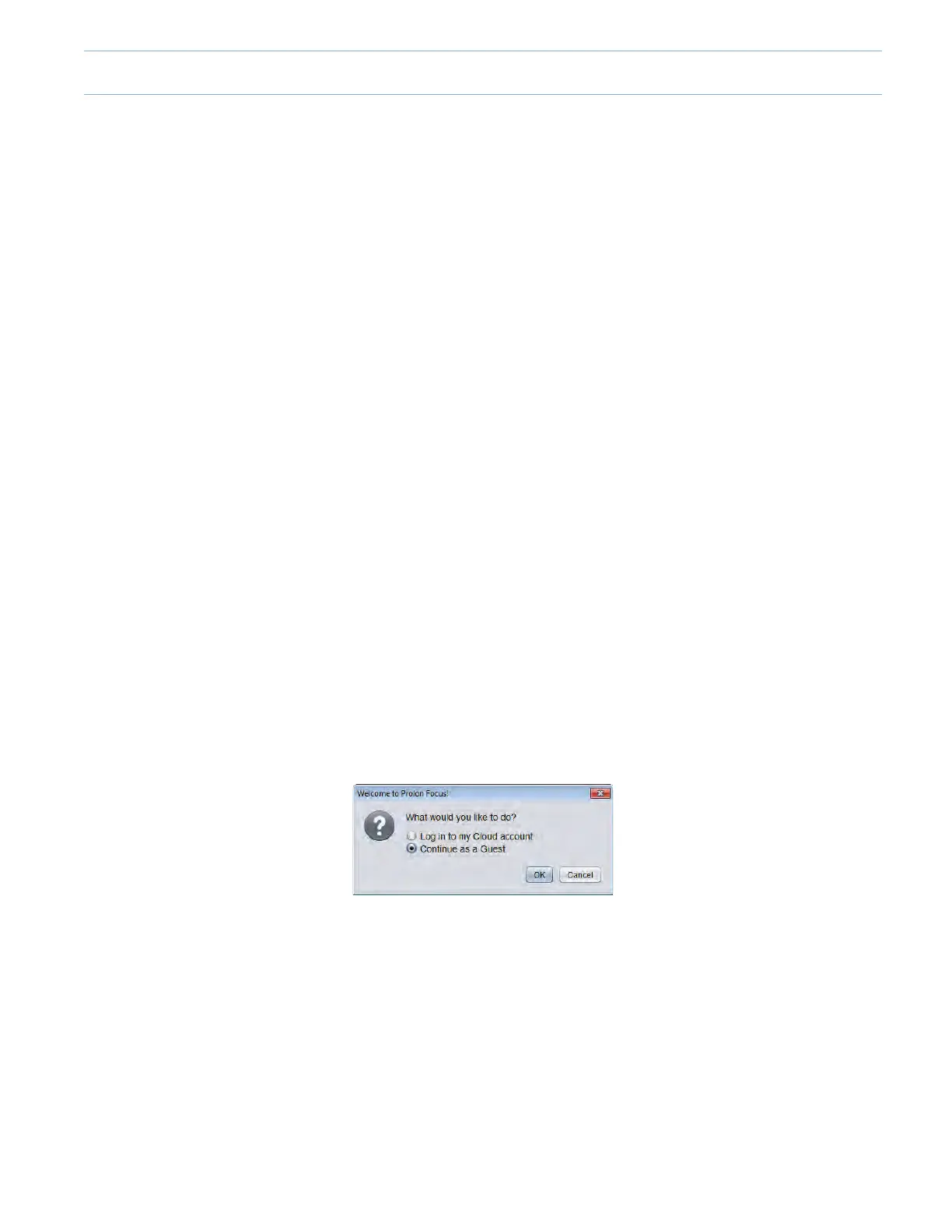
• Upon opening the software, the following window will appear:
> Log in my Cloud account
> Continue as a Guest
• Select:“Continueasaguest”.*
*Guest mode will be used for the purpose of this guide. For Cloud account information, please refer to the Prolon Focus
User Guide.
Guest Mode
• Upon selecting Guest mode, the following window will appear:
> Createanewproject.
> Openaprojectsavedonthiscomputer.
> Openlastproject.
• Select: “Create a new project”.



 To Next Page