NOTE: We recommend that you remove any casing from your mobile device should you experience trouble connecting.
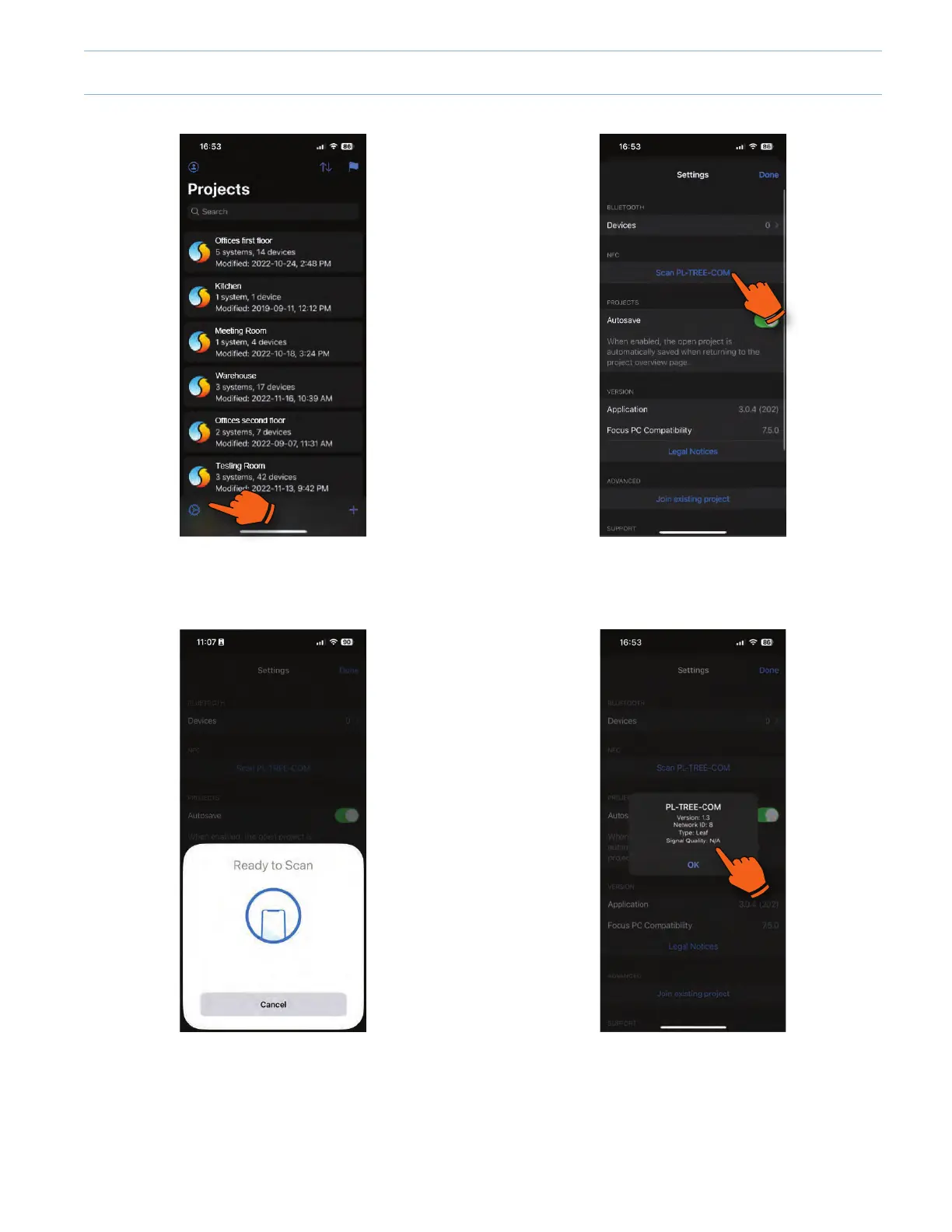
1. To scan the TREE-COM, tap on the settings icon in the
left bottom corner.
2. Tap on "Scan PL-TREE-COM".
3. When ready to detect, approach and hold the back of
the mobile device very near the powered up TREE-
COM module.
4. Once detected, a popup will show you the information
about the TREE-COM found. Tap OK to go back to the
settings.
iOS
6 -11



 To Next Page