AGENT-2 S41D Line - User Manual AG2-S41D/MU-EE
Ed. Jun-2012 Proprietary information 38 of 89
8.4 Port
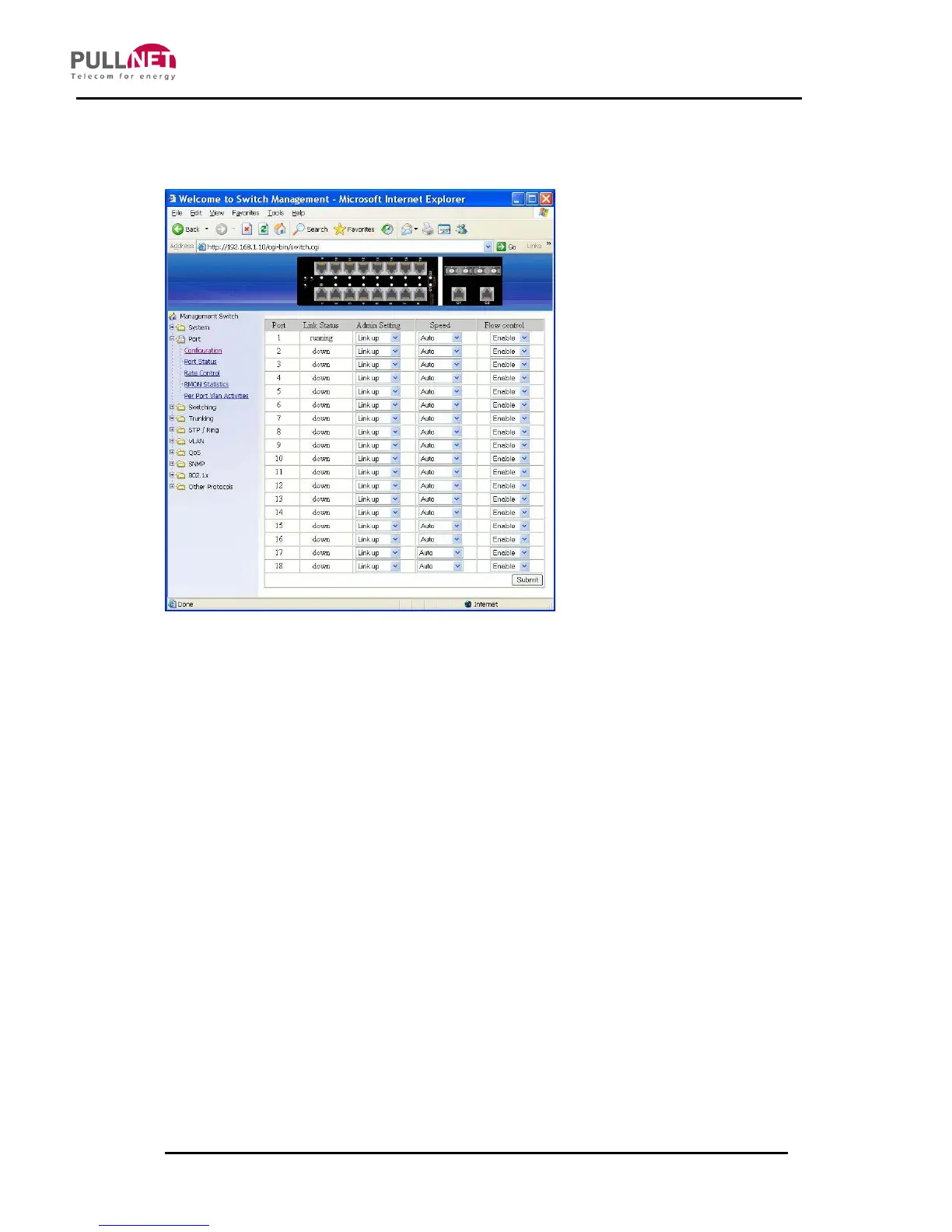
Configuration
1. Admin Setting: Click “Admin Setting” drop-down menu to choose “Link down” or
“Link up” from the “Admin Setting” drop-down list to disable or enable Admin Setting
for the port.
2. Speed: Click “Speed” drop-down menu to change the line speed and duplex
settings from the “Speed” drop-down list for the port.
3. Flow control: Click “Flow control” drop-down menu to choose “Disable” or “Enable”
from the “Flow control” drop-down list to disable or enable Flow control for the port.
4. Submit: Click “Submit” button when you finished configurations.



 To Next Page