AGENT-2 S41D Line - User Manual AG2-S41D/MU-EE
Ed. Jun-2012 Proprietary information 42 of 89
8.5 Switching
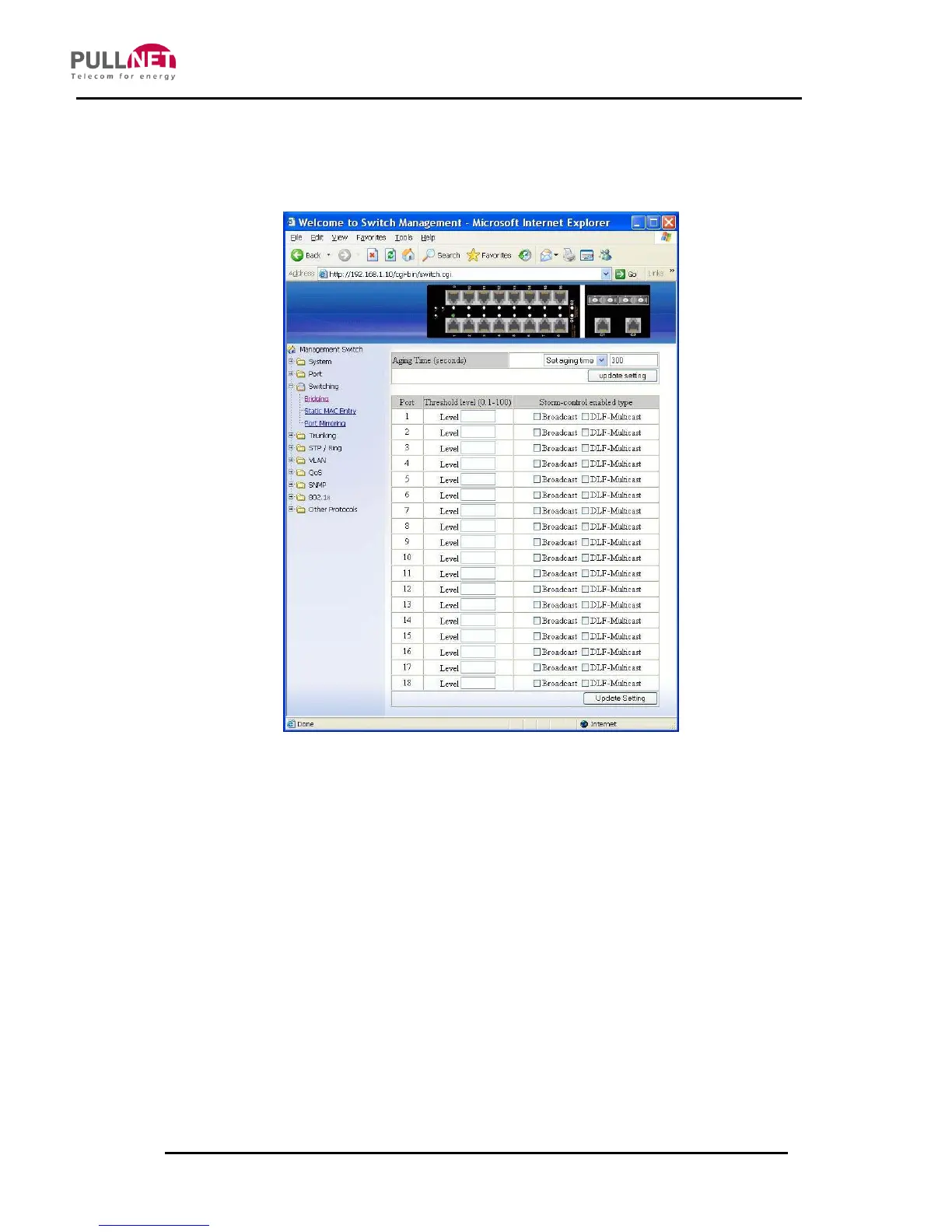
Bridging
1. Aging Time (seconds): Click on the text box and type a decimal number as the
Bridging Aging Time in seconds.
2. Update setting: Click on the “update setting” button after finishing the Aging
Time settings.
3. Threshold level (0.1-100): Click on the “Level” text box and type a decimal
number on port-basis. Users need to choose “Broadcast” and/or “DFL-
Multicast“ from “Storm-control enabled type” on port-basis. DLF (Destination
Lookup Failure).
4. Storm-control enabled type: Choose “Broadcast” and/or “DLF-Multicast” from



 To Next Page