AGENT-2 S41D Line - User Manual AG2-S41D/MU-EE
Ed. Jun-2012 Proprietary information 30 of 89
8.3 System
System Information
View System information, VLAN ID, IP Address, and IP Subnet Mask of the Switch.
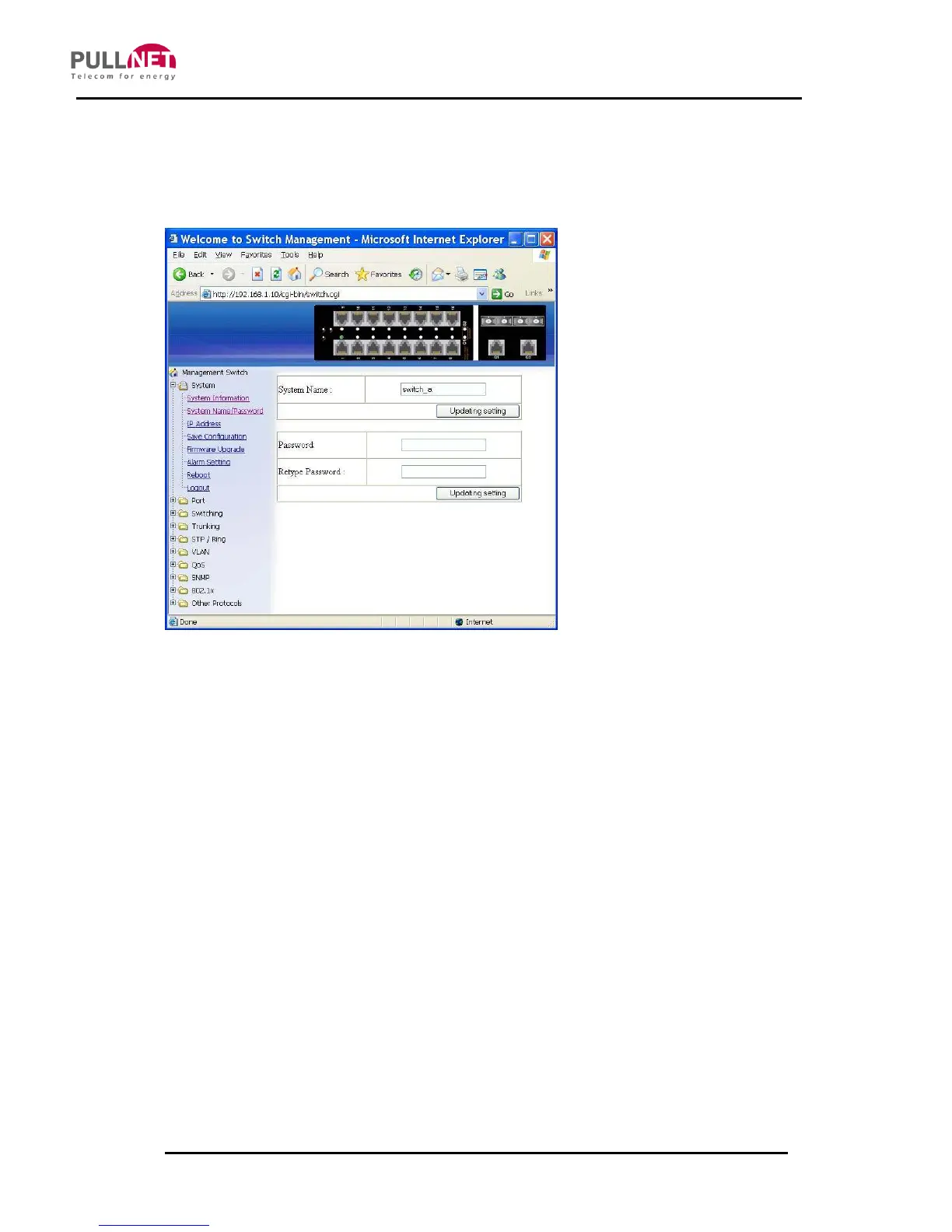
System Name/Password
1. System Name: Click in “System Name” text box. Type a system name if it is blank,
or replace the current system name with a new one.
2. Updating setting: Click “Updating setting” button to update your settings.
3. Password: Click in “Password” text box. Type a password.
4. Retype Password: Click in “Retype Password” text box. Type the same password in
“Password” text box again to verify it.
5. Updating setting: Click “Updating setting” button to update your settings.



 To Next Page