AGENT-2 S41D Line - User Manual AG2-S41D/MU-EE
Ed. Jun-2012 Proprietary information 45 of 89
Port Mirroring
1. Mirror From: Select Mirror From port from boxes Port 1 ~ Port 18, as required.
2. Mirror To: Click on the “Mirror To” drop-down menu to Choose Mirror To port
(Port 1 ~ Port 18) from the “Mirror To” drop-down list, as required.
3. Mirror Mode: Click on the “Mirror Mode” drop-down menu to Choose “Tx/Rx”,
“Tx”, or “Rx” from the “Mirror Mode” drop-down list, as required.
4. Submit: Click on the “Submit” button after finishing the Port Mirroring settings
procedure.
8.6 Trunking
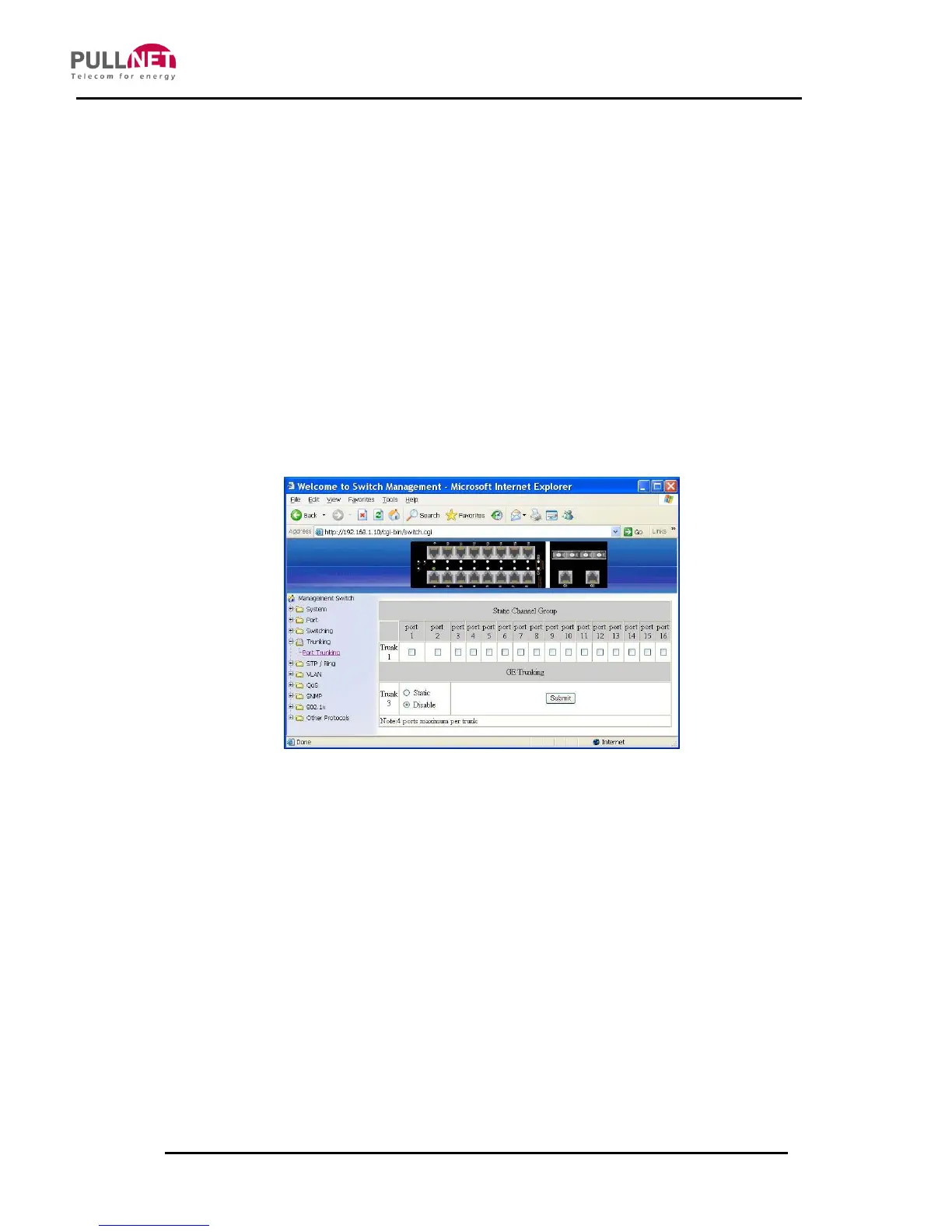
Port Trunking
Static Channel Group:
1. Trunk 1: Click Port 1 ~ Port 16 to assign ports to Trunk 1. (Maximum 4 ports in
Trunk 1.)
2.
GE Trunking:
3. Trunk 3: Click “Static” or “Disable” for Trunk 3.
4. Submit: Click “Submit” button when you finished Port Trunking settings



 To Next Page