AGENT-2 S41D Line - User Manual AG2-S41D/MU-EE
Ed. Jun-2012 Proprietary information 59 of 89
8.9 QoS
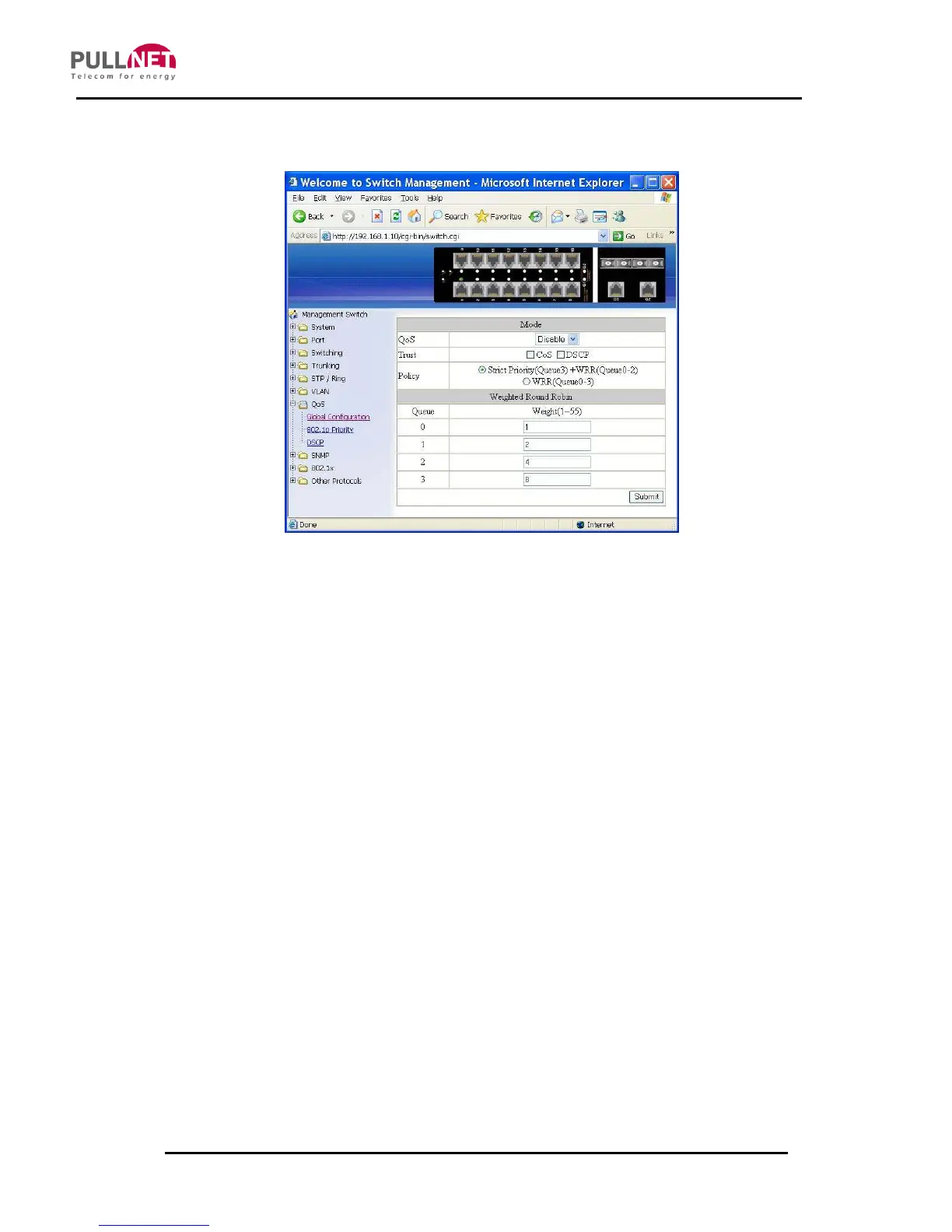
Global Configuration
1. QoS: Click on the “QoS” drop-down menu from the “QoS” drop-down list in
order to choose “Enable” or “Disable” to enabling or disabling QoS.
2. Trust: Enable or disable the switch port to trust the CoS (Class of Service)
labels of all traffic received on that port. Enable or disable a routed port to trust
the DSCP (Differentiated Service Code Point) labels of all traffic received on
that port.
3. Policy: Choose “Strict Priority (Queue3) + WRR (Queue0-2)” or “WRR
(Queue0-3)”. A strict priority queue is always emptied first. The queues that
are used in the WRR (Weighted Round Robin) are emptied in a Round−Robin
fashion, and users can configure the weight for each queue.
4. Weighted Round Robin: Click on the “Weight (1~55)” textbox and specify a
new number from 1 ~ 55 for Queue 0 ~ 3.
5. Submit: Click on the “Submit” button after finishing the Global Configuration.



 To Next Page