AGENT-2 S41D Line - User Manual AG2-S41D/MU-EE
Ed. Jun-2012 Proprietary information 40 of 89
Rate Control
1. Ingress: Click in “Ingress” text box and type a new Rate to change the Ingress Rate
Control for the port.
Rate Values: 64kbps, 128kbps, 192kbps, … , 1792kbps.
2Mbps, 3Mbps, 4Mbps, … , 100Mbps.
104Mbps, 112Mbps, 120Mbps, … , 1000Mbps.
<Note>: M = 1024k.
2. Egress: Click in “Egress” text box and type a new Rate to change the Egress Rate
Control for the port.
Rate Values: 64kbps, 128kbps, 192kbps, … , 1792kbps.
2Mbps, 3Mbps, 4Mbps, … , 100Mbps.
104Mbps, 112Mbps, 120Mbps, … , 1000Mbps.
<Note>: M = 1024k.
3. Update setting: Click “Update setting” button when you finished these Rate Control
settings.
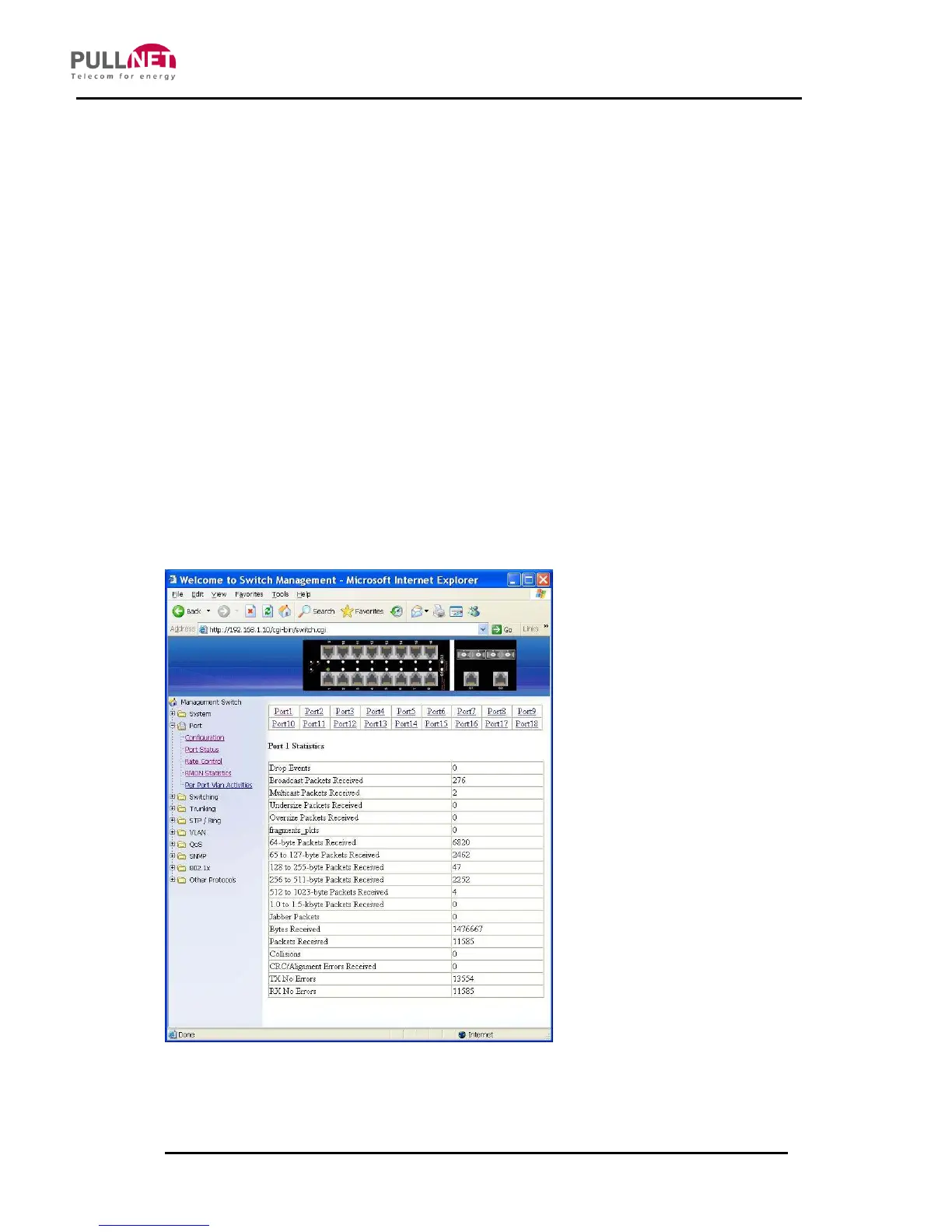
RMON Statistics
Click Port 1 ~ Port 18 to view corresponding RMON Statistics.



 To Next Page