AGENT-2 S41D Line - User Manual AG2-S41D/MU-EE
Ed. Jun-2012 Proprietary information 47 of 89
Configuration settings.
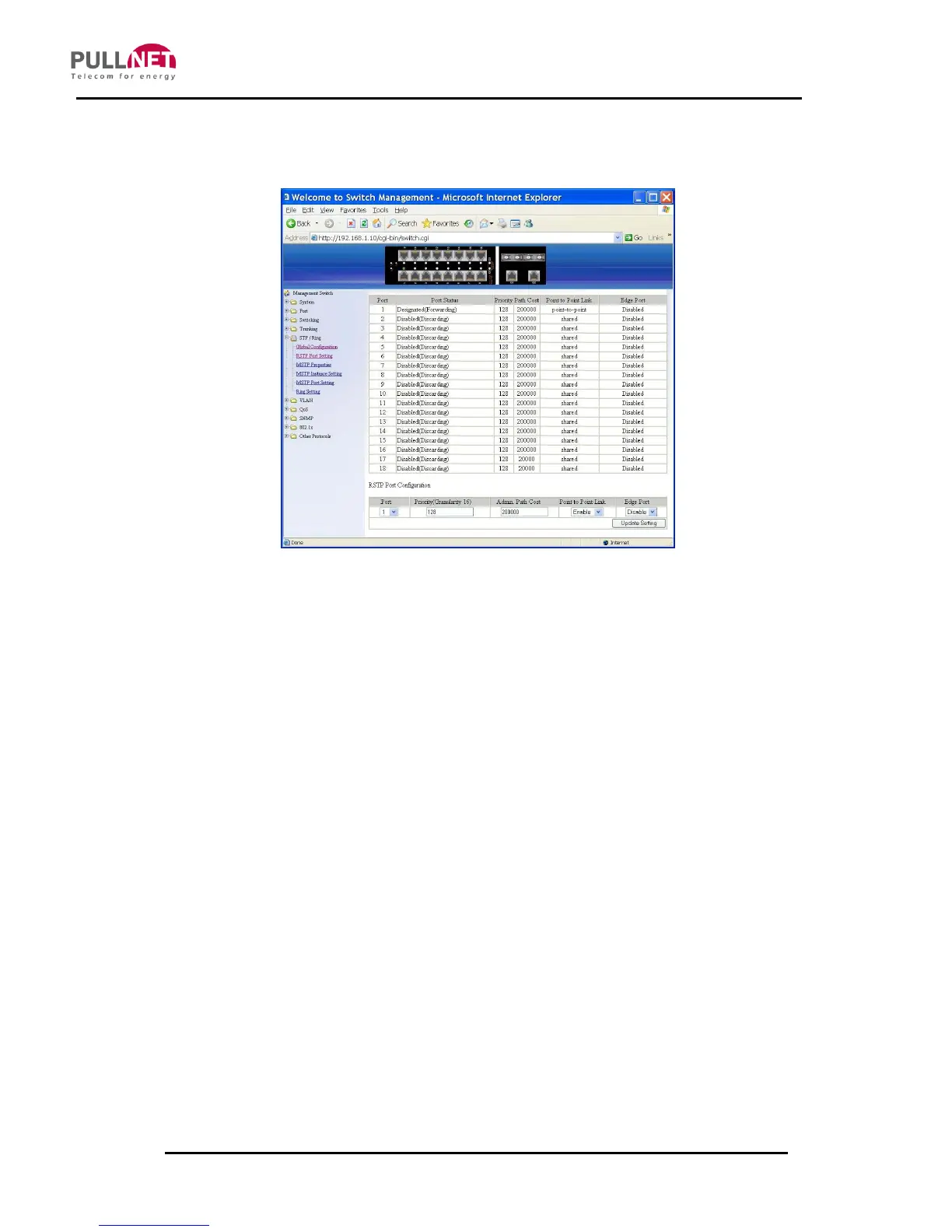
RSTP Port Setting
1. STP Version: Click on the “STP Version” drop-down menu to choose “RSTP”
from the “STP Version” drop-down list.
2. Port: Click on the “Port” drop-down menu to select Port 1 ~ Port 10 from the
“Port” drop-down list.
3. Priority (Granularity 16): Click on the “Priority” text box and enter a value
between 0 and 240 to set the priority, on port-basis. A higher priority will
designate the port to forward packets first. A lower number denotes a higher
priority. This entry must be divisible by 16. The default priority setting is 128.
4. Admin. Path Cost: Click on the “Admin. Path Cost” text box and enter a value
between 0 and 2000000 to set the Admin. Path Cost for the port. 0 (auto) -
Setting 0 for the Admin. Path Cost will automatically set the speed for
forwarding packets to the port for optimal efficiency. Default port cost:
100Mbps port = 200000. Gigabit port = 20000.
5. Point to Point Link: Click on the “Point to Point Link” drop-down menu to
Choose “Enable” or “Disable” from the “Point to Point Link” drop-down list to
enabling or disabling Point to Point Link, on port-basis.



 To Next Page