AGENT-2 S41D Line - User Manual AG2-S41D/MU-EE
Ed. Jun-2012 Proprietary information 68 of 89
1. Delete Radius: Click on the “Delete Radius” button. The “Select Radius Server
IP” window is then displayed.
2. Select Radius Server IP: Click on the “Select Radius Server IP” drop-down
menu from the “Select Radius Server IP” drop-down list to choose the IP
address of the remote radius server host to be deleted.
3. Submit: Click on the “Submit” button after finishing the radius server deletion
procedure.
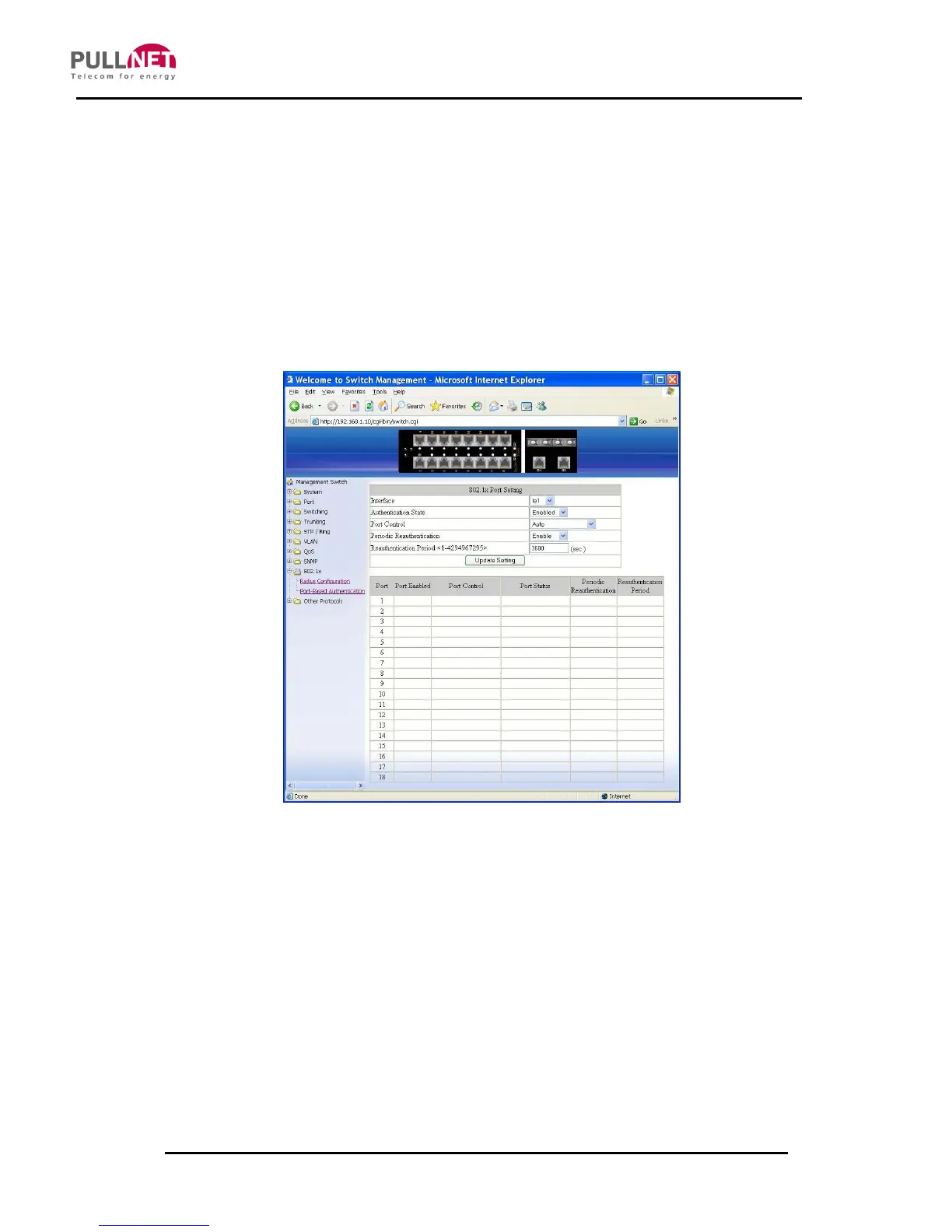
Port-Based Authentication
1. Interface: Click on the “Interface” drop-down menu from the “Interface” drop-
down list in order to choose the port to be set with port-based authentication.
2. Authentication State: Click on the “Authentication State” drop-down menu from
the “Authentication State” drop-down list in order to choose “Enable” or
“Disable” to enabling or disabling authentication state.
3. Port Control: Click on the “Port Control” drop-down menu from the “Port
Control” drop-down list to choose “Auto”, “Force Authorized”, or “Force



 To Next Page