26. February 2024 © Copyright 2024, PROCEQ SA 28
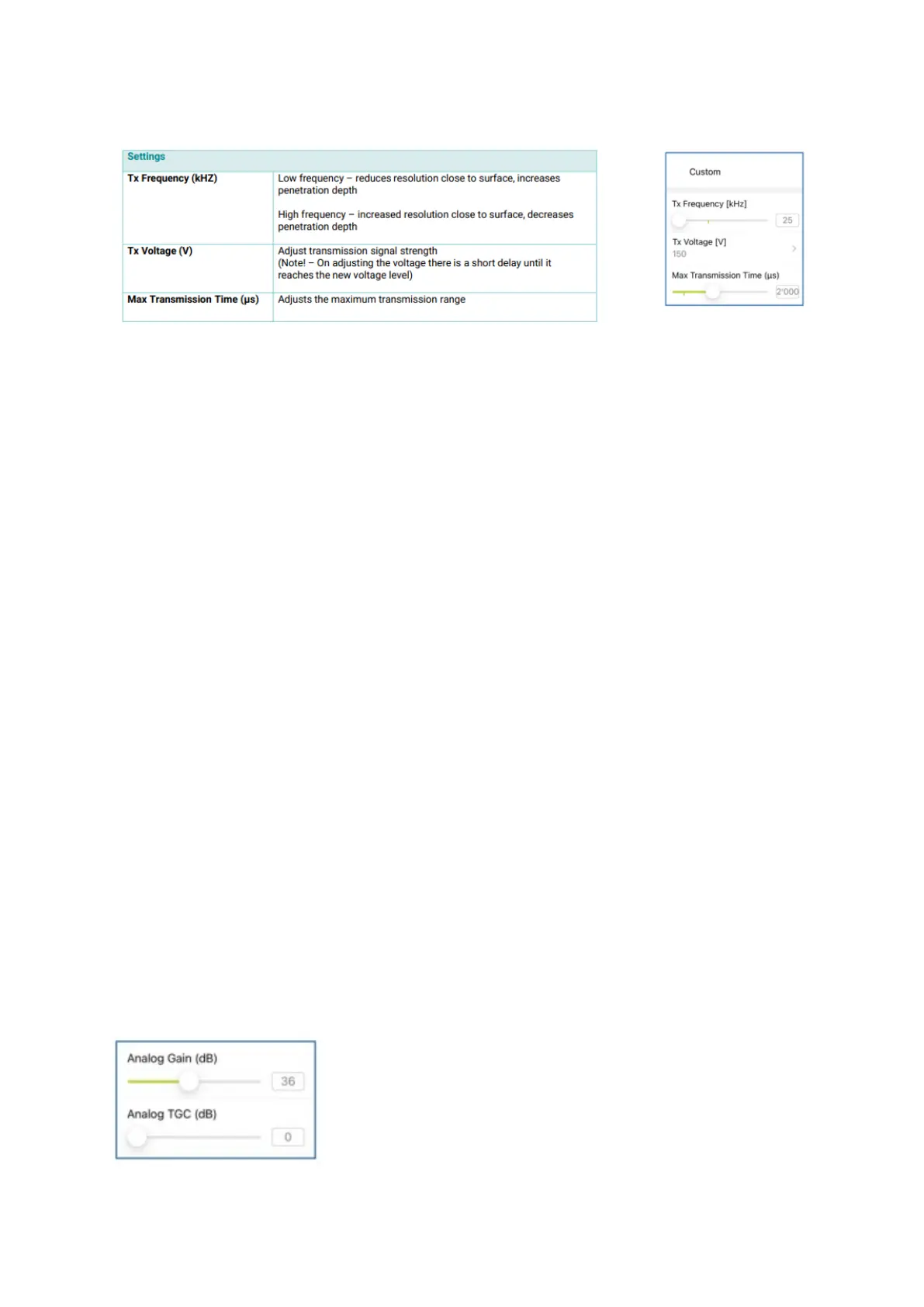
If desired, the settings to set the depth of field can also be individually adjusted:
Figure 22: Recommended settings: depth of field.
5.5 Analog Gain and Analog Time Gain Compensation (TGC)
Analog gain and time gain compensation are measurement presets. They are used to set the
optimum signal strength before starting to scan.
Analog gain regulates (increases or decreases) the analog signal amplitude before being
transformed into a digital signal by analog-digital converter. Analog gain units are in decibels
(dB). It is essential to adjust the analog gain every time before you start working with a new
object.
Too high analog gain leads to ADC overflow error and may cause sever distortions in the image
synthesis procedure. The low analog gain suppresses the useful amplitudes and increases
quantization and thermal noise.
Time gain compensation increases signal analog gain with time. The TGC units are decibels
per microseconds (dB/μs). The correct usage of TGC may lead to reducing of quantization and
thermal noise. Another benefit of TGC is compensation of ultrasound attenuation caused by
the material structure.
For most test objects it is recommended to leave the Analog Gain and TGC at the default
values and to use the digital gain and digital TGC under Image Processing settings to obtain
a good image.
However, for very thick structures, or very thin structures, it may be advantageous to either
increase or decrease the analog settings respectively.
It is often the case that if these analog settings are adjusted, users forget to reset them, which
can lead to poor image quality with future measurements.
To reset the settings as default (Analog Gain = 36dB and Analog TGC = 0 dB), double-tap on
the slider.
Figure 23: Analog Gain and TGC sliders.



 To Next Page