26. February 2024 © Copyright 2024, PROCEQ SA 37
5.10 Advanced Settings – Pulse Delay
This setting introduces a delay between transmission pulses. It is mainly used for research
projects.
The default value is 8ms. This will give the fastest screen refresh when carrying out a real-time
B-scan. For narrow objects and objects with very little attenuation, the delay between pulse
cycles can be increased. This reduces the noise effect of reflections from side walls etc.
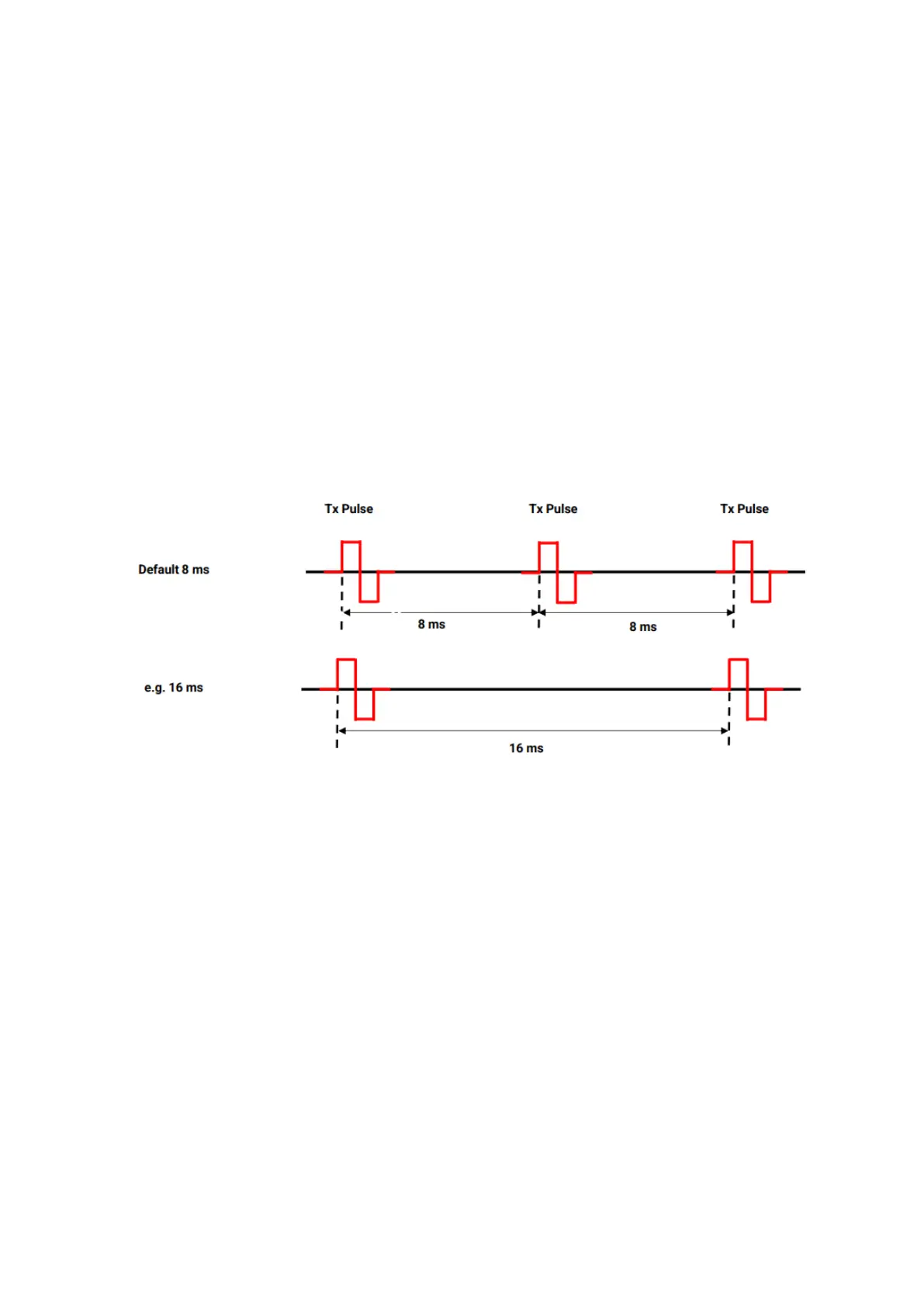
As said before, the pulse delay is the time between two successive transmissions.
Assuming a Pulse Delay of 8 ms (default):
Transmission 1 occurs at t=0 ms
Transmission 2 occurs at t=8 ms
Transmission 3 occurs at t=16 ms
etc
Figure 33: Pulse Delay.
Remark: the PD8050 records the first 1 to 4 µs after the transmission (1 ms = 1000 µs). So the
pulse delay is typically 2'000-8'000 times longer than the actual record; the PD8050 spends
most of its time idle. This delay is needed to ensure that the waves generated in the previous
transmission will have time to fully attenuate. If the Pulse Delay is too short, the previous
transmission will perturb the following one, leading to poor signal and image artifacts.
Recommendations:
The default value (8 ms) should work for most cases.
To ensure the Pulse Delay is adequate: increase its value (for example, multiply by 2)
and compare the B-scan before/after. The images should be identical.



 To Next Page