26. February 2024 © Copyright 2024, PROCEQ SA 38
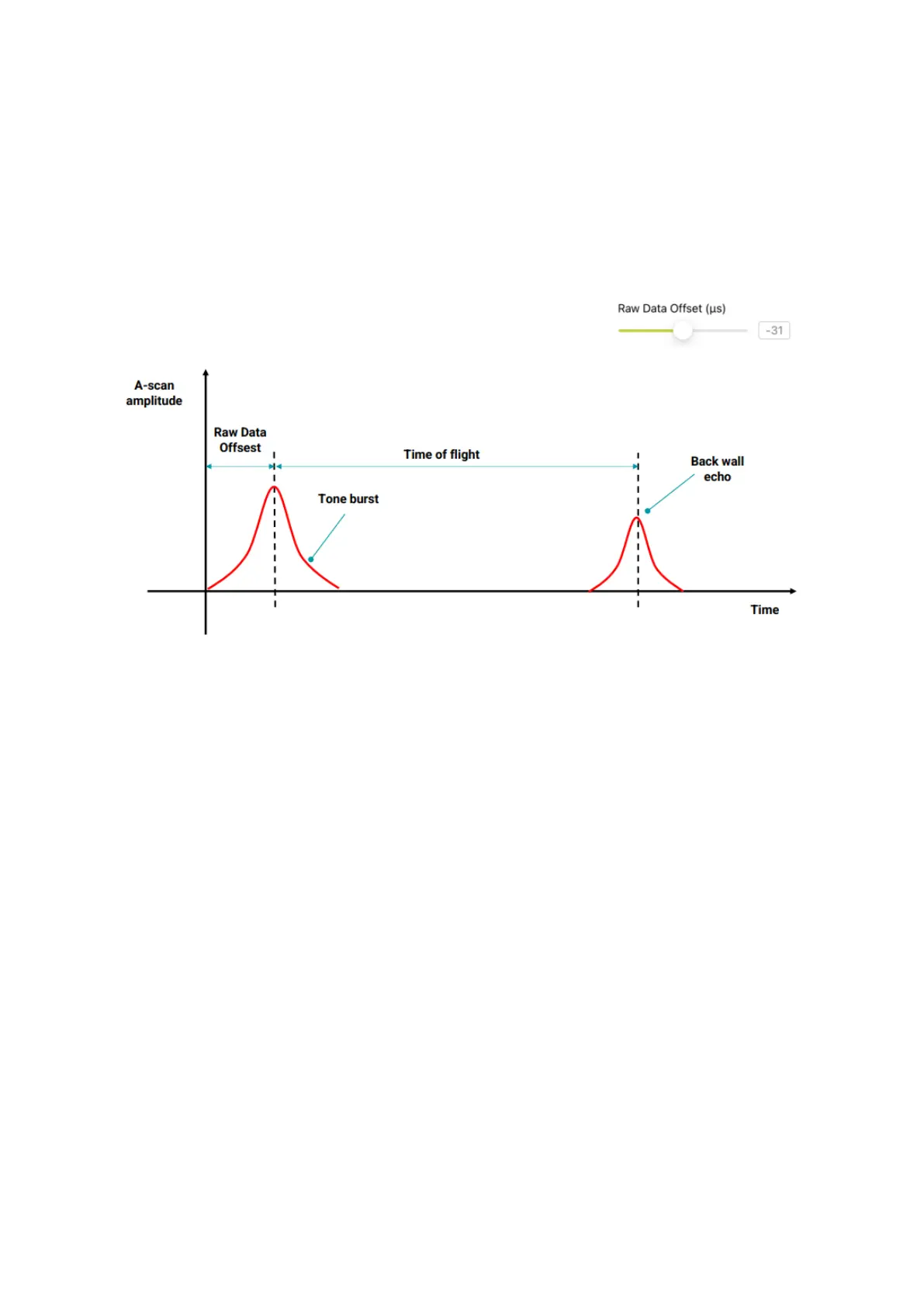
5.11 Advanced Settings – Raw Data Offset
This setting is used for more accurate depth estimations.
This feature allows the user to work with the envelope peak for depth measurements. This is
much easier than trying to locate the beginning of a pulse. The default value is -30 µs. Using
the calibration function using two echoes described later in this document, this value is set
automatically. If two echoes are not available, it is recommended to work with the default value.
Figure 34: Raw Data Offset.
5.12 Advanced Settings – Surface Wave Cancelation
Surface Wave Cancellation Removes the surface wave component from the displayed B-
scan.
5.13 Auto Gain and Adjust Gain
The auto gain function adjusts the digital gain and TGC to optimum settings based on signal
levels acquired in the entire scan. If this is activated it is not possible to adjust those settings
manually. It generally gives a good starting point and can be disabled on completion of the
scan to further adjust using the manual settings.



 To Next Page