PureWave PEMI User Manual | 06-23 V1.0 Page 13 from 28
PureWave PEMI User Manual
After confirming the last time digit, you automatically reach the menu to set the date. The corresponding display
may look as follows:
Please proceed accordingly to set the date (European Format).
By confirming the last date digit, the menu is closed and the
device will be started with its standard functionality.
You may leave the menu to set time and date at any time by pressing the Start-Stop-button.
3.1.5 Setting the language
You may operate the PureWave PEMI in different languages. To set the standard language the device’s user
interface offers you convenient menu guidance.
Turn the device off before you start.
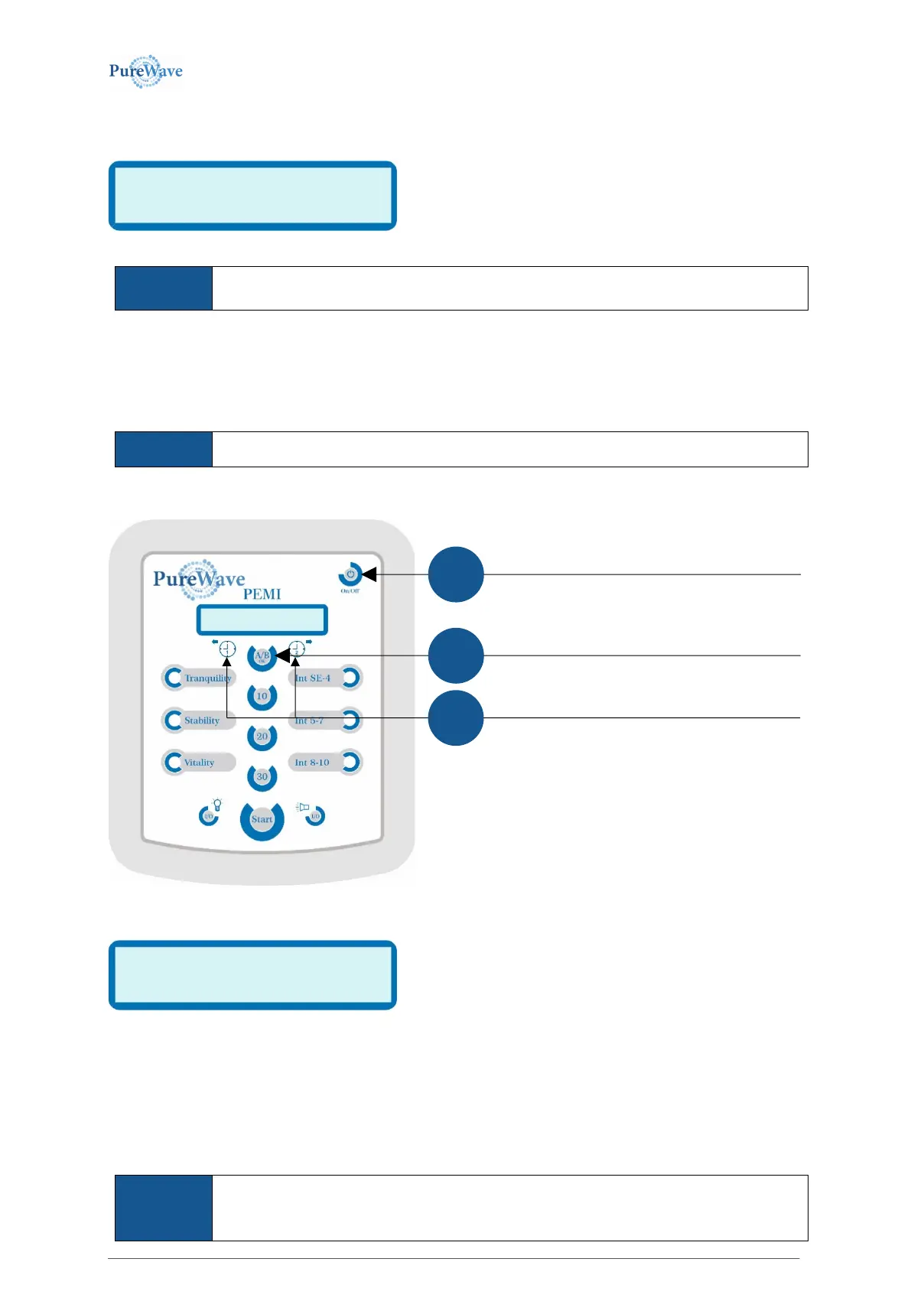
You may reach the corresponding menu by
You are now in the menu to set the language.
The abbreviation of the currently selected language is marked
between brackets “[ and ]“.
The following languages are available:
[EN] English [DE] German [FR] French [IT] Italian [ES] Spanish [SE] Swedish
Pressing the AB/OK-button confirms the current selection, leaves this menu and starts the device and its standard
functionality.
You may leave the menu to set the language at any time by pressing the Start-Stop-button.
The currently made (incorrect) setting will not take effect.
While holding down the A/B- button, press and release the
on/off button, but continue to hold the A/B button for a
You may press the left or right arrow-button to choose
among various languages.
…
…


 To Next Page