PureWave PEMI User Manual | 06-23 V1.0 Page 7 from 28
PureWave PEMI User Manual
2. Start of operation
2.1. Transport and assembly
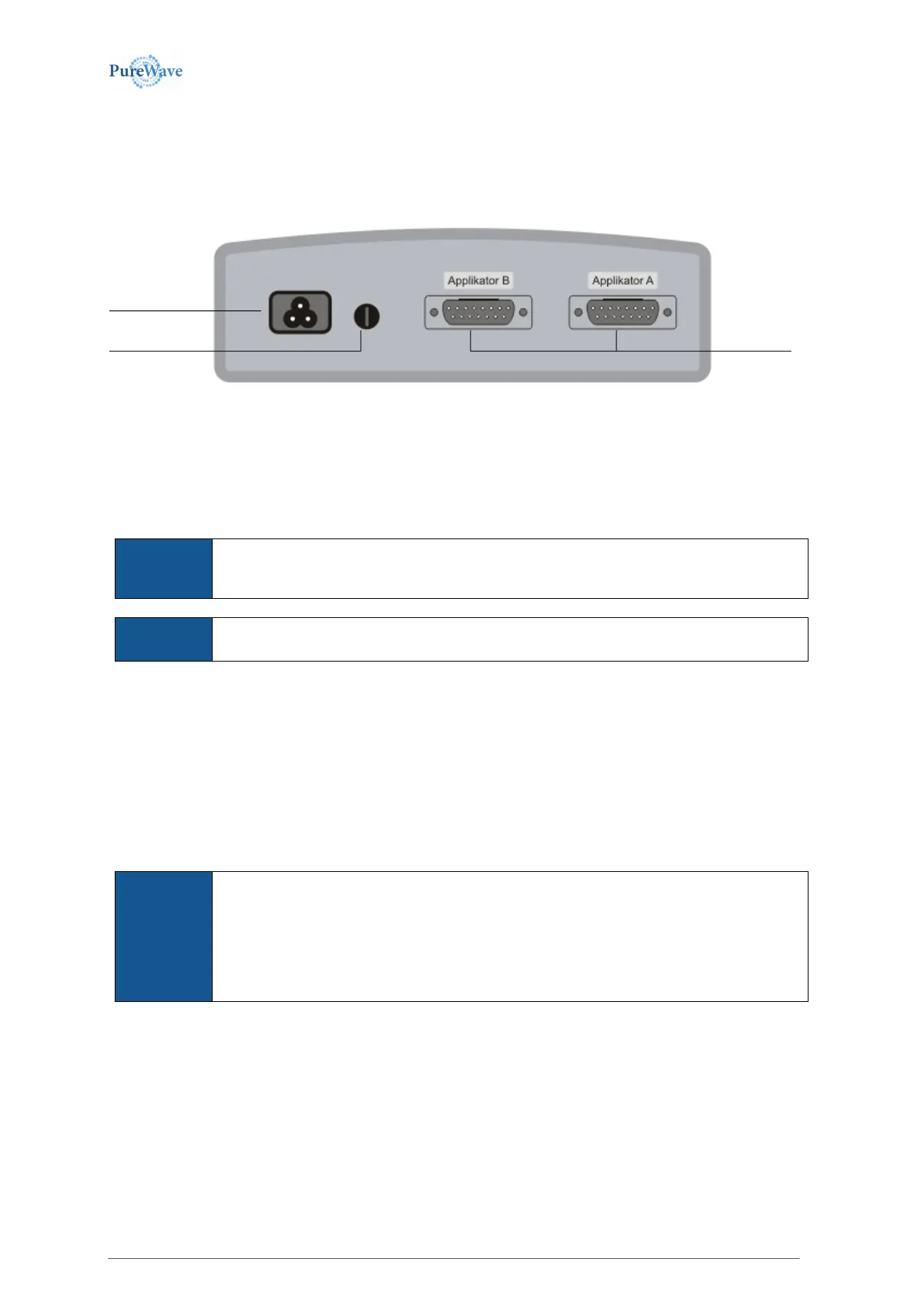
The image below shows the power inlet and fuse receptacle on the device‘s rear side.
As a powered appliance, the PureWave PEMI should not be moved during the running operation. Any location on
a level surface is suitable. The device should not be placed in front of a heater or radiator (leave approx. 1 m
clearance). There are no further requirements concerning wall distance or ventilation. The device meets the
requirements DIN/VDE 0750,
EN 60601-1, EN 60601-1-2.
The unit is not designed to be operated in places with the inherent risk of explosions. If it is
used in dangerous areas, such as; anesthesia departments, the possibility of an explosion
cannot be excluded.
In order to prevent the risk of electric shock, the unit must be connected only to an AC
power supply network with protective ground conductors.
As a rule, a distance of 3 m is sufficient for being exposed to a heat radiator or high frequency heat therapy.
Damage to the device or person is possible if exposed to these items.
2.2. Power supply
The PureWave PEMI system is intended to be connected to main power source voltages of 115 V or 230 V and
the frequencies of 50 or 60 Hz. Within this range there is no need for further change or alteration on the devices.
Connect the device’s power socket to a grounded socket by means of the included power cord.
The PureWave PEMI system allows time-controlled operation (Timer Mode/Auto Clock). In
this case the device starts automatically at a predefined time, selected via button
programming (see 3.4, Timer Mode). The system remembers the last program settings used,
even if it has been turned off via the on/off switch. It will remember the settings for up to 30
days if unplugged. We recommend keeping your main power cord plugged in at all times.
Never connect the device to a power strip or surge protector.
2.2.1 Main Power Source fuse
The Main Power Source fuse serves to protect the device from further damage in case of a serious error. The
Main Power Source fuse is not subject to aging or wear. If the device does not power on, make sure that the fuse
socket and main power cord on the back side of control housing, are plugged in properly. If this is not the
problem, please check the fuse and replace it with a new fuse with the same type and value.
The AC fuse is located in the fuse carrier on the back of the device as shown in the image above. The fuse is
accessible by gently pressing the fuse carrier toward the device and turning it about 1/8th turn counterclockwise.


 To Next Page