PureWave PEMI User Manual | 06-23 V1.0 Page 9 from 28
PureWave PEMI User Manual
3. Functional Characteristics
3.1. Basic functions
3.1.1 Selecting the applicator jack
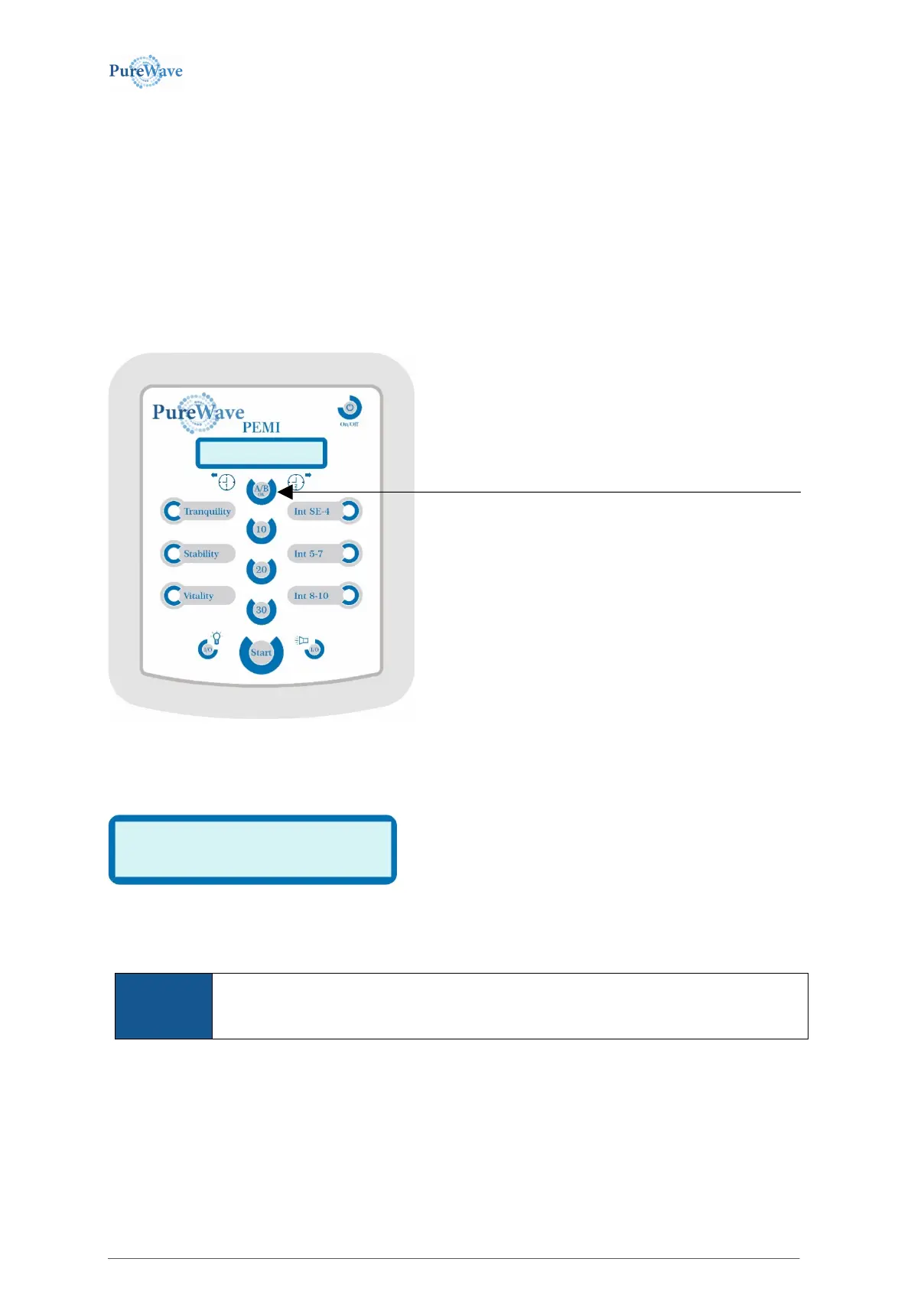
Purewave PEMI is equipped with jacks for two applicators (see image in chapter 2, Start of operation). The
physical identification for those two jacks are “A“ and “B“. If two applicators are connected, select which
applicator to use by pressing the A/B Button. Only one applicator can run at a time.
The LCD Screen shows by name which applicator is selected.
You may for example see the following display:
This display will be shown for 1.5 seconds before returning to
the display of the operating mode.
You may switch to the respective other applicator by pressing the A/B-OK-button a second time while the above
stated display is still visible and it will display the other connected applicator to run.
You may only switch to another applicator if two applicators are actually connected to the
device. If only one applicator has been connected, it will be the only applicator shown in the
display.
To see what applicator is selected pressing the A/B-button.



 To Next Page