PureWave PEMI User Manual | 06-23 V1.0 Page 17 from 28
PureWave PEMI User Manual
3.3 Timer mode
The PureWave PEMI contains two independent “timers“. These programmable timing circuits serve to
Automatically Start a Full Body (or any selected applicator) Therapy Session at a Set Time of Day or Night. Here
you are free to choose the starting time, duration, and all therapy parameters (therapy program, intensity,
duration). The timers have to be programmed and activated. After an Initial programming/activation with a 24
Hour Clock Cycle Needed to turn on the clock settings,….the Timers will Start Automatically and run the selected
therapy every 24 hours, unless they have been deactivated with the On/Off selection during programming.
To perform a therapy in timer mode, the device must be turned off and remain connected to
a live power supply (see chapter 2.2, Power supply). At the first use of the timers they are set
as described in chapter 3.1.6, Restore basic settings.
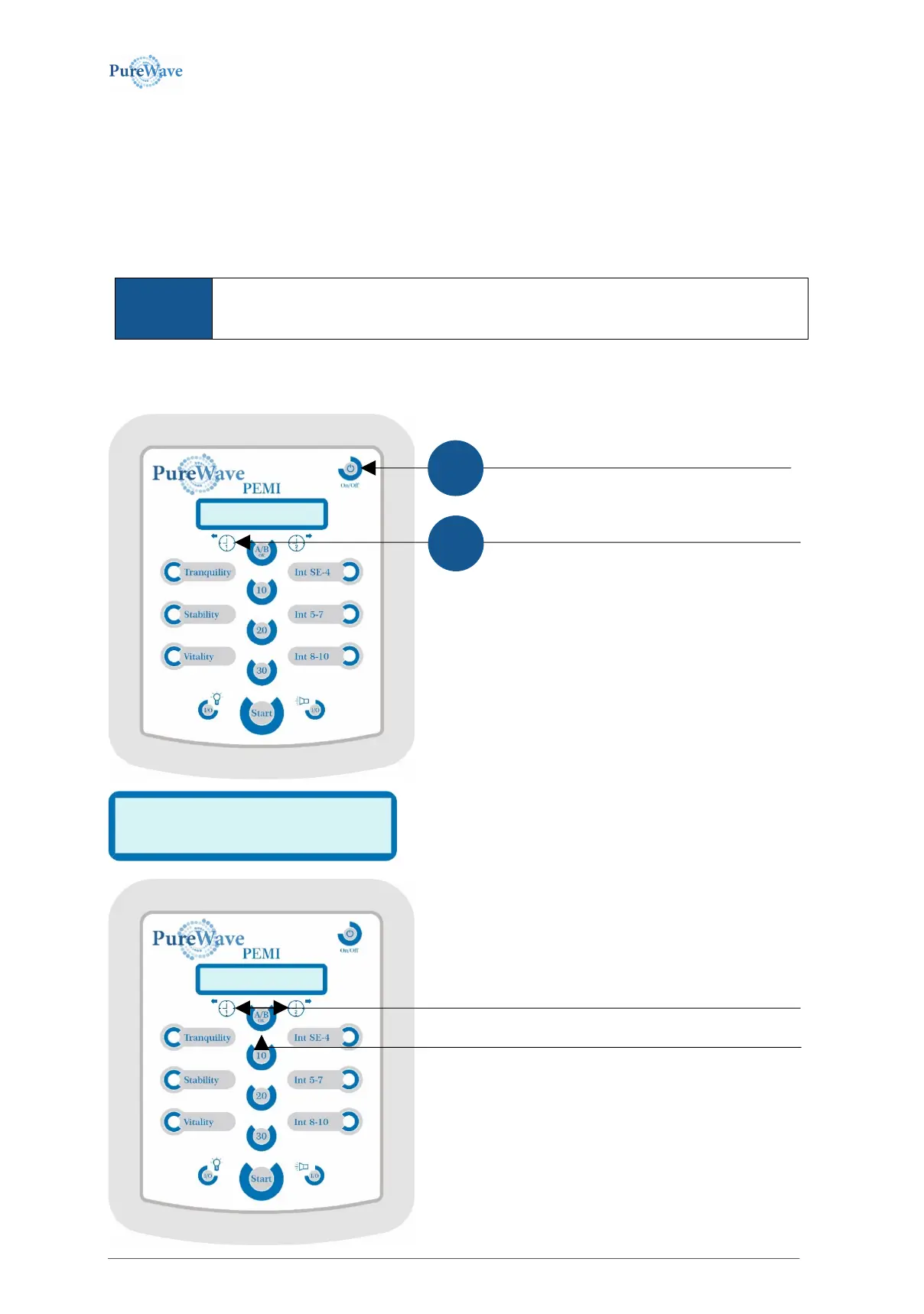
The following example shows the commands for timer 1. Timer 2 is to be handled identically. Activation and
deactivation of both timers begin with a switched-off device.
The display shows the timer is off.
To program the timer 1 please press and hold the left
arrow-button.
Now turn the device on via On/Off-button.
...
To activate the timer apply the right arrow-button,
to deactivate the timer apply the left arrow-button.
The display will change, accordingly.
This command must be confirmed via the A/B-OK-button.


 To Next Page