PureWave PEMI User Manual | 06-23 V1.0 Page 18 from 28
PureWave PEMI User Manual
If the timer is deactivated, the device will now start with the standard operating mode. If the timer is activated
you may now start with its programming. As its first programming step you will set the time at which the therapy
shall be started automatically. The display will show the following menu (exemplary time):
To set Timer 1 press and hold the left arrow-button To set Timer 2 press and hold the right arrow-button
and then press the On/Off-button. and then press the On/Off-button.
The blinking cursor is positioned on the time’s first digit “2“, as shown above.
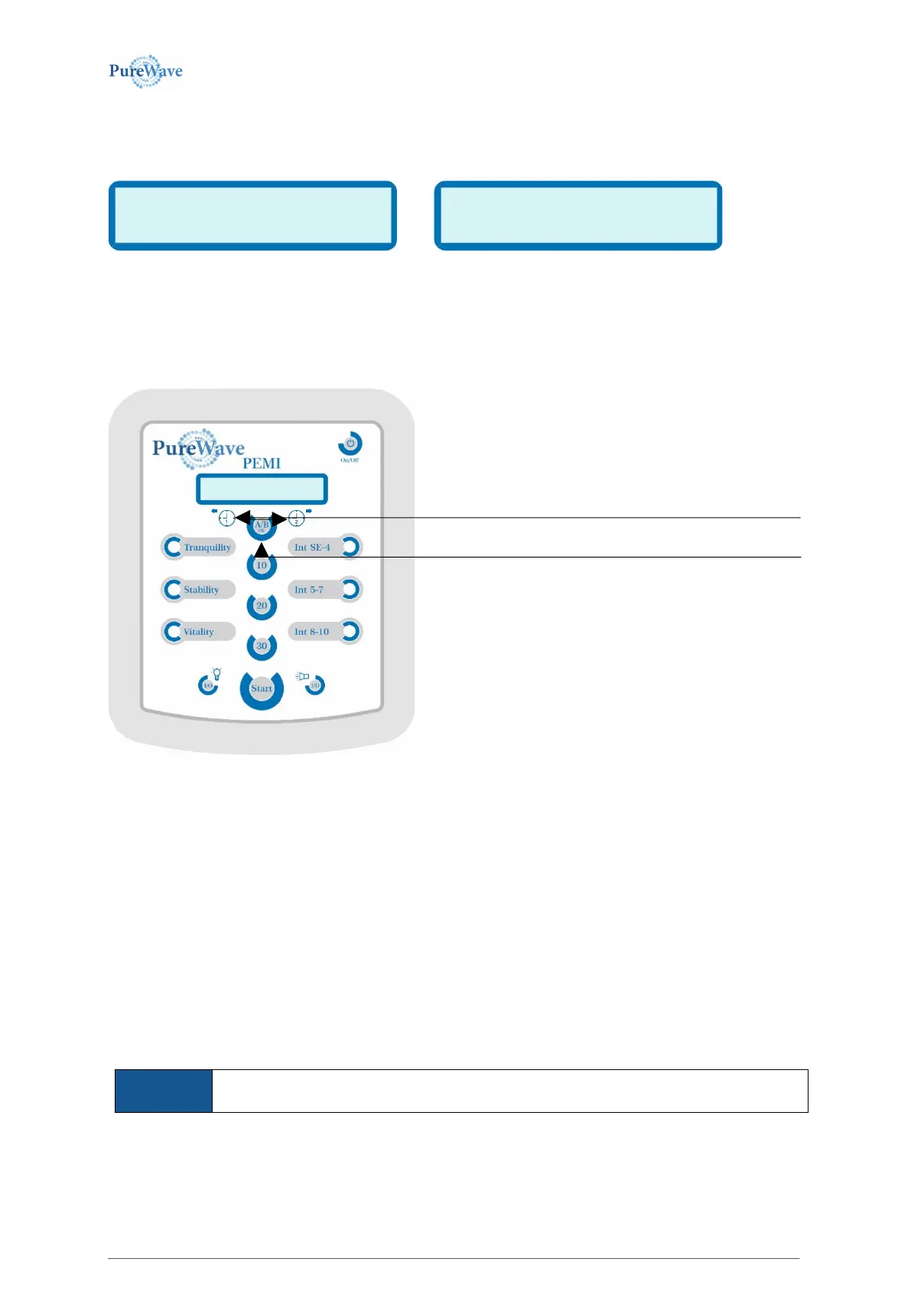
You may now change the time by increasing the digit positioned below the cursor by pressing the right arrow-
button, or to lessen it via the left arrow-button.
After confirming the last time digit you automatically reach the menu to set the therapy parameters. If already
programmed you can now see the settings chosen for this timer regarding therapy program, therapy intensity,
therapy duration and applicator. To change one or several of these settings you may press the corresponding
control button in any given order.
Should 2 applicators be connected to the control unit you may also change the respective applicator via A/B-OK-
button. After the first click on this button the programmed applicator will be displayed for 1.5 seconds.
The respective applicator will be changed by pressing the A/B-OK-button a second time while the display is still
visible – i.e. no later than 1.5 seconds after the first click.
Programming the timer is concluded by pressing the Start-button or the On/Off-button. In both cases all
previously set values will be saved for this timer. By pressing the Start-/Stop-button the device will be set to the
standard operating mode. The On/Off-button will turn the device off.
If a PureWave PEMI control unit with activated timer is taken out of the power supply and
reconnected later, the device will switch on, independently, display the text „AUTOMODE“
and switch off again.
Increasing the digit positioned below the cursor by pressing
the right arrow-button, or decrease it via the left arrow-
button.
Pressing the A/B-OK-button confirms the current value and
goes to the next position.



 To Next Page