PureWave PEMI User Manual | 06-23 V1.0 Page 16 from 28
PureWave PEMI User Manual
3.2.1 Finetuning of intensity and therapy duration
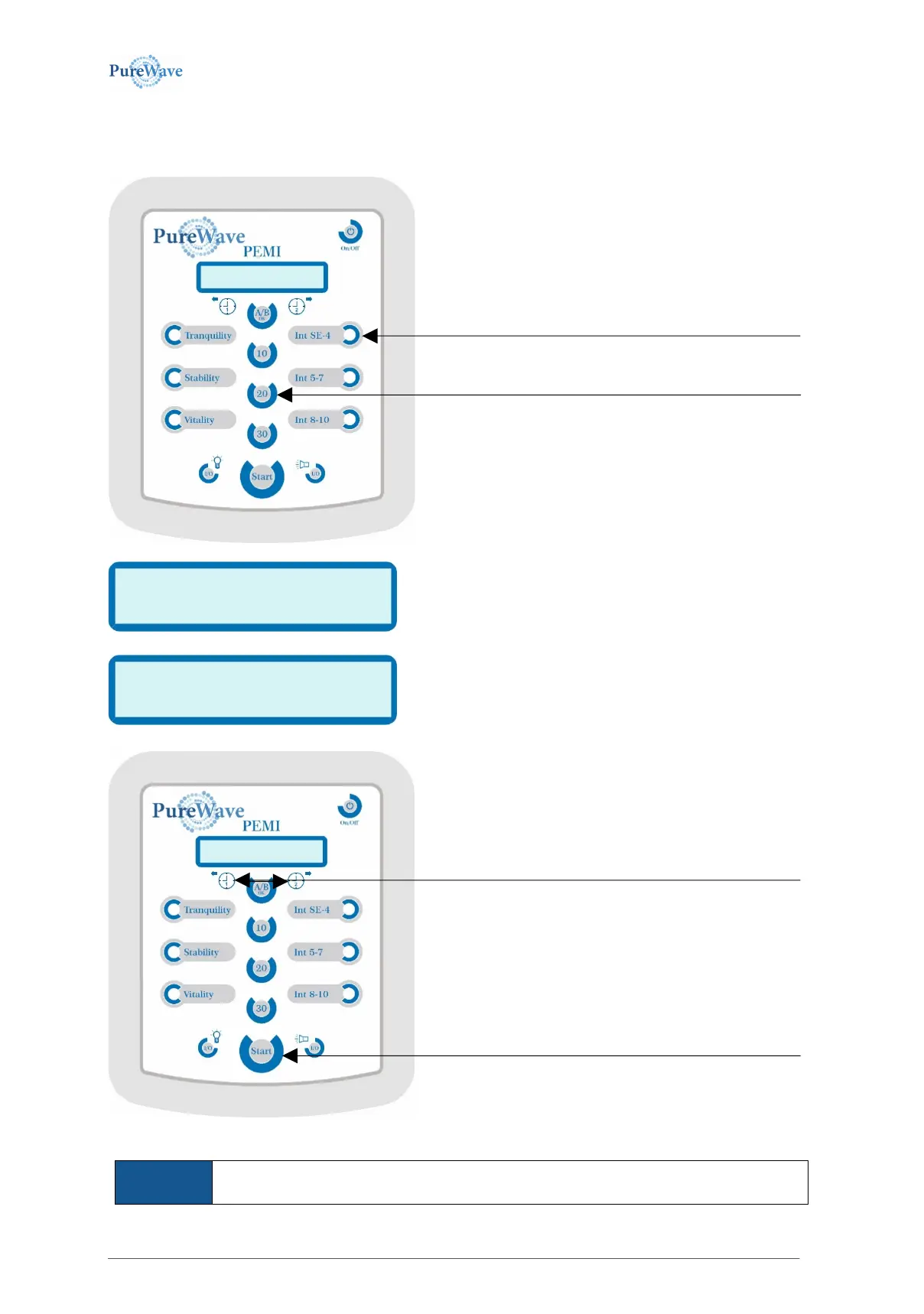
The intensity and duration of the home-therapy can be fine tuned. TURN ON UNIT then
The therapy duration can be adjusted starting from any time
button (10 min, 20 min, 30 min). Press one of the time buttons
for 2 sec. until the time in the display flashes.
The intensity can be adjusted starting from any of the intensity
buttons (Tranquility, Stability, Vitality). Press the button for 2
sec. until the intensity in the display flashes.
The therapy program “Tranquility“ allows only values up to 5.
The last settings are saved until you set something else.
Changing therapy duration:
press the button for 2 sec. until the intensity in the display flashes
Changing intensity setting:
press the button for 2 sec. until the time in the display flashes
Decreases/increases time and intensity setting:
By pressing the left arrow button the time decreases in 1 minute steps
and by pressing the right arrow button the time increases in 1 minute
steps. By pressing the left arrow button the intensity decreases and by
pressing the right arrow button the intensity increases. The intensity
range starts from „SE“ (=sensitive) up to 1-10.
After having reached the desired setting press the A/B-OK button
and continue with normal operation. You can directly start
the therapy with pressing this Start button.


 To Next Page