3. Installation and Configuration
This chapter provides specific hardware and firmware installation and configuration steps.
Hardware Installation
This section provides information on installing drives, memory modules, and expansion cards.
Removing a Storage Controller
1. Power off the NAS.
2. Disconnect the power cord from the electrical outlet.
3. Disconnect all cables and external attachments.
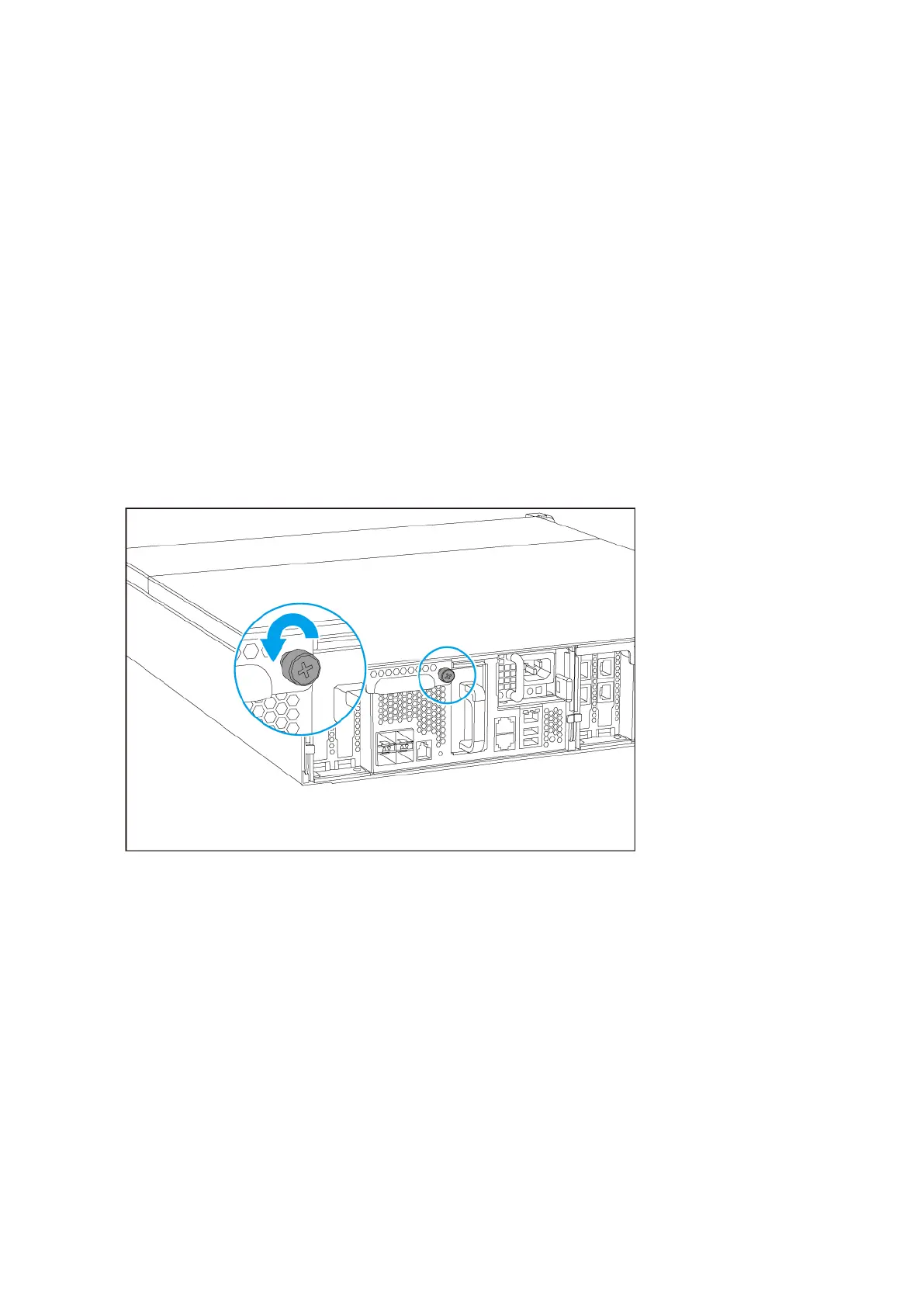
4. Remove the storage controller.
a. Loosen the screw.
b. Pull the handle down.
c. Pull out the storage controller.
ES2486dc User Guide
Installation and Configuration 23


 To Next Page