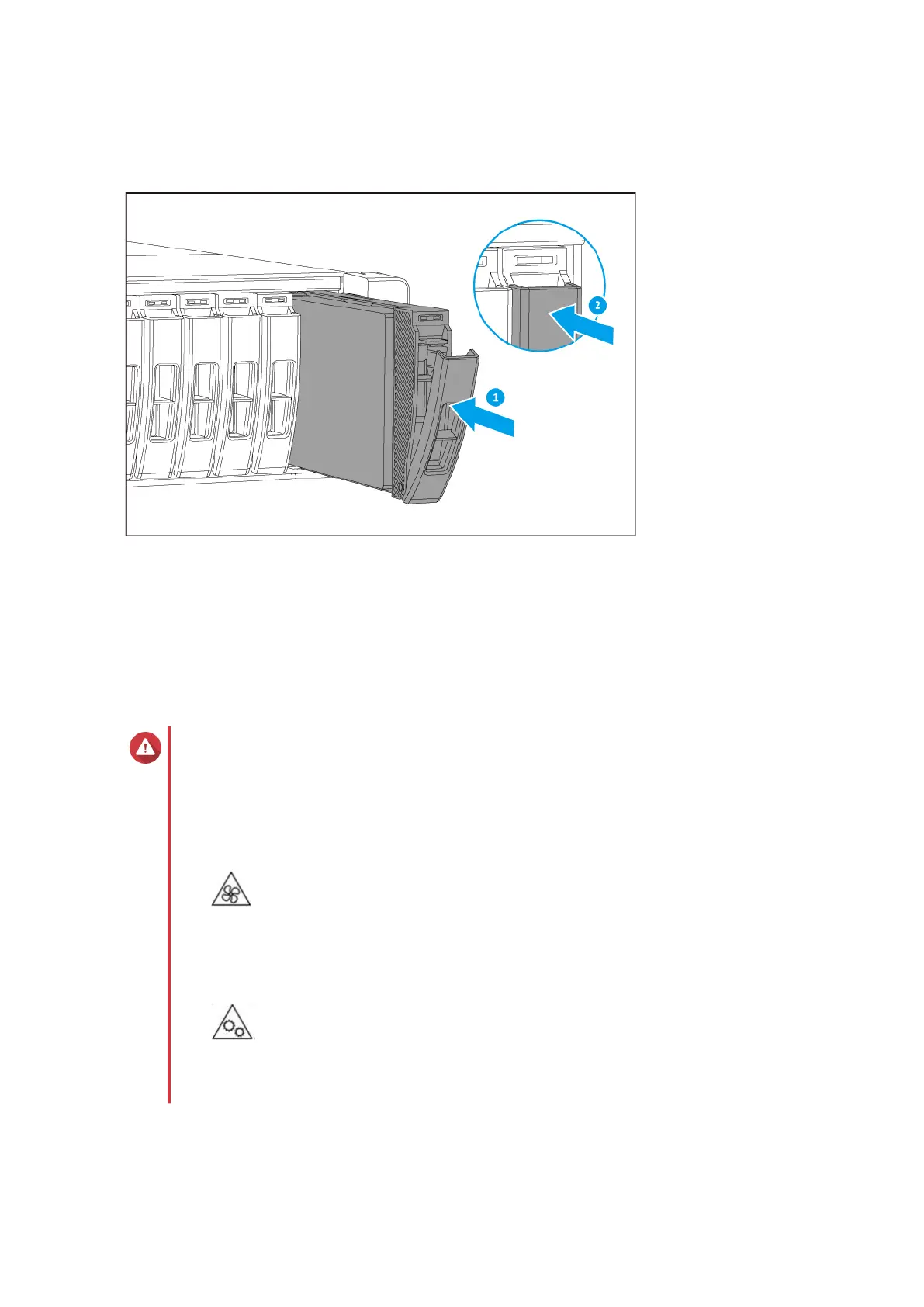
a. Insert the tray into the bay.
b. Push the handle.
5. Power on the NAS.
Installing Expansion Cards
The ES2486dc supports selected expansion cards, some of which require QNAP PCIe brackets. QNAP-
branded expansion cards purchased from the company website are shipped with the brackets necessary to
fit the ES2486dc.
Warning
• Only qualified personnel should perform the following steps. Failure to follow
instructions can result in serious injury or death.
• Observe electrostatic discharge (ESD) procedures to avoid damage to components.
•
Moving fan blades: Keep your hands and other body parts away from moving fan
blades.
•
Other moving components: Keep your hands and other body parts away from other
moving components.
1. Power off the NAS.
2. Remove the storage controller.
ES2486dc User Guide
Installation and Configuration 28


 To Next Page