For details, see Removing a Storage Controller.
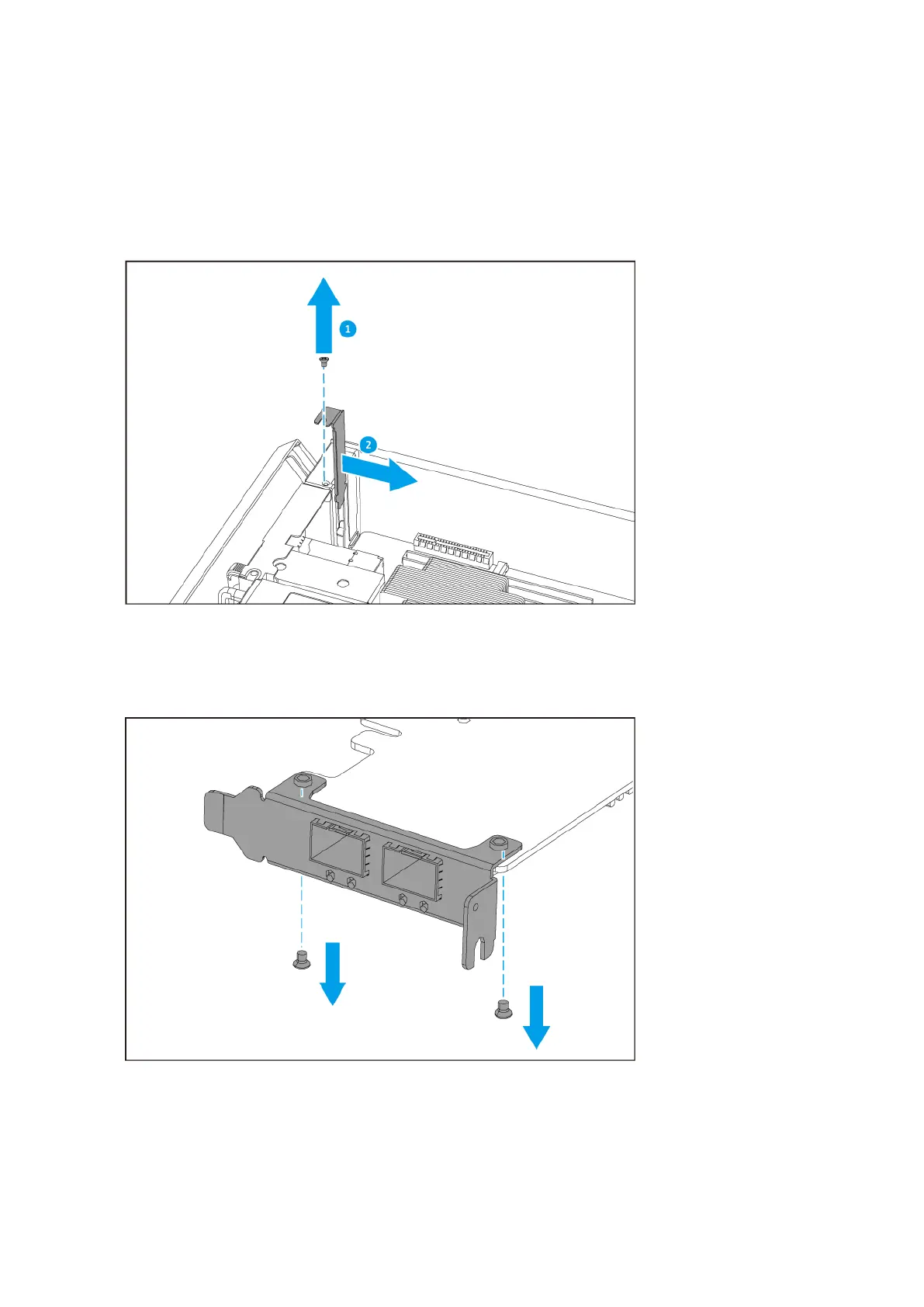
3. Remove the PCIe cover.
a. Remove the screw that secures the cover to the bracket.
b. Pull the cover away from the slot.
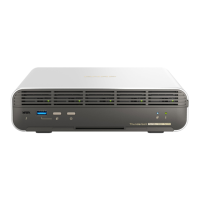
4. Optional: Attach the QNAP bracket to the expansion card.
a. Remove the screws from the existing bracket.
b. Carefully pull the bracket away from the card.
c. Attach the QNAP bracket to the card using the same screws.
ES2486dc User Guide
Installation and Configuration 29


 To Next Page