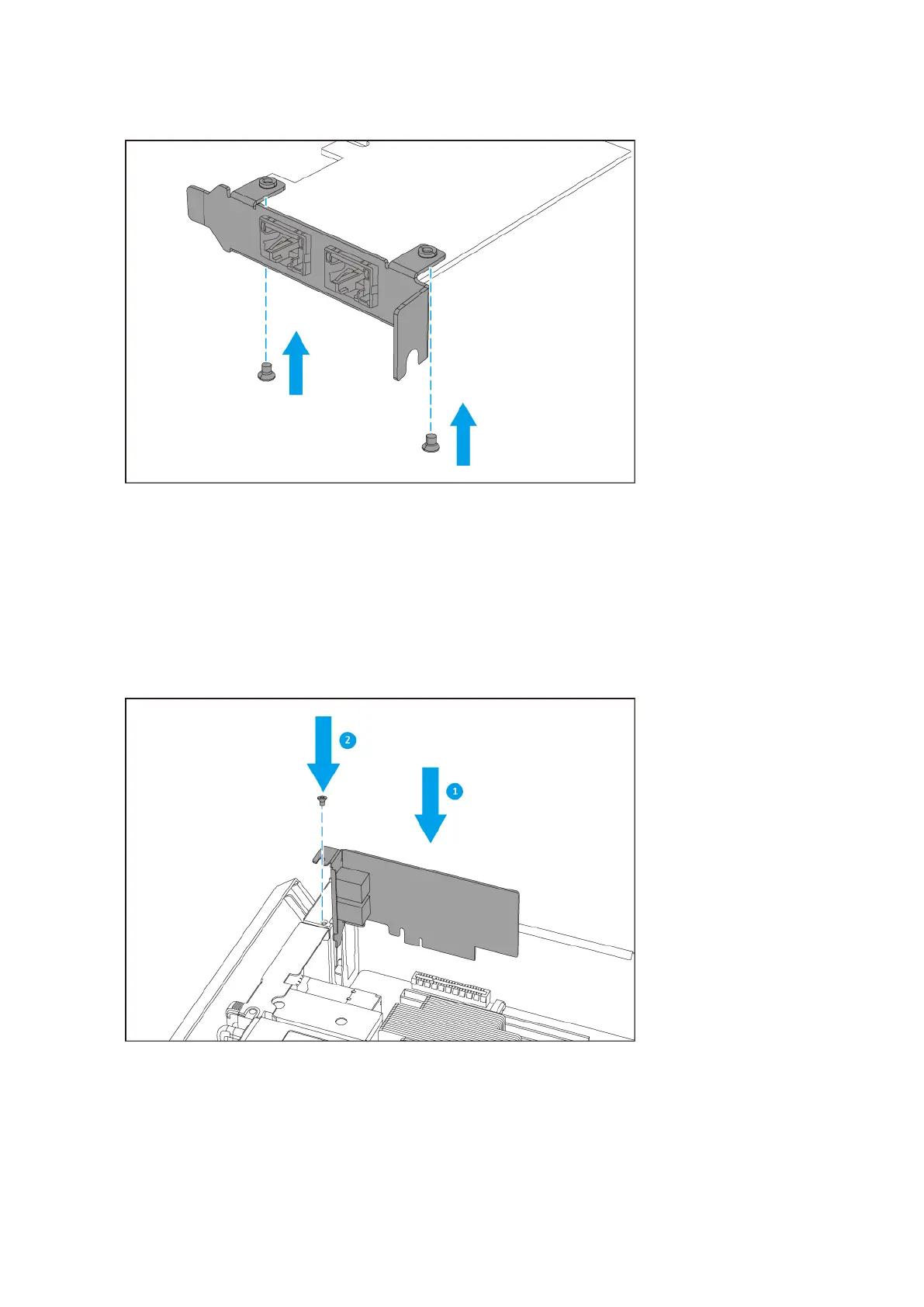
d. Verify that the bracket does not move.
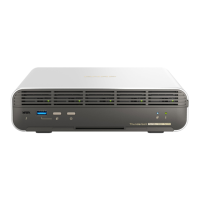
5. Install the expansion card.
a. Hold the card by the edges.
b. Insert the card into the slot.
c. Attach the screw.
6. Install the storage controller.
For details, see Installing a Storage Controller.
ES2486dc User Guide
Installation and Configuration 30


 To Next Page