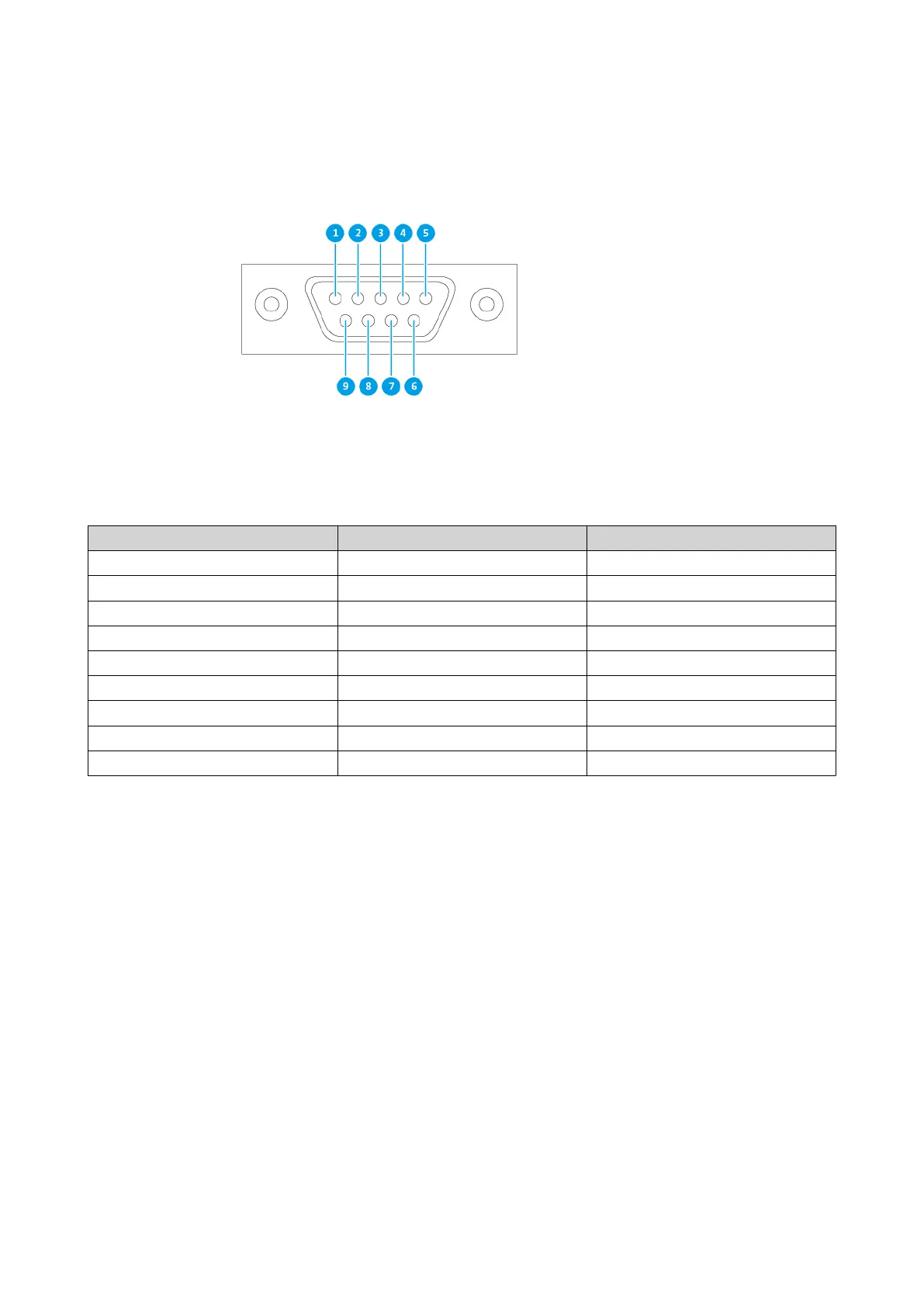
Pin Number Signal Description
1 NC No Connection
2 Rx Receive Data
3 Tx Transmit Data
4 NC No Connection
5 GND Ground
6 NC No Connection
7 NC No Connection
8 NC No Connection
9 NC No Connection
Configure the baud rate and character format of the PC or terminal to match these console port default
characteristics:
• 115200 baud rate
• 8 data bits
• 1 stop bit
• No parity
• Flow control: XON/XOFF
• Default username/password: admin/admin
Management Port Configuration
Management is provided by the Intel
®
i210 Gigabit Ethernet controller. The management port allows you to
connect to the QES desktop of the ES2486dc. The default ES2486dc management website is
169.254.100.100:8080. If the NAS has been configured to use DHCP, you can use Qfinder Pro to check the
ES2486dc User Guide
Installation and Configuration 49


 To Next Page