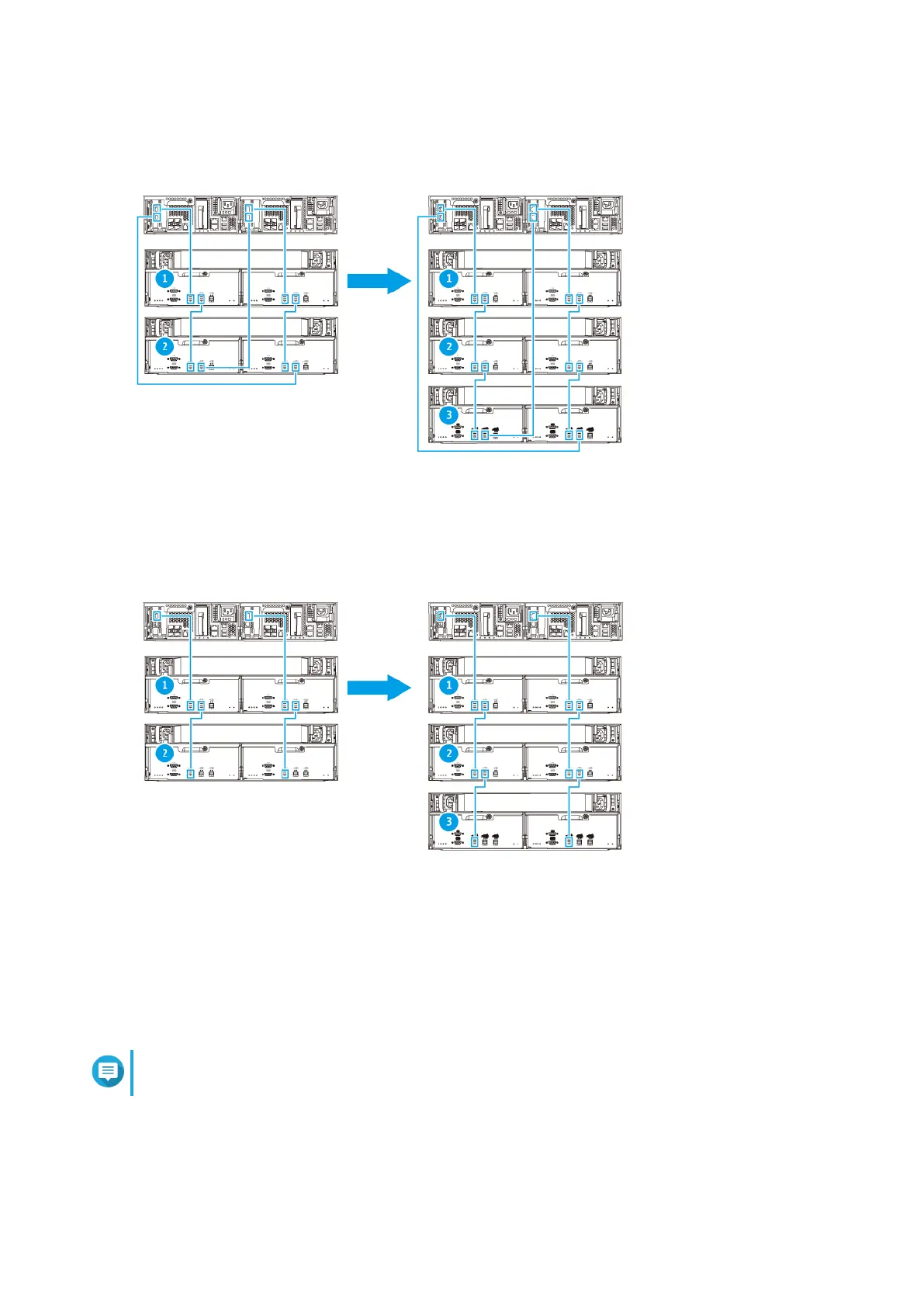
Dual-path configuration
Single-path configuration
1. Mount the new expansion unit on the rack.
2. Install the drives in the new expansion unit.
3. Optional: Disconnect the loop cables from the SAS ports on the last expansion unit.
Note
This is required for dual-path configurations.
Loop cables are the SAS cables that you use to connect the last expansion unit back to the NAS.
4. Using the two new SAS cables, connect the last expansion unit to the new expansion unit.
ES2486dc User Guide
Installation and Configuration 40


 To Next Page