EasyManua.ls Logo

QOLSYS Panel 2+ - DUAL PATH CONNECTIVITY TEST

QOLSYS Panel 2+
173 pages
Print Icon
To Next Page IconTo Next Page
To Previous Page IconTo Previous Page
Loading...
SYSTEM TESTS
QOLSYS CONFIDENTIAL AND PROPRIETARY
PAGE OF 131 173
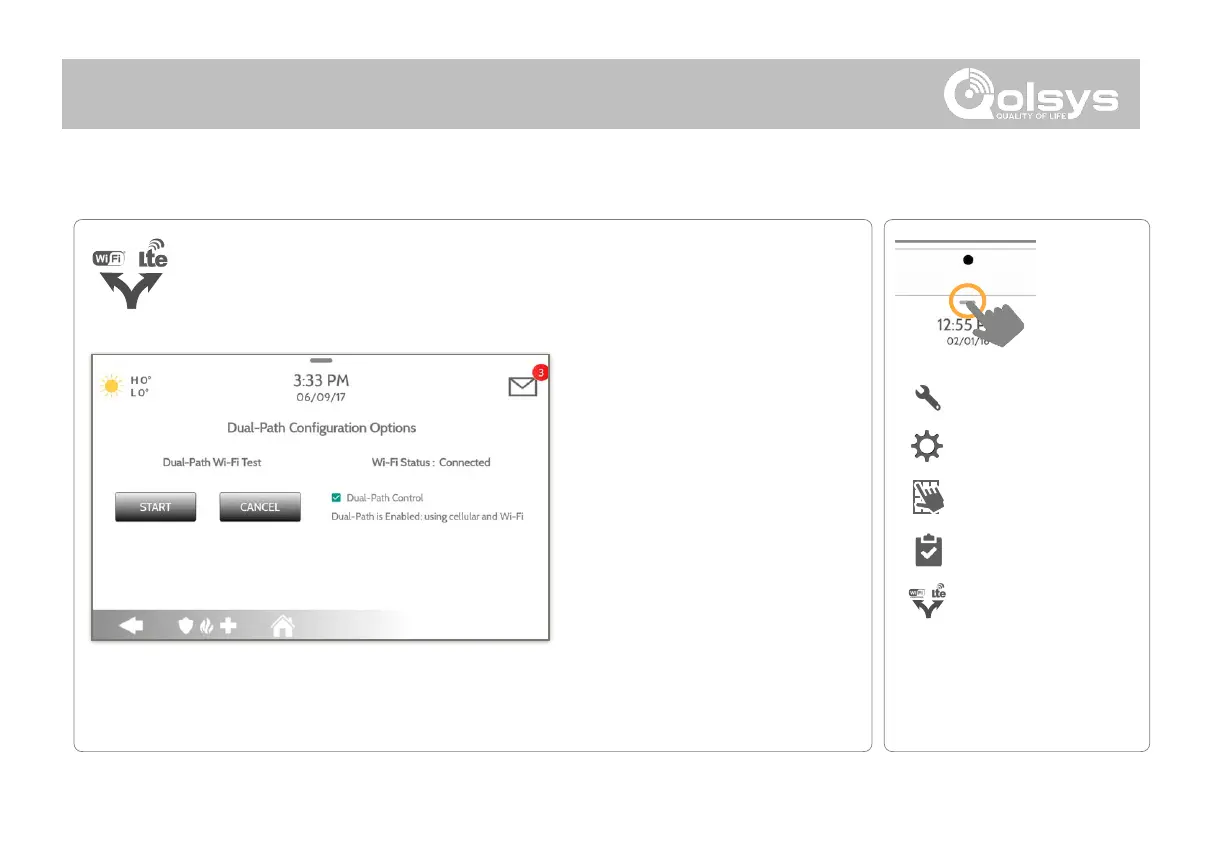
By default Dual-Path Control is
enabled. To disable, “un-check”
the box.
You can also run a Dual-Path Wi-
Fi test to ensure that the Dual
Path is connecting properly.
Unlike the standard Wi-Fi test
(which checks connection to the
router) the panel will check the
broadband connection to
Alarm.com.
NOTE: The IQ Panel 2 must be connected to a wi-fi network to enable Dual Path
When enabled, dual path connectivity allows the IQ Panel 2 to use both cellular
and Wi-Fi radios for signals and communication simultaneously.

DUAL PATH TEST
FIND IT
DUAL PATH TEST
NOTE: Wi-Fi is for supplemental use only
SYSTEM TESTS
Swipe down
for access
SETTINGS
ADVANCED SETTINGS
ENTER CODE (1111, 2222)

Related product manuals