EasyManua.ls Logo

QOLSYS Panel 2+ - SECURITY SENSOR MANAGEMENT

QOLSYS Panel 2+
173 pages
Print Icon
To Next Page IconTo Next Page
To Previous Page IconTo Previous Page
Loading...
SECURITY SENSORS
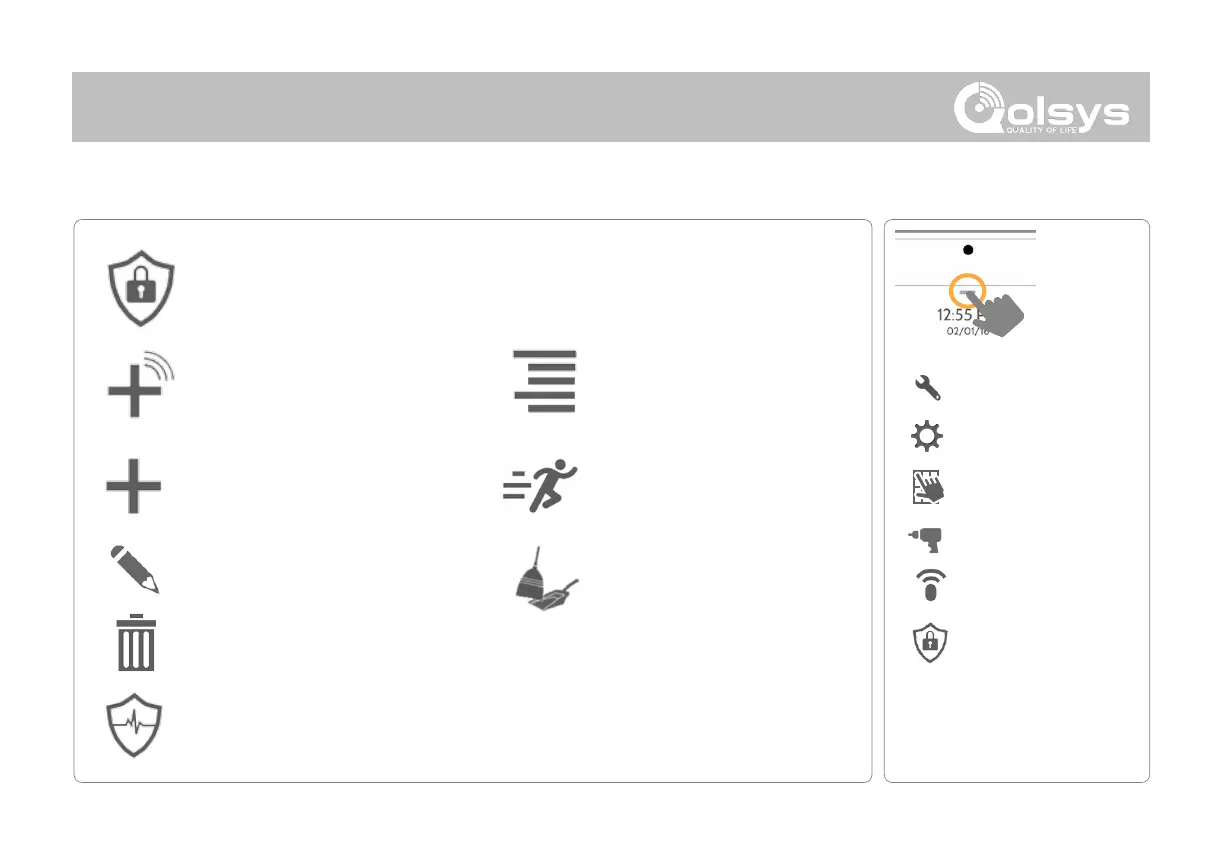
Auto Learn Sensor
Pair sensors quickly by tripping or
tampering and then editing the
information
Add Sensor
Pair sensors manually by typing in
a DL code or Serial number
Edit Sensor
Make changes to existing sensors
Delete Sensor
Remove a sensor
Sensor Status
Monitor sensor status in
realtime
Sensor Group
Quick reference to all sensor
groups and their actions
Security Sensors
Add, edit or delete up to 128 security PowerG or life safety devices.
SECURITY SENSORS
FIND IT
SECURITY SENSORS
Swipe down
for access
INSTALLATION
SETTINGS
ADVANCED SETTINGS
ENTER CODE (1111, 2222)
DEVICES
Remove All PowerG Sensors
Delete all PowerG sensors from
the Panel
Panel Motion Settings
Adjust Panel Motion sensitivity
and masking areas

Related product manuals