EasyManua.ls Logo

QOLSYS Panel 2+ - DEALER BRANDING OPTIONS

QOLSYS Panel 2+
173 pages
Print Icon
To Next Page IconTo Next Page
To Previous Page IconTo Previous Page
Loading...
CUSTOMIZATION
QOLSYS CONFIDENTIAL AND PROPRIETARY
PAGE OF 136 173
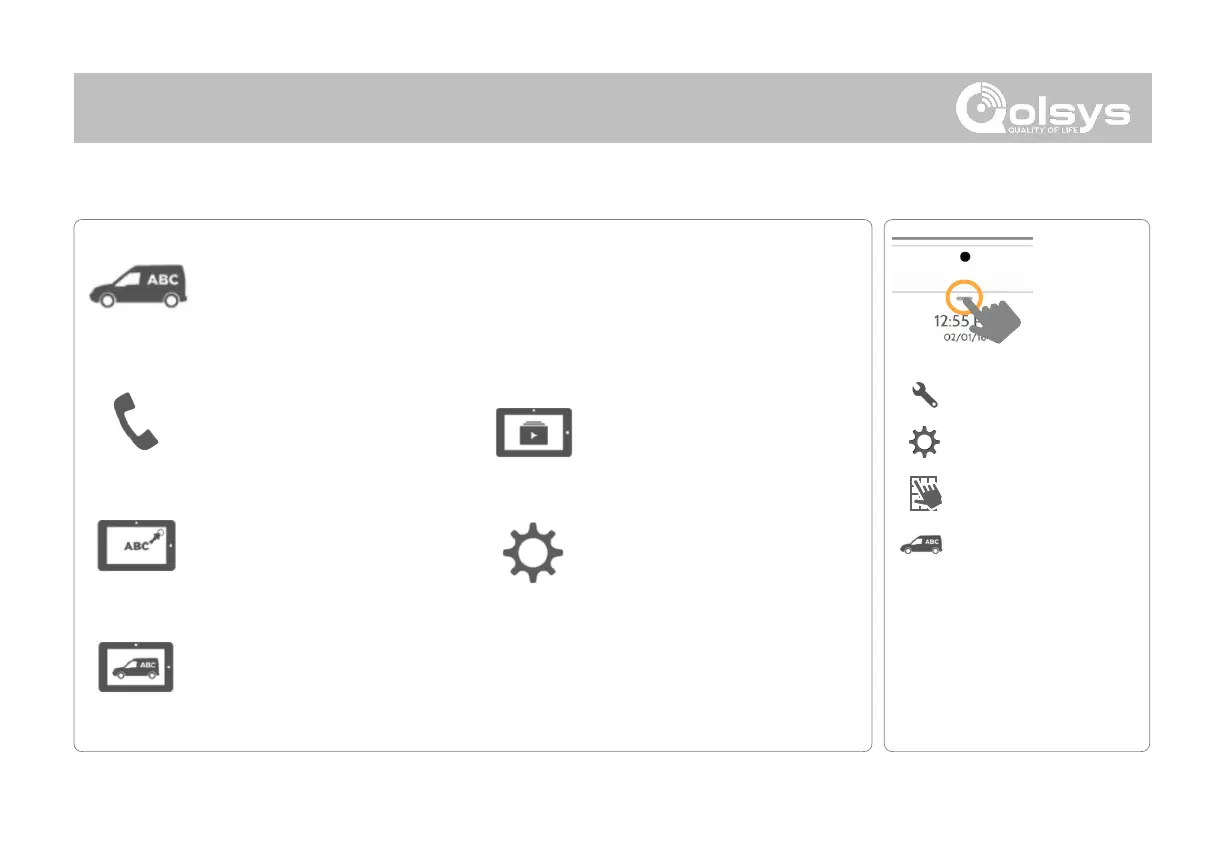
Dealer Branding
Here you can customize the Dealer Contact info, Logo, Help Videos and
Billboard for any branding needs.
DEALER BRANDING*
FIND IT
*This page available only through the
Dealer Code
Swipe down
for access
SETTINGS
ADVANCED SETTINGS
ENTER CODE (2222)
Contact Info
Edit Dealer Name, Email,
Phone #, Zip Code, Website
and Tag lines
Load Custom Logo
Add your companys logo
to the panel replacing the
envelope.
On-Screen Billboard
Add advertising images to the
photo frame which cannot be
deleted by a user.
Load Help Videos
Replace or add help videos
to assist with end user
troubleshooting
Dealer Branding Settings
Enable/Disable On-Screen
Billboard photo lock feature
DEALER BRANDING

Related product manuals