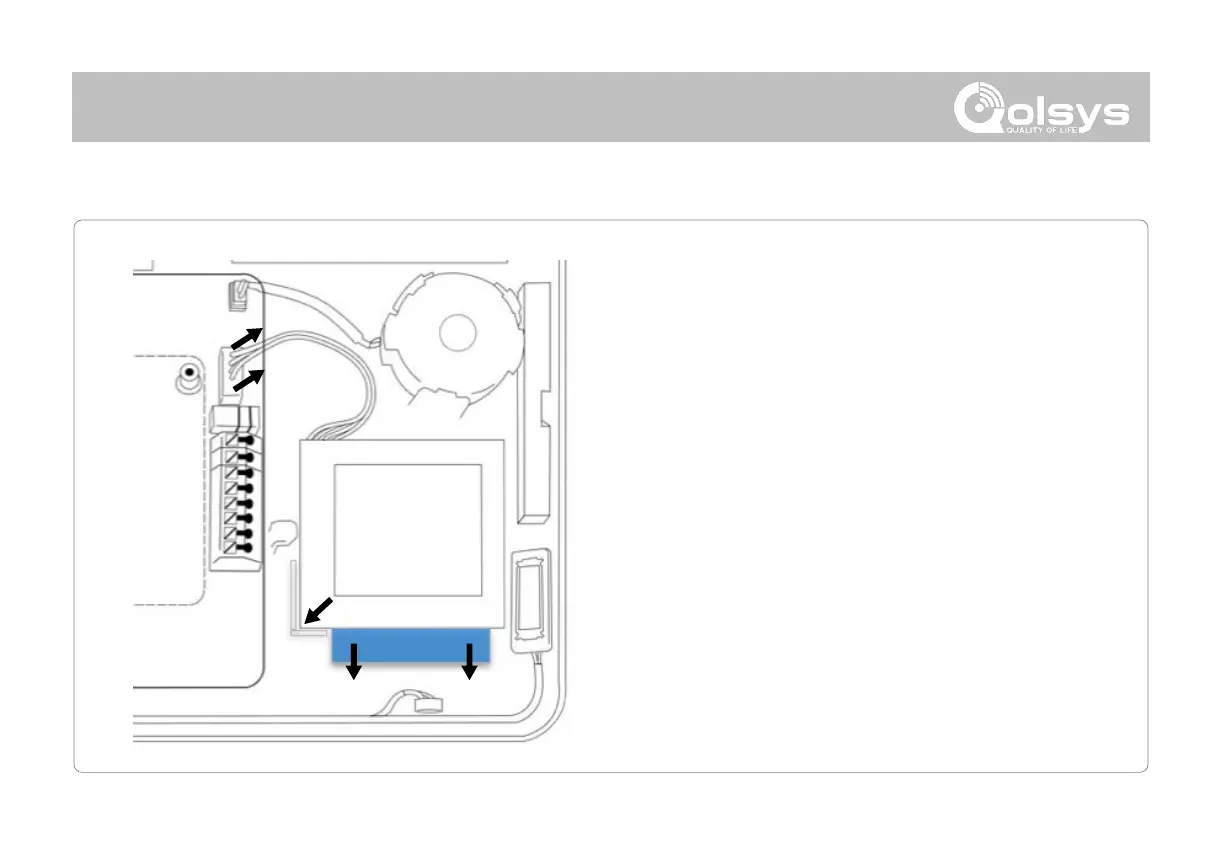
1. Power down panel: Go to Advanced Settings and enter the
Installer/Dealer/Master code, then select “Power Down”
2. Unplug Battery Connector: Once the panel is powered
down, unplug 4 pin battery connector from the board.
3. Remove Battery: Pull the blue tab from under the battery
downwards. This will peel away the tape holding the
battery in place.
4. Install New Battery: Remove the protective film from the
adhesive tape on the back of the battery and seat the
battery into the bottom lefthand plastic corner. Plug the
battery connector back into the board.
CAUTION:
Do NOT use a screwdriver or anything sharp that could
puncture the battery.
Do NOT pull on the battery cable to try and remove battery.
Note: For For EN50131 Grade2 compliant installations, the battery is no longer replaceable.
This device and Lithium Battery shall be recycled and disposed of in accordance with
European Directives including any other National and Local Regulations and Laws.



 To Next Page