980 User Guide Rev. B29
Page 132 August 5, 2011
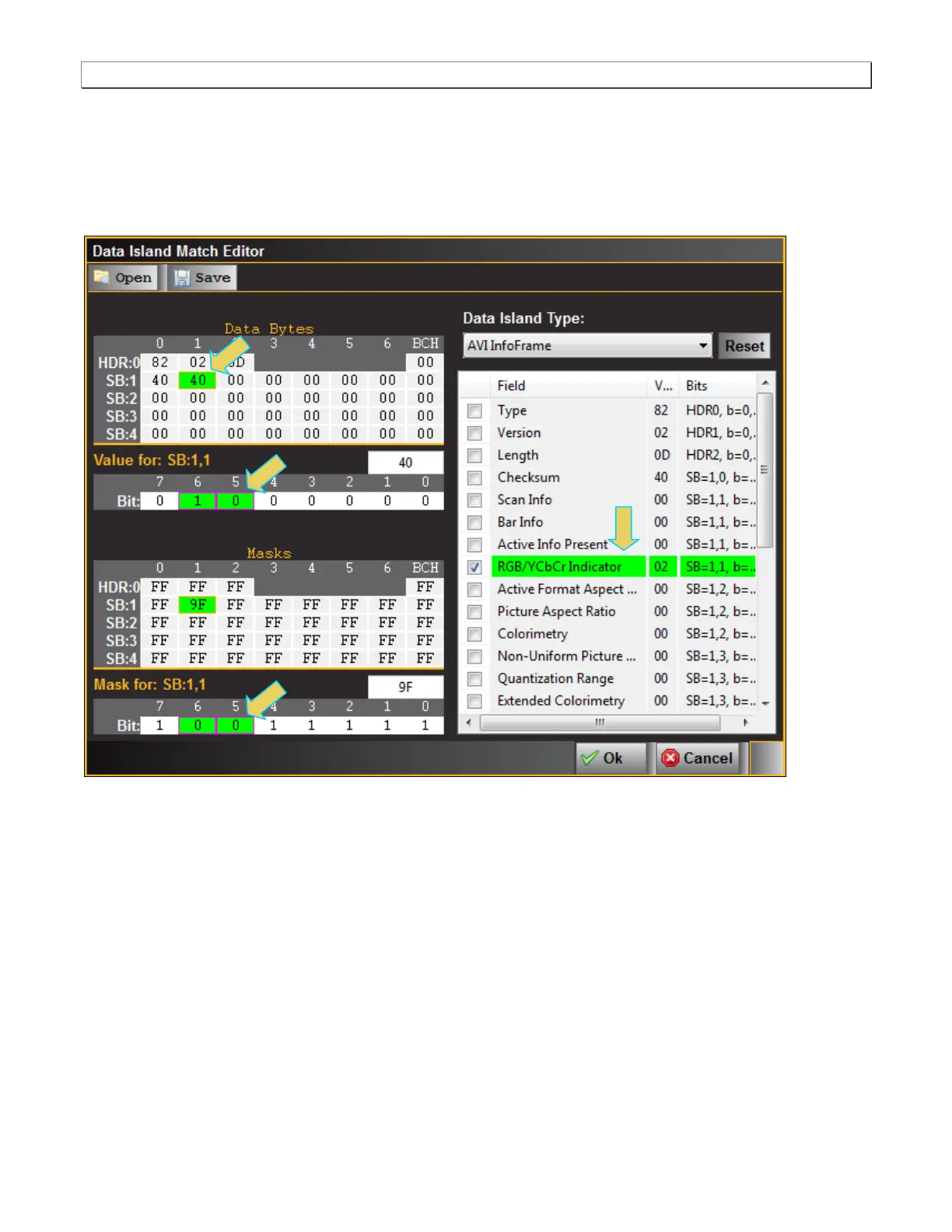
There are two tables on the left side of the panel: Data Bytes and Masks. You do not have to set the Masks; they
will be set for you when you select an item under the Field in the table on the right. For example in the screen
below, RGB/YCbCr Indicator is selected and the mask that applies to those bits, are selected for you. You then
have to select the Data Bytes values to define the match criteria. In the example below, the match condition is set
such that if the 980 receives incoming video with a video type of YCbCr 4:4:4 (Hex 40 Y1=1, Y0=0), it will display
the data in the appropriate data panel.



 To Next Page