980 User Guide Rev. B29
Page 118 August 5, 2011
BSTATUS – This check box enables you to toggle between the 980 sink emulator responding to a source
HDCP authentication by indicating in its BSTATUS register that it is or is not in HDMI mode.
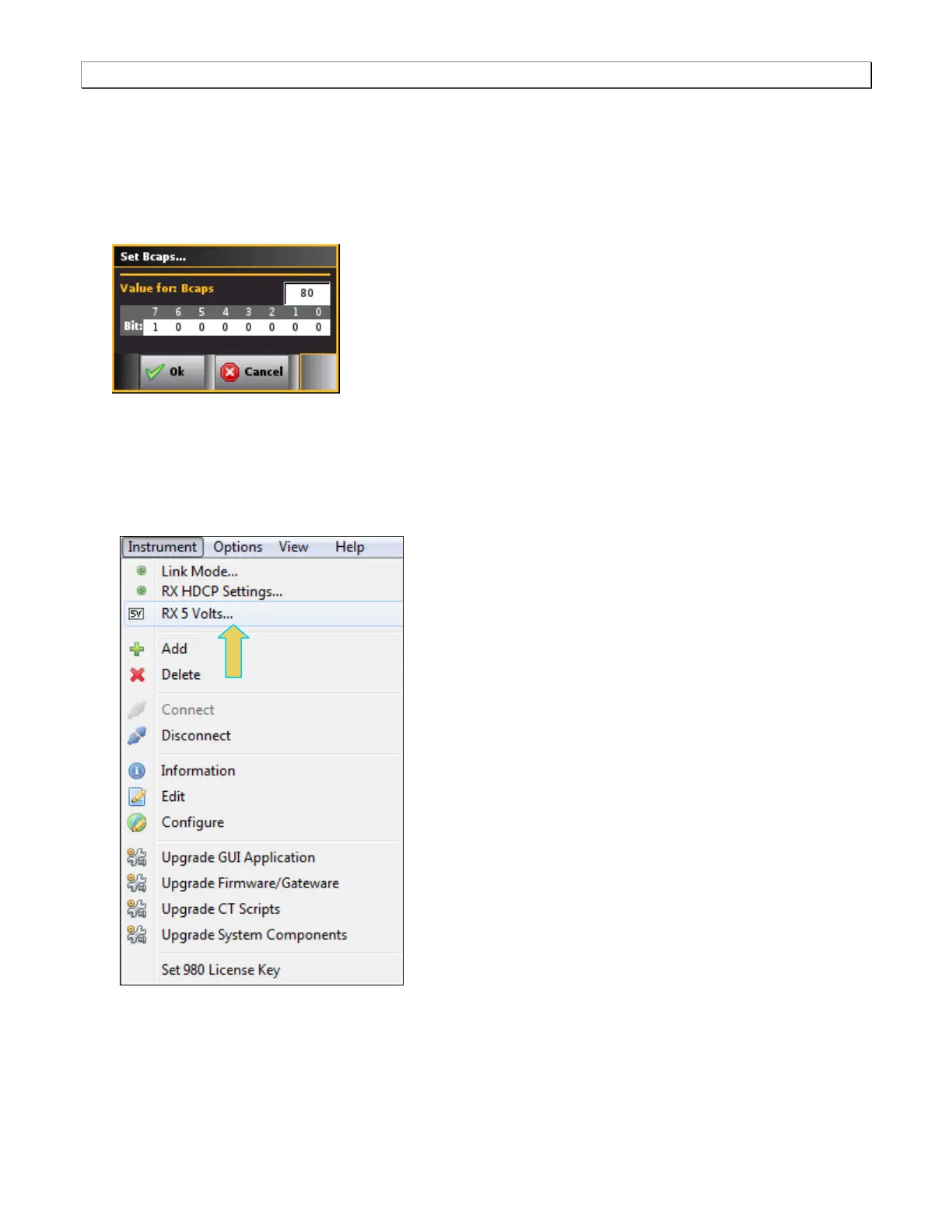
Set BCAPS – This check box opens up a dialog box enabling you to configure the bits of the BCAPS
register. The Edit dialog box is shown below. You can set the bits by clicking on that bit. Clicking on any
one bit will toggle the binary value. The hex value of the BCAPS register is shown in the field above the bit
values (80 in the example below).
6.5 Setting the +5V levels
The 980 enables you to view the +5V levels from the source device under test and to set the current load on the
+5V lead.
1. Select the RX 5 Volts… item from the Instrument pull-down menu on the built-in front panel as shown below.
The RX 5V Status/Configuration dialog box is displayed as shown below.



 To Next Page