980 User Guide Rev. B29
Page 195 August 5, 2011
10 Command Line Interface
This chapter describes the command line interface.
10.1 Overview
There are two applications for the command line: 1) Capturing data. 2) Searching for specific subsets of data
through a capture. You can control the 980 Protocol Analyzer through the command line via a telnet session or
from the 980 Manager Console panel. When searching through the captured data, Quantum Data recommends
that you use the Telnet or some other terminal program such as Putty because there is a limited set of Linux
commands supported through the 980 Console.
There are 980-based commands that enable you to initiate commands to capture data. Once you capture data, you
can conduct searches either on your host PC or the 980 itself. To conduct searches on your PC you have to
transfer the captured data to your host PC using an FTP utility. This procedure is described in the section:
Transferring Capture Files from the 980 to a PC.
The 980 Protocol Analyzer is based on the Linux operating system; therefore, to conduct searches directly on the
980 you use the Linux search and filter utilities such as grep.
You can access the Linux prompt from the pscope prompt available from the Console panel or through a separate
telnet window. Procedures for both are shown below.
To establish a command line session through the 980 Console window:
1. Connect to a 980 Protocol Analyzer using the procedures defined in Connecting your host PC and 980
Manager to the 980 Protocol Analyzer.
2. Highlight the 980 that you want to execute commands on.
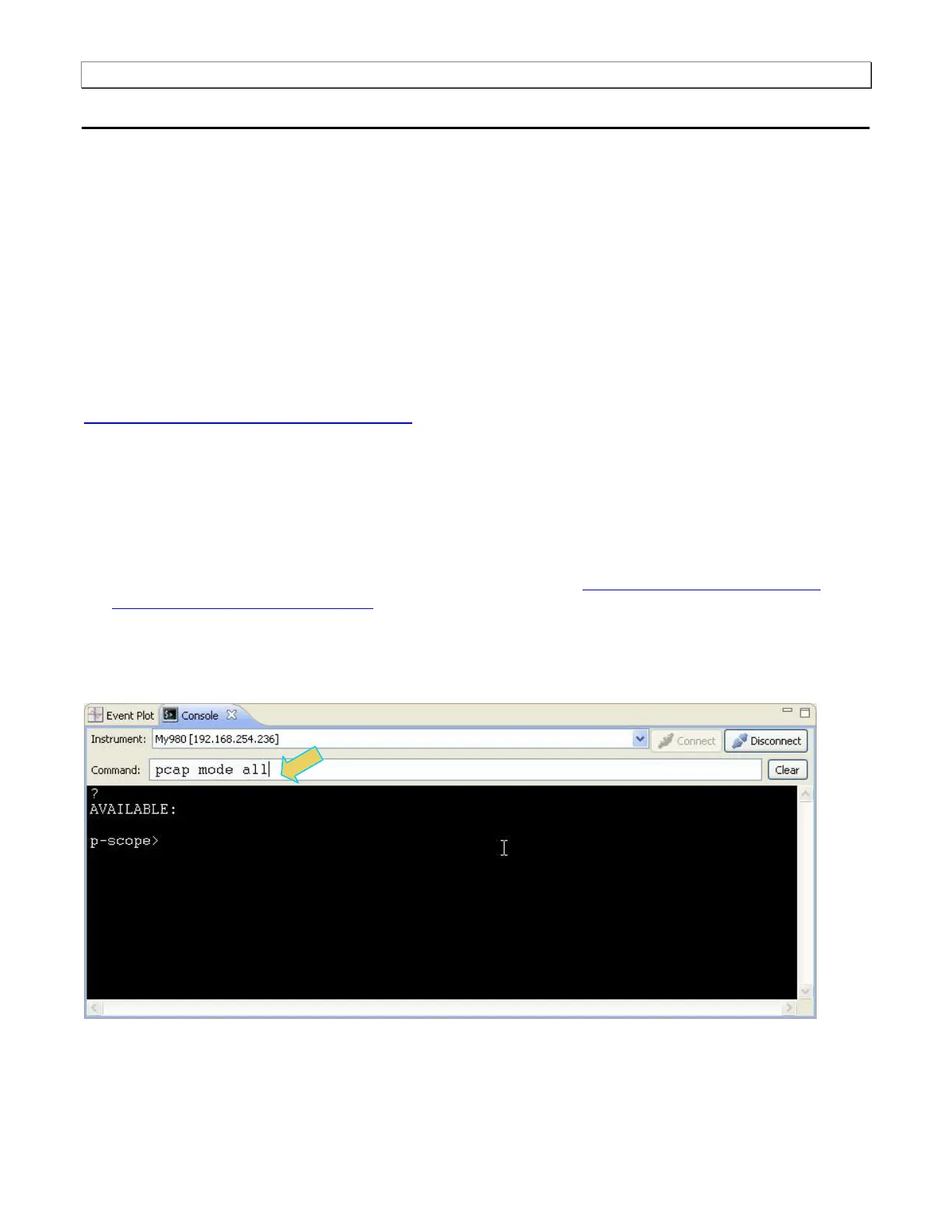
3. Activate the Console tab to access the Console panel interface.
4. Click on the Open Connection activation button to establish a telnet session with the 980 Protocol Analyzer.
5. The p-scope> prompt will appear allowing you to enter commands.
Note: You enter commands in the Command field above the terminal area.



 To Next Page