980 User Guide Rev. B29
Page 139 August 5, 2011
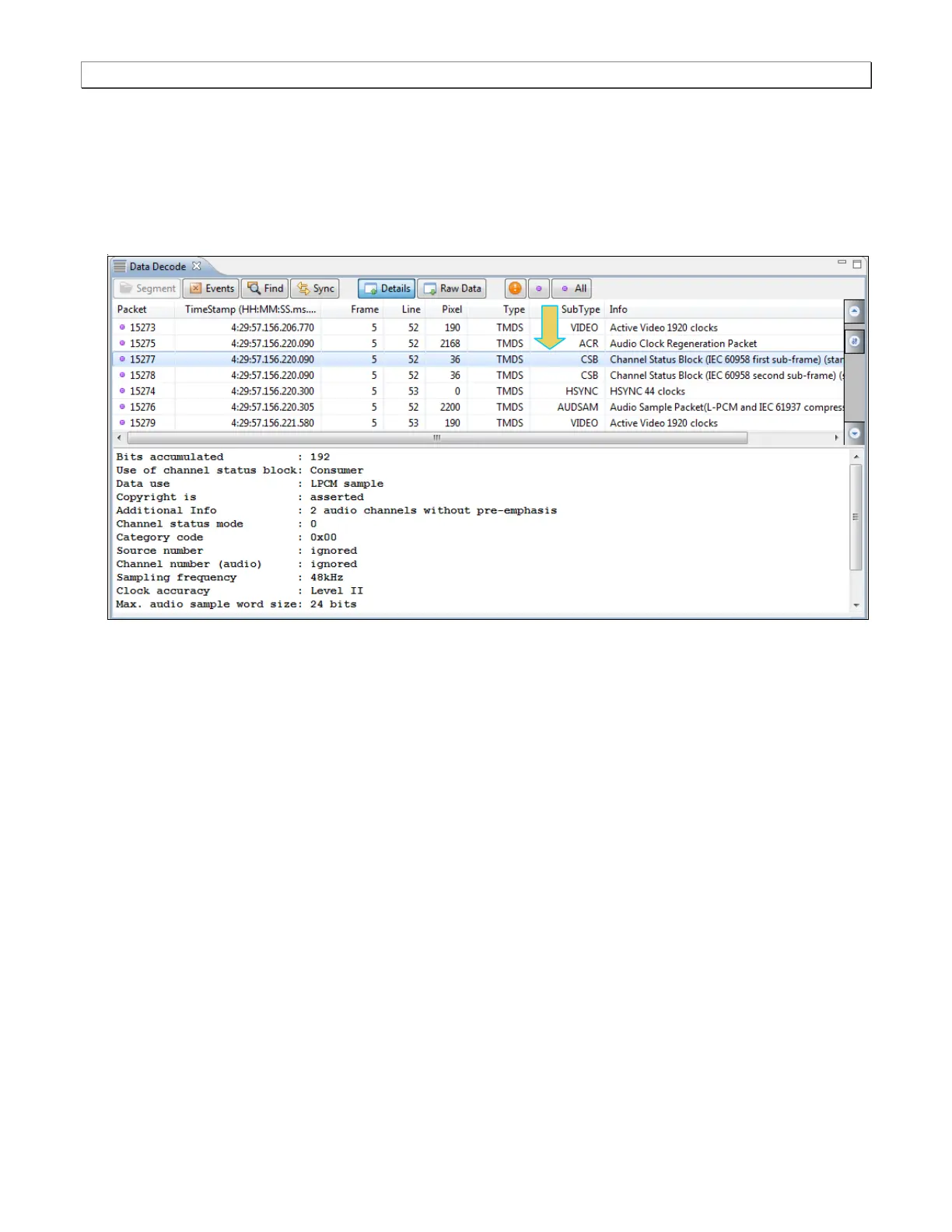
8. Highlight an audio sample packet channel status block record to view its contents as shown below.
The channel status block is shown in the detailed data window when it is fully acquired, i.e. after the 192
frames are all captured. There are two blocks, one for each subframe A and B. The first subframe (A)
corresponds to the Left channel and the second subframe (B) corresponds to the Right channel.
You can determine when the channel status bits begin to be acquired by looking at the top section of the
Details panel (not shown below).



 To Next Page