980 User Guide Rev. B29
Page 144 August 5, 2011
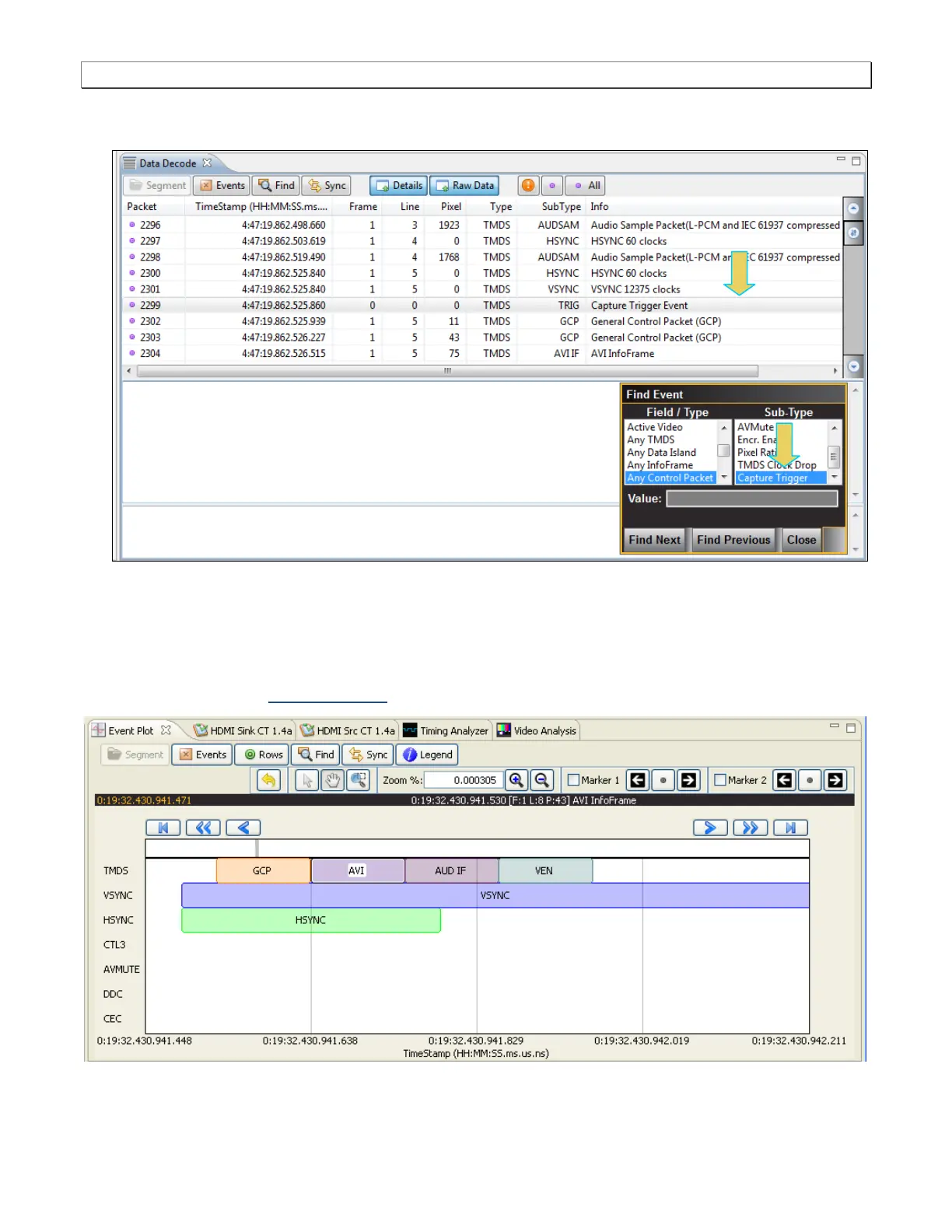
Sometimes you may wish to search for the trigger event. In this case you have to select Any Control Packet
under Field / Type and then select Capture Trigger under Sub-Type as shown below.
6.12.4 Viewing data through the Event Plot panel
This subsection provides procedures for viewing the data through the Event Plot panel in the 980 GUI Manager.
The Event Plot panel provides you with a graphical view of the data. It enables you to see relationships between
the various data types on a time line. The sample screen of the Event Plot is shown below. The operation of the
Event Plot is described at: Event Plot Panel.



 To Next Page