980 User Guide Rev. B29
Page 153 August 5, 2011
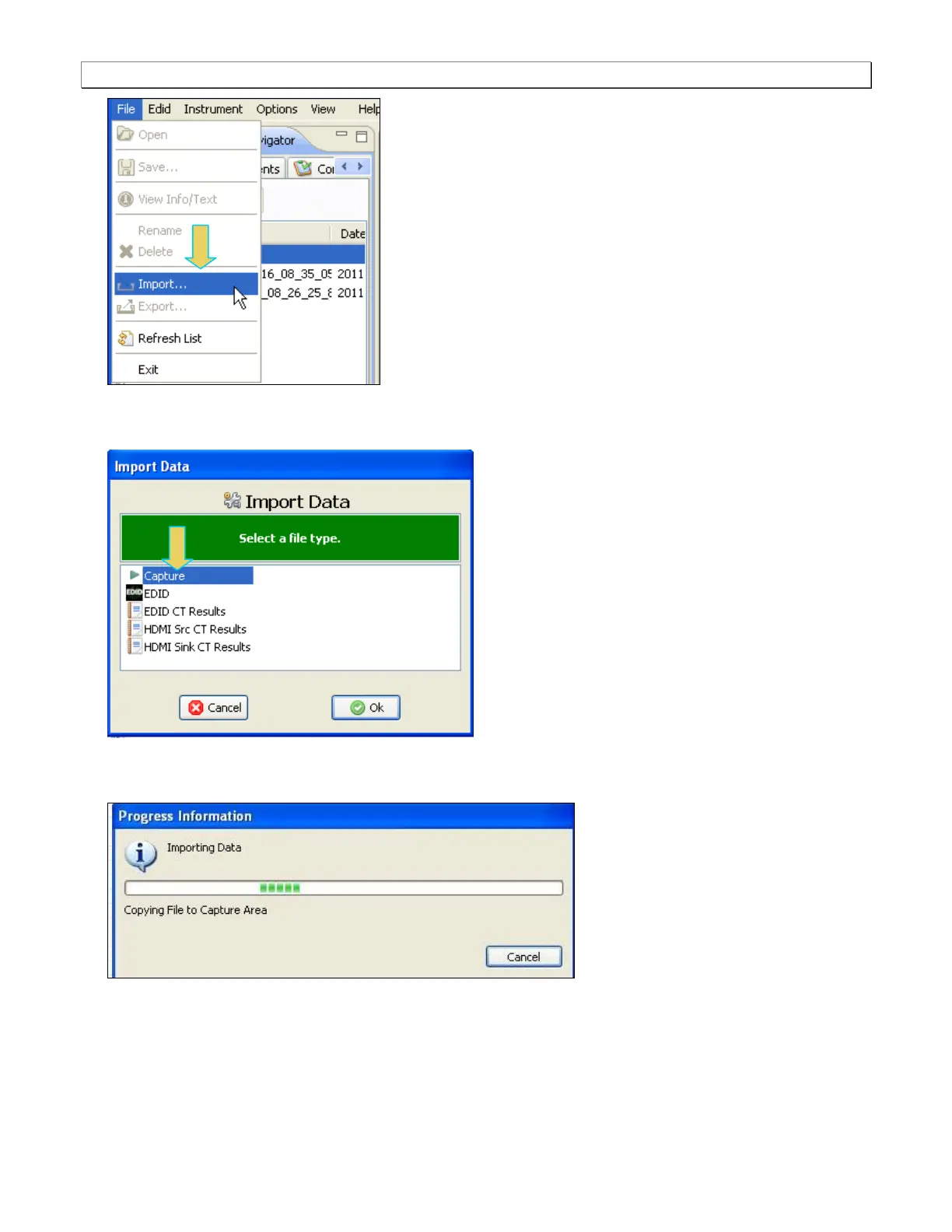
2. Select Import. A dialog box will appear enabling you to select which data type (EDID, Capture, etc) you want
to import. In this example, you want to import a capture. Select capture and click Ok.
You will be asked to browse for a file through a standard Windows dialog. Once you select the file you will see
a progress dialog box as shown below:
The imported file will then appear in the Data directory of the 980 Navigator panel as shown below. The
captured file is loaded automatically and has an asterisk in front of it to indicate that this capture is the one that
is loaded:



 To Next Page