980 User Guide Rev. B29
Page 23 August 5, 2011
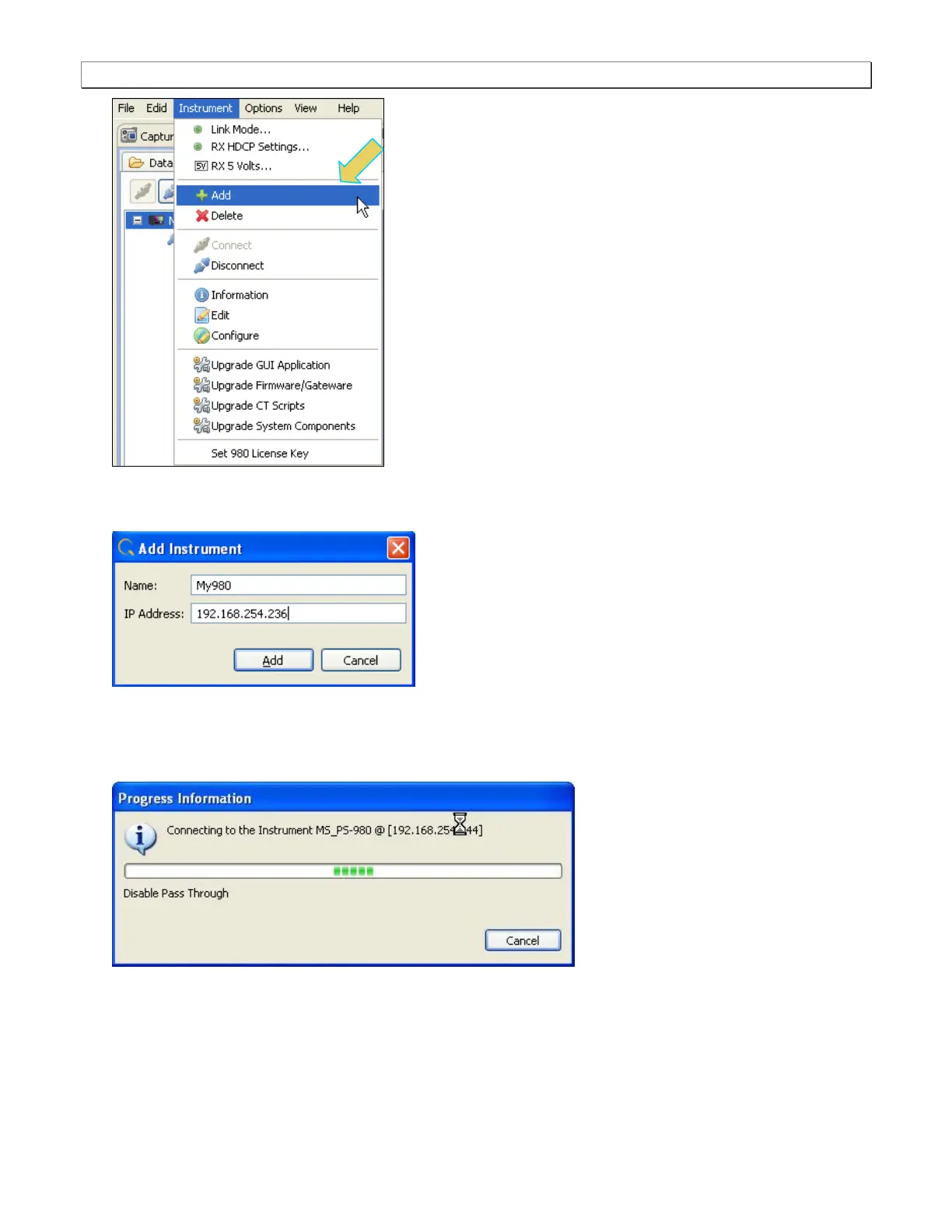
The Add Instrument dialog appears enabling you to enter the name and IP information for the 980 that you
are trying to connect to (below).
2. Enter the name (any suitable name) and IP address of the 980 Protocol Analyzer that you want to connect to in
the Add Instrument dialog box (above) and click on the Add activation button.
You will see a series of messages on a dialog boxes describing the progress. One example is shown below:
The 980 Protocol Analyzer with the IP address you entered appears on the list in the 980 Navigator panel
(below). The 980 GUI Manager application will automatically connect to the 980 Protocol Analyzer once you
add the 980 to the application.



 To Next Page