980 User Guide Rev. B29
Page 57 August 5, 2011
4.4.1 Working with Segments in the Data Decode Panel
Large captures are broken into smaller distinct sections called segments to make them more manageable and to
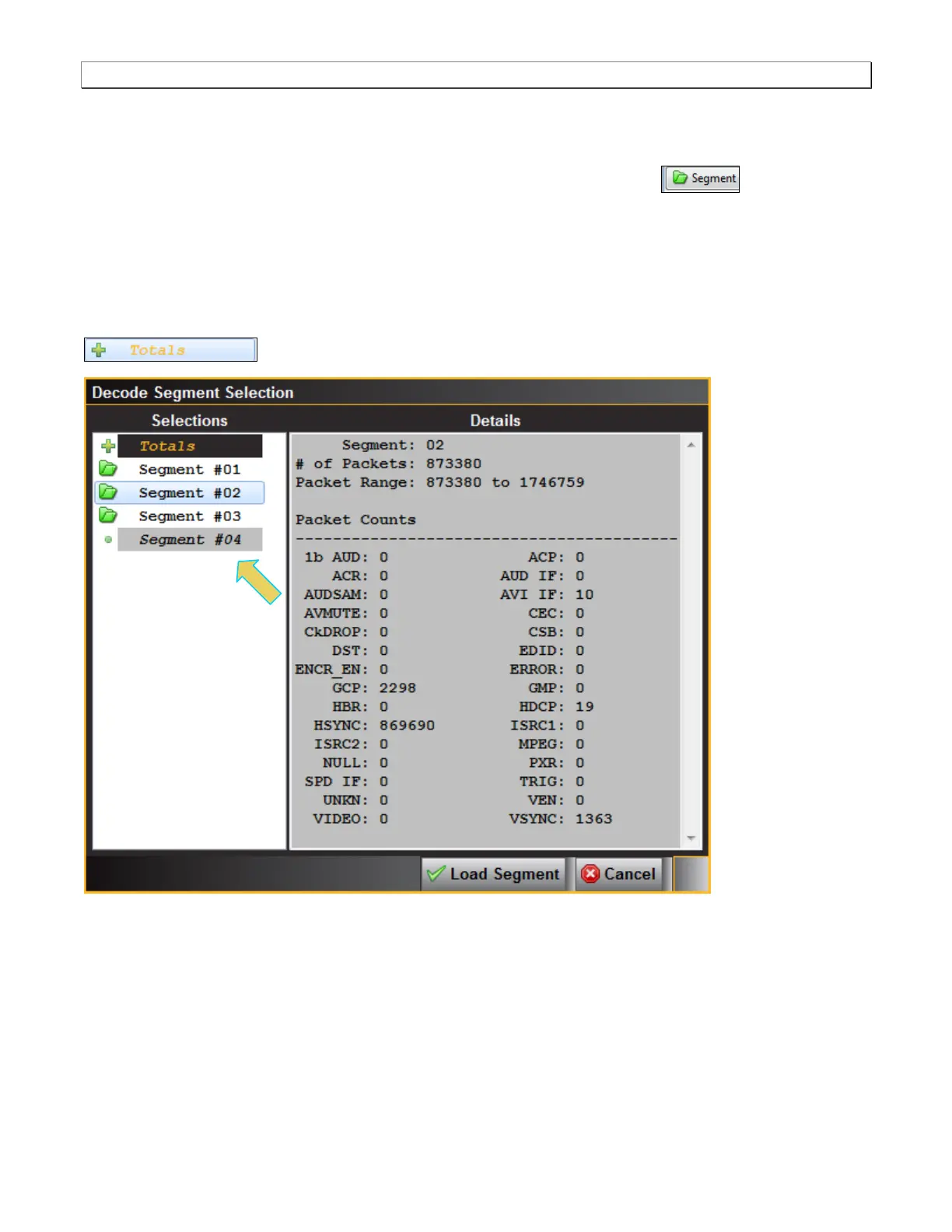
improve speed and performance. When you click on the Segment activation button , a dialog box
appears (shown below) enabling you to select and load another segment. This dialog box is shown below. The
Selections section on the left lists the segments in the capture. The Details section on the right shows you the
packet makeup of the segment as well as the number of packets and the range of packets in the overall capture.
From the Selections panel you can select and load a different segment by highlight a segment and then clicking on
the Load Segment activation button on the bottom right. You can also select any segment to view its packet
contents in the Details panel. If you wish to view the total packets of all segments simply highlight the Totals
button.



 To Next Page