980 User Guide Rev. B29
Page 59 August 5, 2011
4.4.3 Post-Capture Filter Selection tab
The Post-Capture Events button on the Data Decode panel enables you to do the following:
Specify the data that you want to view in the Event Plot and Data Decode panels.
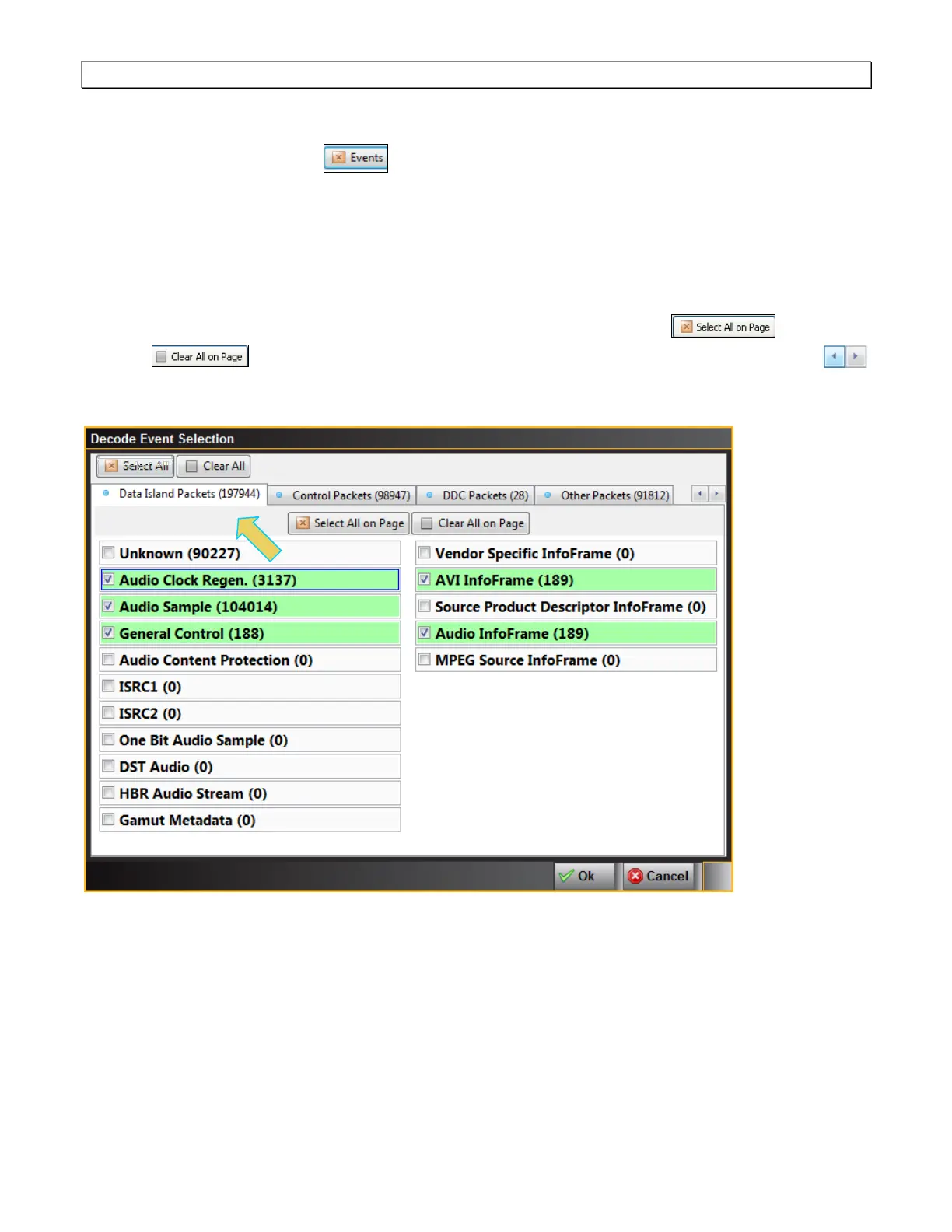
View the number of packets for each data type and each category of data type. These are shown in
parentheses after each data type or on the tab for each category.
The screens below show the Post-Capture Decode Event Selection panel and its control and selection items. In
this example all items are checked meaning that the Data Decode panel will show all the data captured.
Note that you can select or deselect all items on a page with the Select All on Page or Clear All
on Page buttons or you can individually select an item. There is a pair of navigation buttons
on the right to enable you to see all the tabs in the panel. You can also select and deselect all items on all pages
with the Select All and Clear All buttons.



 To Next Page