980 User Guide Rev. B29
Page 62 August 5, 2011
4.4.5 Data Decode Record Selection and Configuration
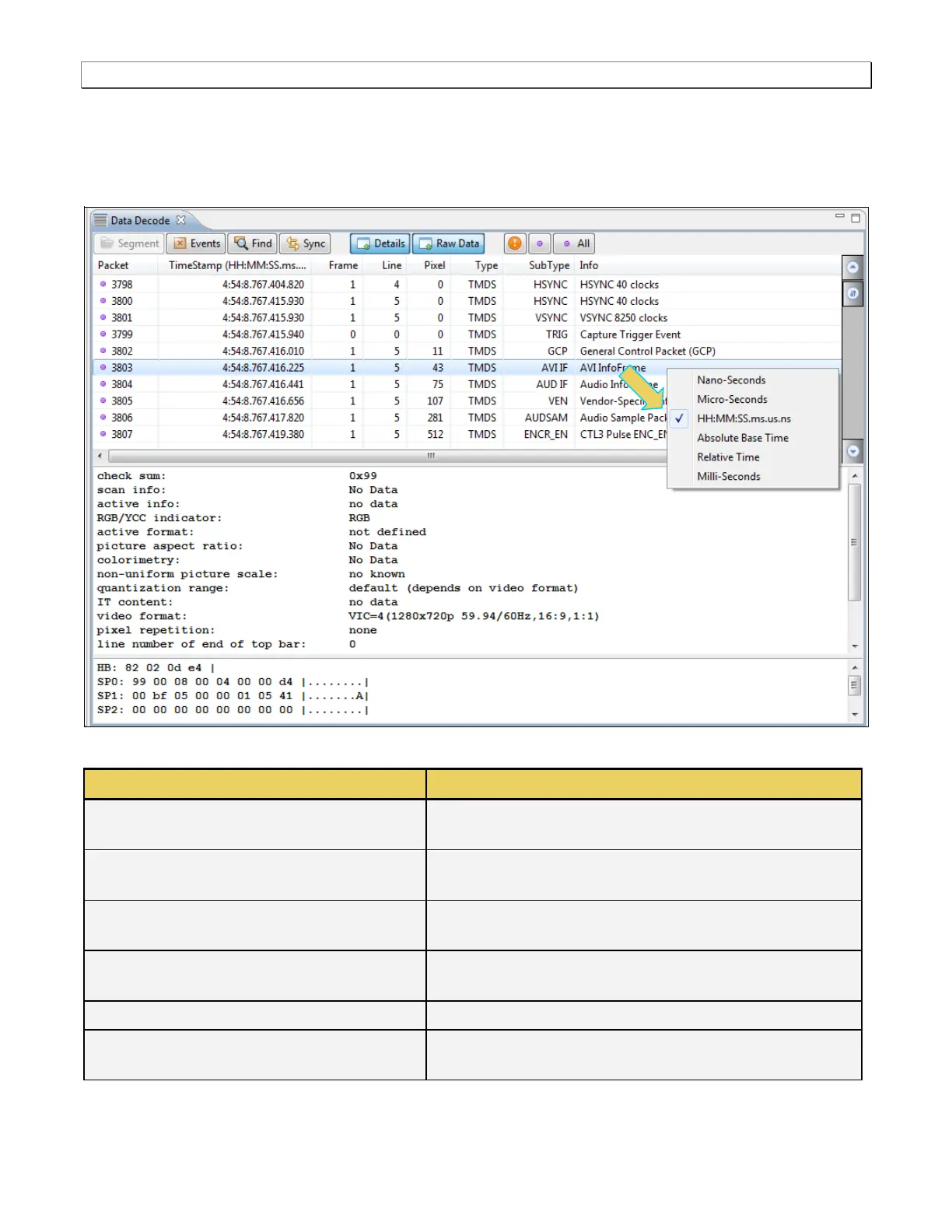
The Data Decode panel has a right-click menu to define how the timestamp is displayed. This is shown below. The
table that follows the screen image defines each option:
Nano-Seconds [HHMMSSmsusns]
Time is shown in nanoseconds. The baseline time is the time
from the time of the last boot of the 980.
Micro-Seconds [HHMMSSmsusns]
Time is shown in microseconds. The baseline time is the time
from the time of the last boot of the 980.
Time is shown in relative time meaning the time from the
previous event listed.
Time for each item is shown from the time of the beginning of
the capture.
Time is shown in relation to the previous item.
Milli-Seconds [HHMMSSms.usns]
Time is shown in milliseconds. The baseline time is the time
from the time of the last boot of the 980.



 To Next Page