980 User Guide Rev. B29
Page 95 August 5, 2011
Real Time – General Control Packet
The total number of frames captured since the
panel was opened or since the last clear.
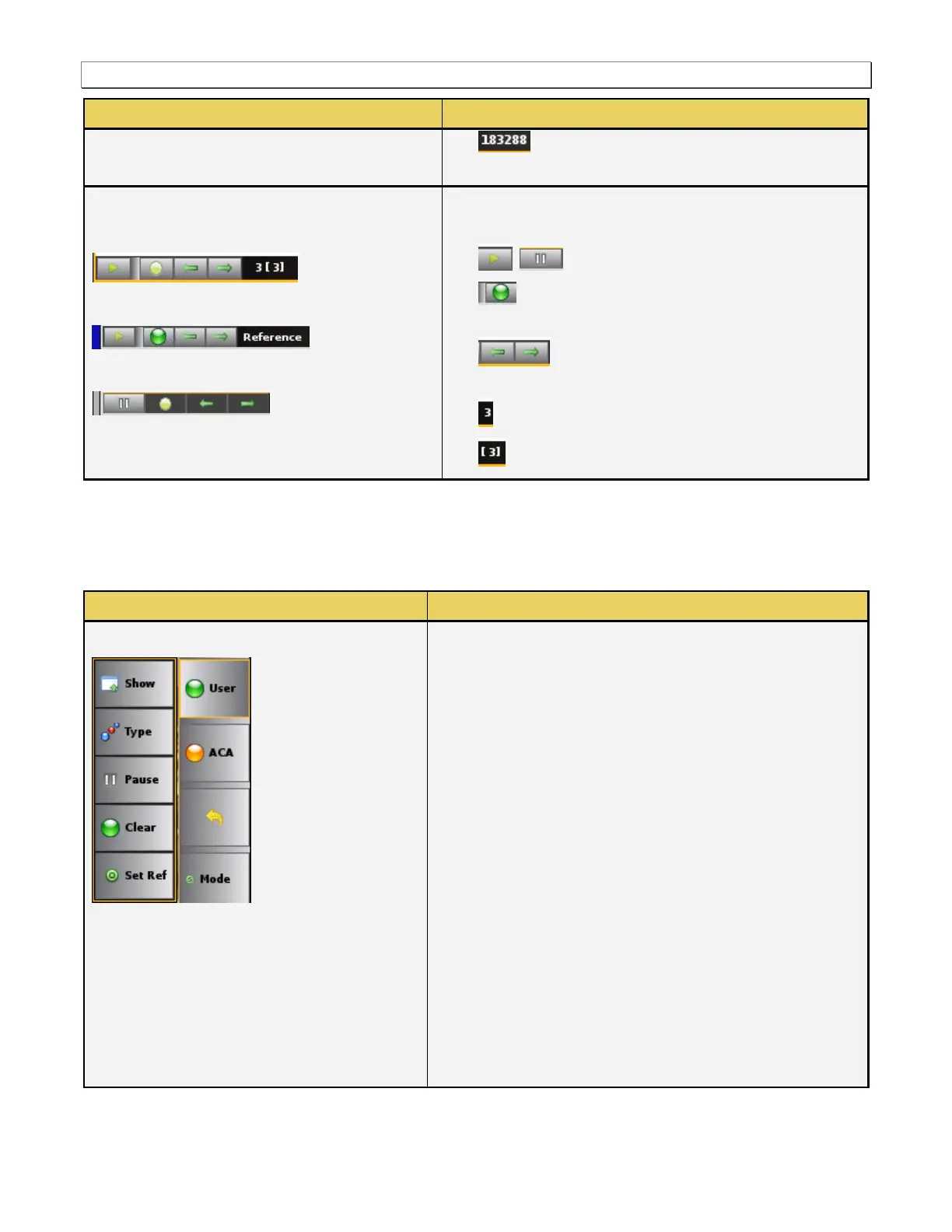
Lower Control Panel
Pause mode
Pause mode after going to the reference frame
Resume (active) mode
The lower control panel enables you to control and view the
following:
Set the pause/resume (active) status.
Go to the Reference Frame (must be in paused
mode).
Navigate left or right through the distinct
data views (must be in paused mode).
The data view currently displayed.
The number of distinct data views.
5.3.9 User: Type Selection Panel
The User: Type dialog box enables you to active additional data panels. The table below describes these panels.
Real Time – User: Type Selection
The following information is provided in a pop-up menu when
you select User:
Show/Hide – Enable or disable the appearance of the
panel that you have selected from the Type Selection
dialog box.
Type – Opens up the Type Selection panel.
Pause – Halt the updates of the data to the GCP panel.
Clear – Clear the currently displayed reference frame and
reset the captured frames.
Set Ref – Set a new reference frame for the panel that
you have selected from the Type Selection dialog box.
The following selection options are available from the DI
(Data Island) Type Selection panel. You can only select one
of the following panels:
Audio Clock Regeneration – Selects the Audio Clock
Regeneration panel to check on the N & CTS values.
Audio Content Protection – Selects the Audio Content
Protection panel.
ISRC1 - Selects the ISRC1 panel.



 To Next Page