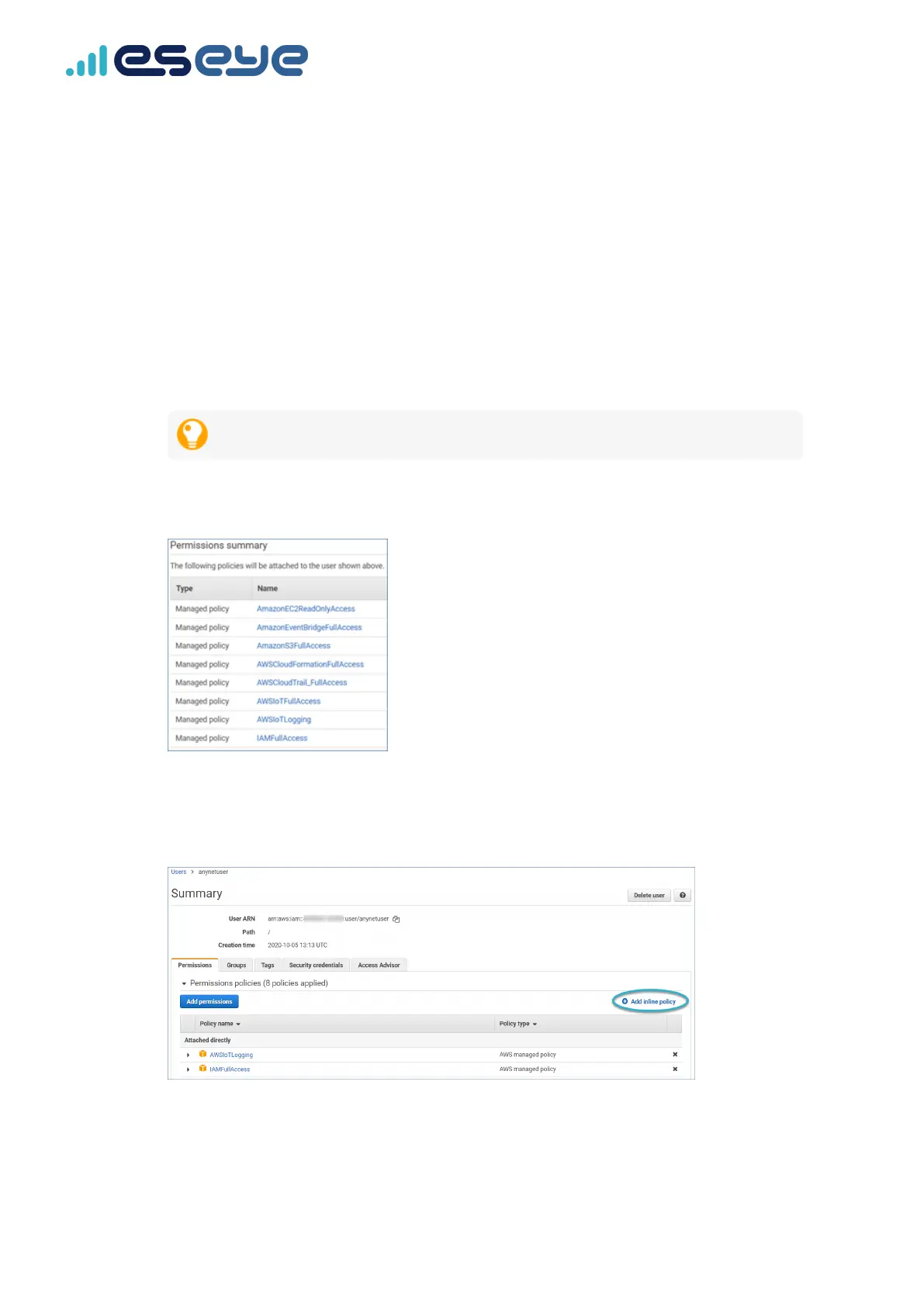
9. Search for each of the following policies in turn, ensuring you select the check box alongside
each returned listing:
•
AmazonEventBridgeFullAccess
•
AmazonS3FullAccess
•
AWSCloudFormationFullAccess
•
AWSCloudTrail_FullAccess
•
AWSIoTFullAccess
•
AWSIoTLogging
•
IAMFullAccess
If you select the wrong policy, clear the check mark alongside it.
10. Select Next: Review.
The selected policies are displayed.
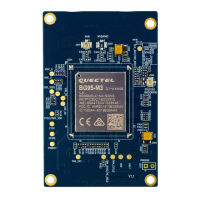
11. Select Add permissions.
The updated Summary page appears.
12. Select Add inline policy.
13
Eseye-enabled Quectel BG96 module Developer Guide v1.8
Required IAM Managed Policies


 To Next Page