Quicksilver 805PH — System & Component Overview and Operaon
23
This boat is equipped with an overboard discharge seacock.
Some countries levy severe penales for discharging raw
sewage and solid waste in waters where it is prohibited. Be
aware of local environmental laws, and respect codes of
good pracce. Demonstrang that the macerator is disabled
by locking the system and/or removing the seacock handle
may avoid a ne.
The toilet water pickup valve should always be in the closed
posion when not in use. Failure to do so could result in
ooding, property damage, and/or loss of life.
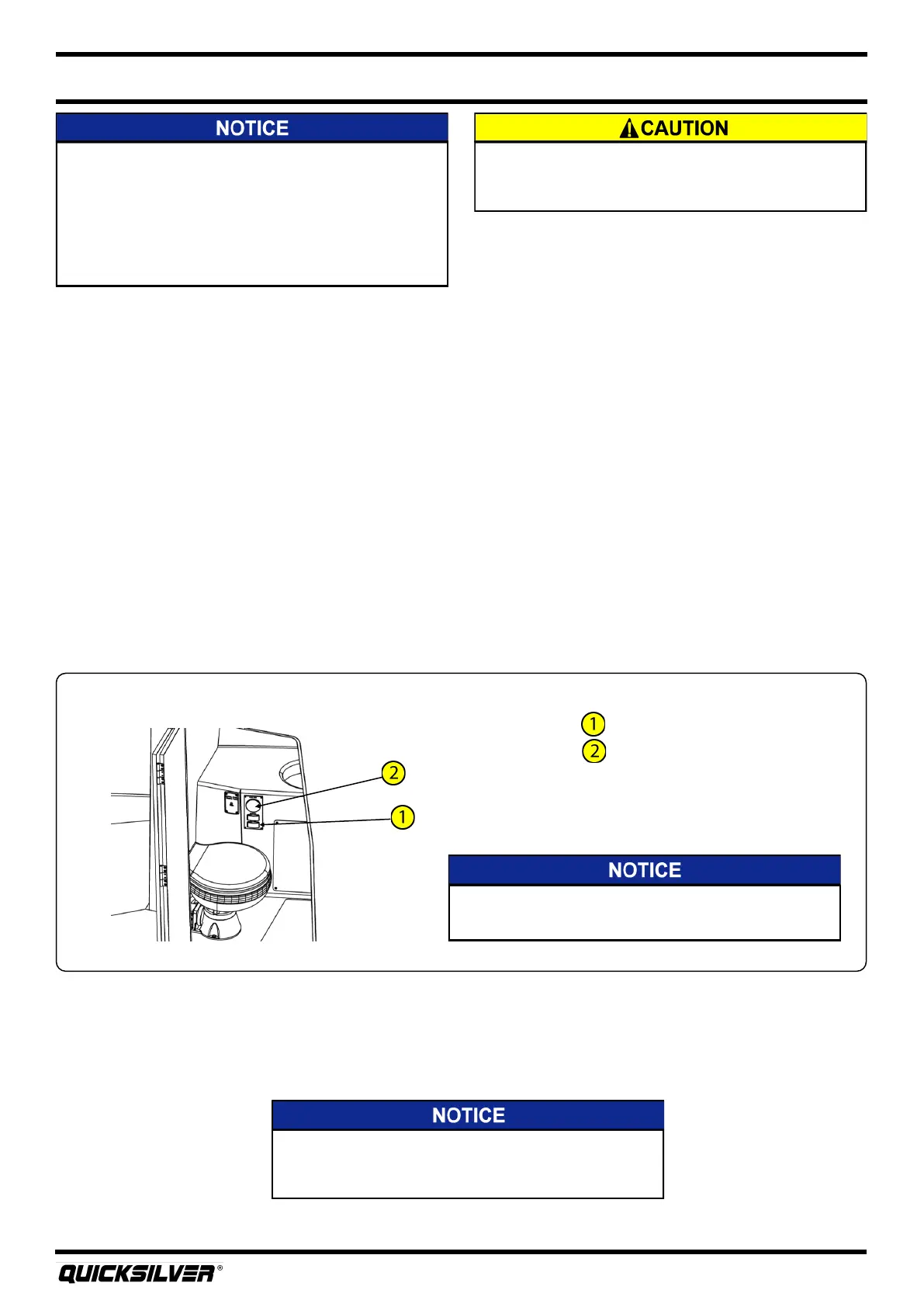
Macerator Switch Locaon
Macerator switch
Tank monitor
The dockside pumpout deck plate does not have a chain
connecng the cap to the deck plate. Use cauon not to
drop the deck plate cap into the water.
Tank Level
Located in the head, there is a gauge for reading the level of uid in the holding tank. To see how
much uid is in the holding tank, press the momentary switch labeled INDICATOR.
Macerator
The macerator gives the boat operator the means of discharging the holding tank directly overboard
through a seacock in the boom of the hull. The macerator control is located in the head on the
Waste Tank panel. Since direct overboard discharge is prohibited in many areas, the macerator
seacock is normally closed.
To Operate the Macerator:
1. Make sure the macerator seacock is in the open posion.
2. Press and hold the macerator switch located on the tank level panel. The macerator switch is a
momentary switch, which means that it needs to be pressed during operaon.
3. When the tank is empty, stop pressing the macerator switch.
4. Return the macerator seacock to the closed posion.
Avoid inadvertent discharge of the black water system.
Always keep the macerator seacock closed when not in use.
Dockside Pumpout
The dockside pumpout deck plate is located on the starboard side of the deck and is marked with the
ISO symbol WASTE. The dockside facility will have the proper connecons / ngs to pump the
holding tank out.



 To Next Page