Page 30 of 48
Edit User
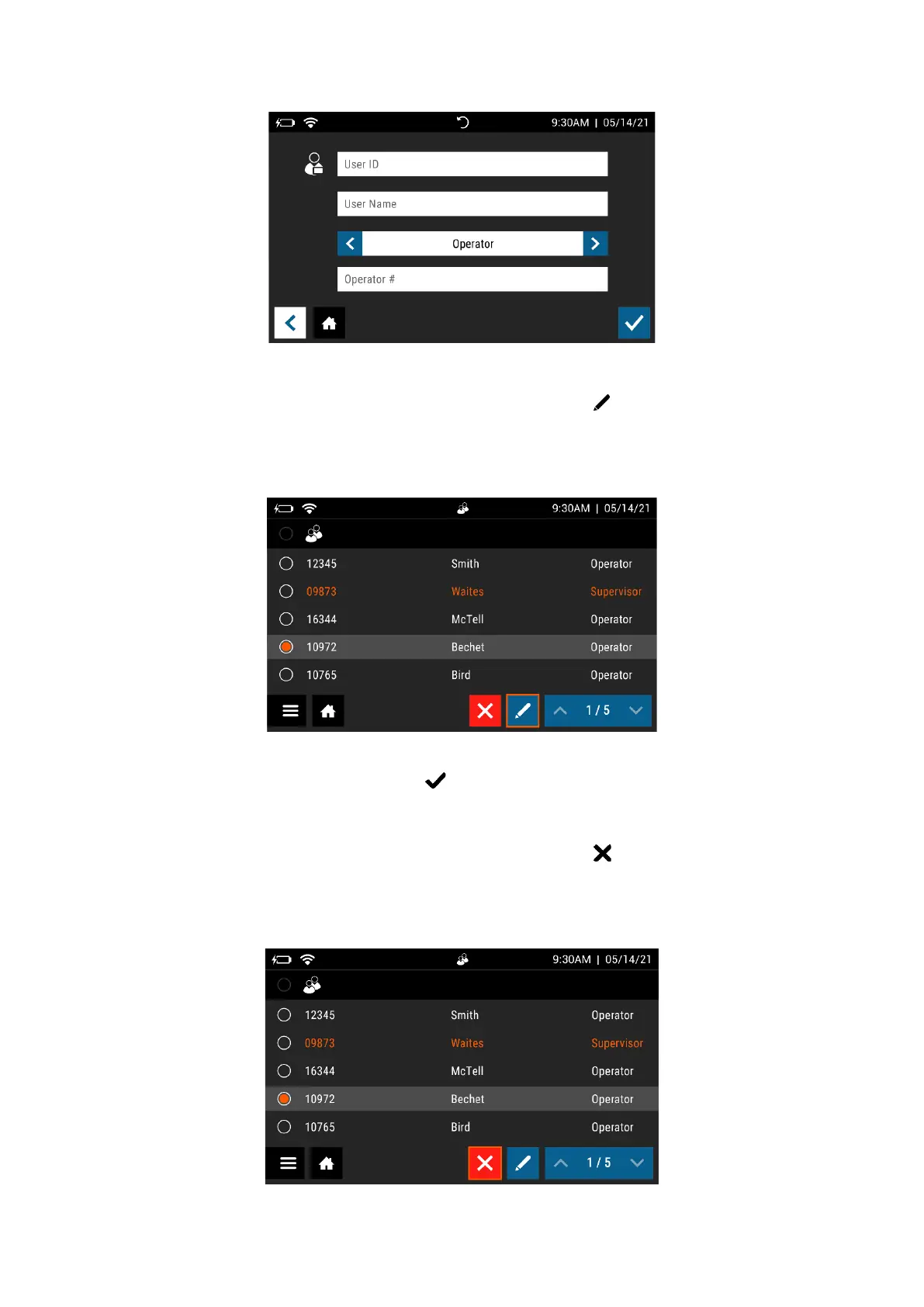
Select a User by touching anywhere within the row, then select . Use the on-screen
keypad to edit the User information (Figure 22).
Figure 22
When the information is complete, press .
Delete User
Select a User by touching anywhere within the row, then select to delete User (Figure 23). This
action cannot be undone. If a User is deleted by mistake, re-add the User as described above.
Figure 23



 To Next Page