Page 31 of 48
Export, Import, Delete
Export, Import, or Delete Data Types
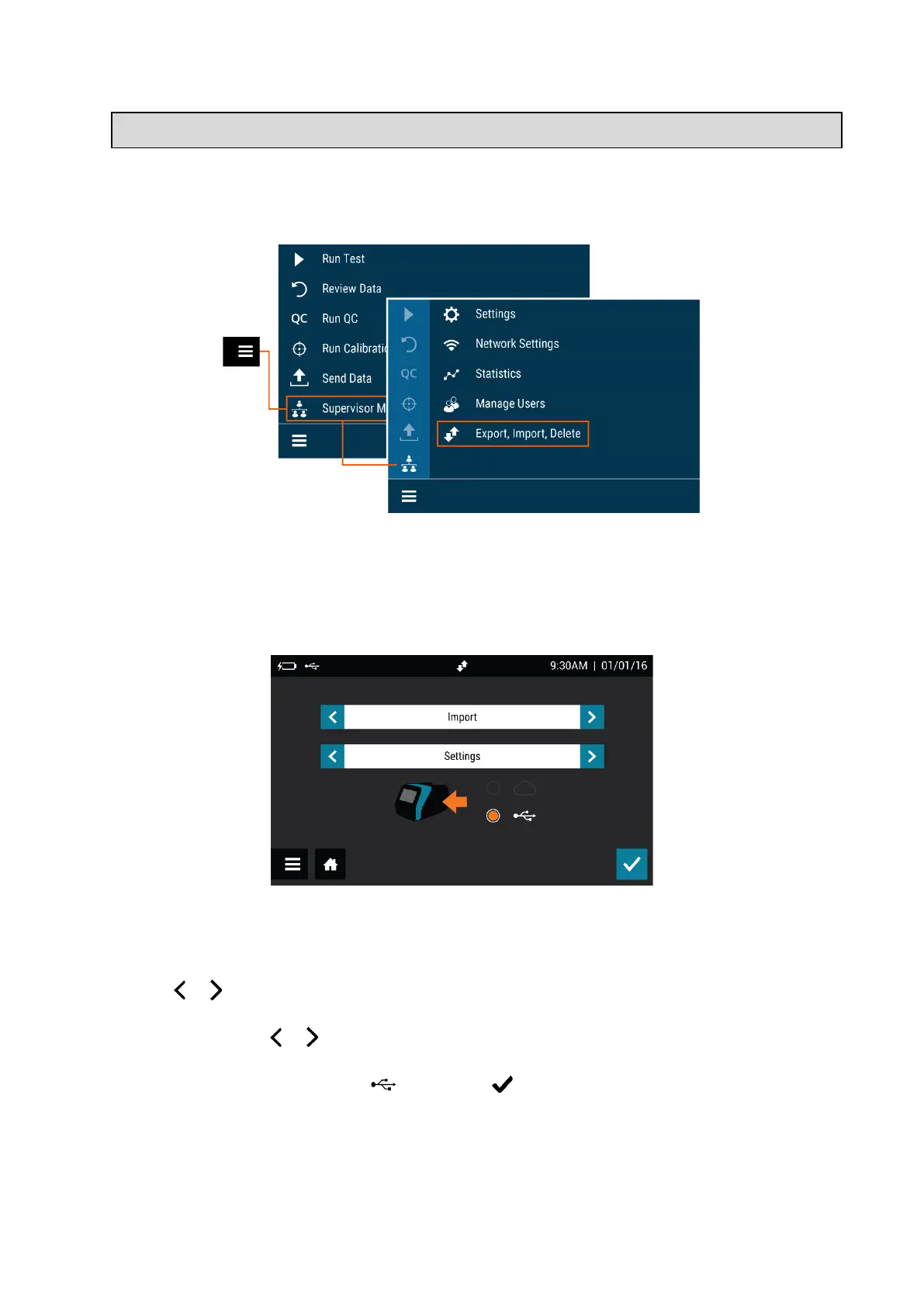
Supervisors may export, import, or delete data to/from either a USB flash drive or the
device (Figure 24). Most standard USB flash drives may be used with Sofia 2.
Figure 24
Export Settings to USB Flash Drive
Supervisors may export the settings of one Sofia 2 to import to another Sofia 2.
Use the or in the first field to select Export.
In the next field, use or to select Settings.
Insert a USB flash drive and select , then select to export Sofia 2 settings data. Once
complete, it is safe to remove the USB flash drive.
When cloning Sofia 2, all Users will transfer over. User history, lot status, QC, and test data
will not transfer over.



 To Next Page