Page 44 of 254
Part No. 96000001
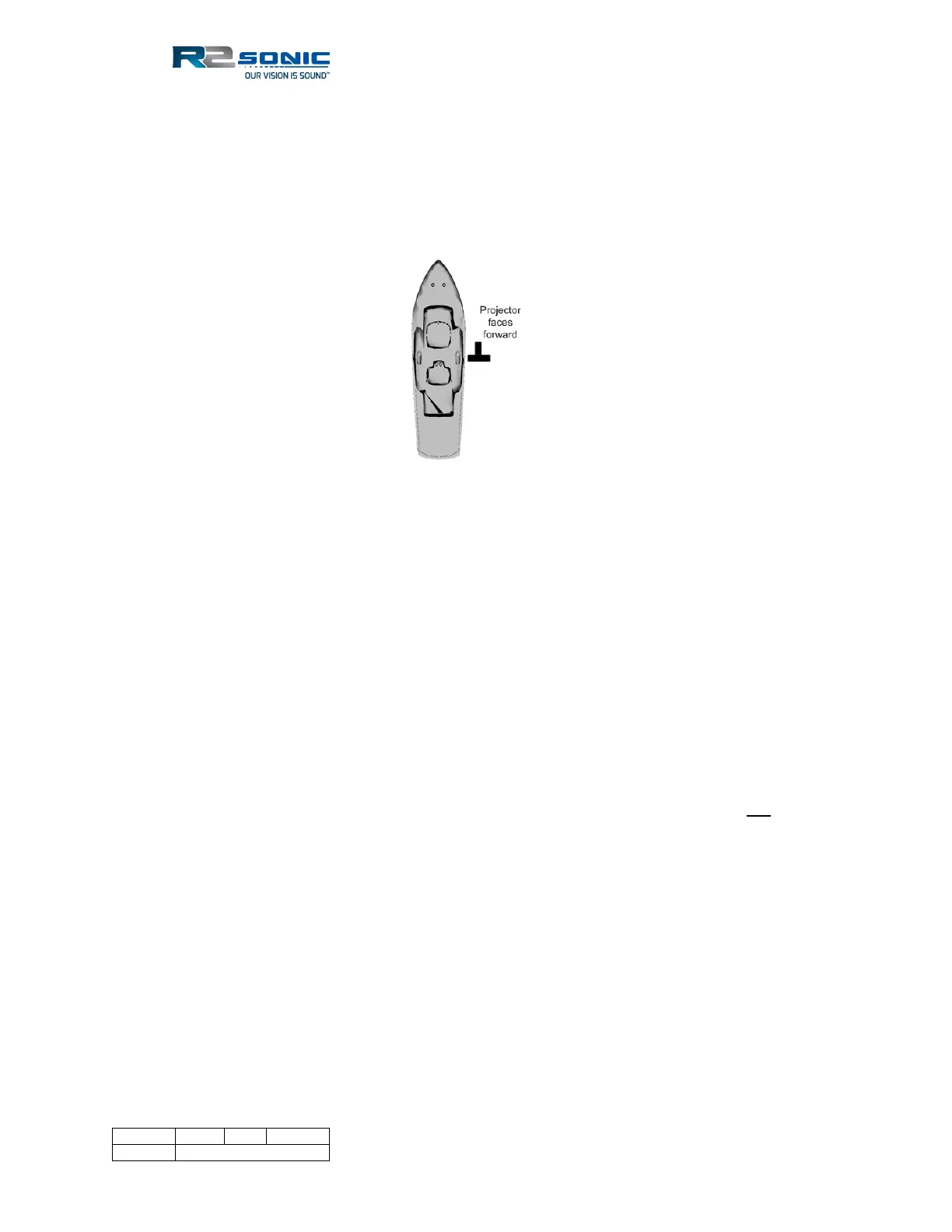
3.1.7 Correct Orientation of the Sonic MBES
The Sonic MBES is designed to be installed with the projector facing forward, or towards the bow.
However, if the installation requires the projector to face aft, in Sonic Control, the user can select
the orientation to projector aft and this will re-orientate the data output to reflect the projector
orientation.
Figure 34: Correct Orientation of the Sonic MBES
3.1.8 Deck Test Before Deployment
It is highly recommended that the operation of the sonar be verified before putting the sonar or
vessel into the water. The deck test will test both the receiver and the transmitter. The sonar can
be operated, in the air, for brief periods for testing. Under no circumstances should the sonar head
be powered up in the air other than for brief testing to last no more than five minutes. The sonar
uses water to dissipate heat and, if left powered up in the air, will eventually suffer catastrophic
failure.
3.1.8.1 Communications test
The first test is to ensure that computer, running Sonic Control, can communicate with both the
sonar head and the SIM.
• Make sure that Sonic Control is installed in the root directory on the computer and not
under ProgramFiles nor on the desktop
• Make sure all firewalls are off
• Make sure all virus checkers are disabled
• Verify the IP4 configuration for the network card being used for the sonar
• Make sure that the files, in the Sonic Control directory, are not Read-only, or otherwise
protected by the operating system



 To Next Page