Page 89 of 254
5.8 Ocean Setting
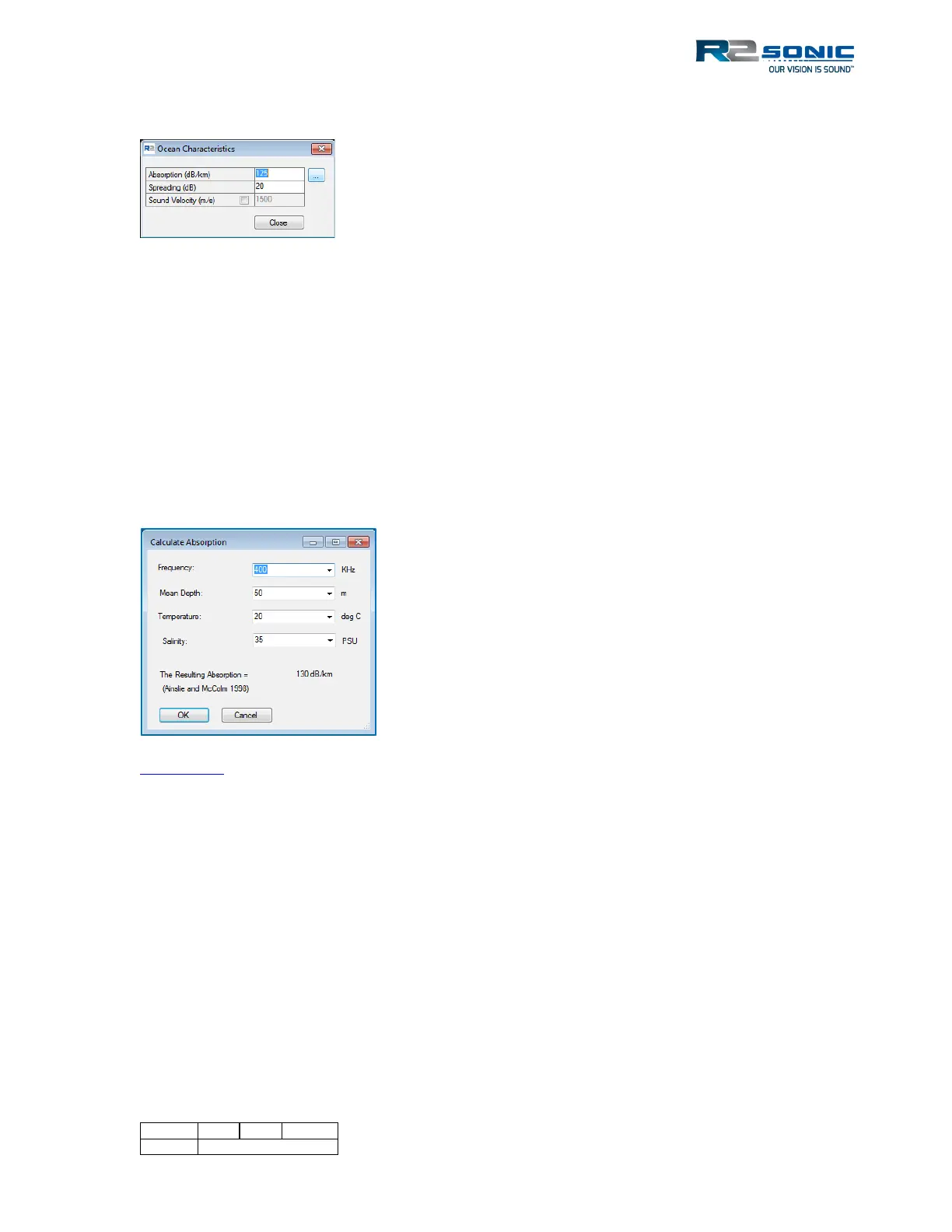
Figure 94: Ocean Characteristics
Ocean Characteristics include Absorption and Spreading loss, which are the main components of the
Time Variable Gain (TVG) computation, and manual Sound Velocity (for receive beam steering).
5.8.1 Absorption: 0 – 200 dB/km
Absorption is influenced primarily by frequency and the chemical compounds of boric acid B(OH)
3
and magnesium sulphate MgSO
4
in the water column.
It is highly recommended that the local absorption value is entered. The button, next to the
absorption input, will call up a calculator that will allow setting the correct parameters to derive the
proper value to be entered.
Appendix VI provides a table of absorption values based on the operating frequency.
5.8.2 Spreading Loss: 0 – 60 dB
Spreading loss is the loss of intensity of a sound wave, due to the dispersion of the wavefront. It is a
geometrical phenomenon and is independent of frequency. The sound wave propagates in a
spherical manner, the area of the wavefront increases as the square of the distance from the source.
Therefore, the sound intensity decreases with the square of the distance from the projector.
Spreading loss is not dependent on frequency.
Spreading loss is not a setting that normally needs to be changed except when surveying in deeper
depths. As spreading loss is not dependent on frequency, the setting is unaffected by a change in
operating frequency. A general default value of 20 – 30 is normally sufficient for most survey
conditions. The standard default is 20dB. The value should be increased when surveying into deeper
depths (>100 metres).
Either manually enter the values for each
variable or use the dropdown selection to
choose a value.
Enter the resultant value into Absorption; it is
not automatically updated from the calculator.



 To Next Page