Page 83 of 254
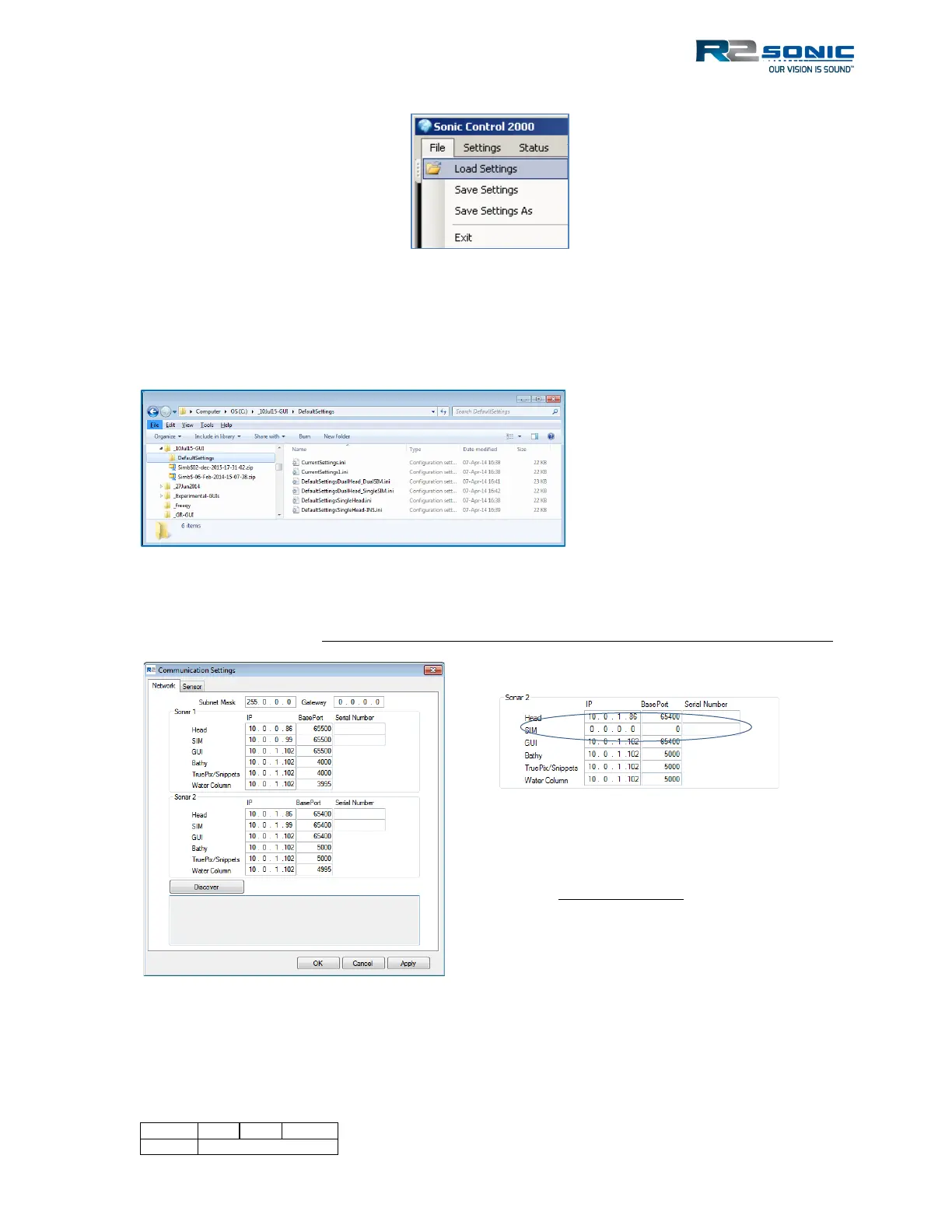
Figure 79: Load Settings menu selection
The available settings files will be shown. There are three Factory Default initialisation files; two for
single head: standard systems and I2NS systems and two for dual head: dual head – dual SIM or dual
head – single SIM.
Figure 80: Loading an .ini file
When the file is loaded, Sonic Control will be configured for dual head mode; this includes the
default network settings. If using only one SIM, the second SIM IP and BasePort must be set to zero.
Figure 81: Default dual head Network settings
When only one SIM is used for a dual
head system, the Sonar 2 SIM IP and
BasePort need to be set to 0. The Serial
Number must be left blank. This is the
DefaultSettingsDualHead_SingleSIM.ini



 To Next Page