Page 73 of 254
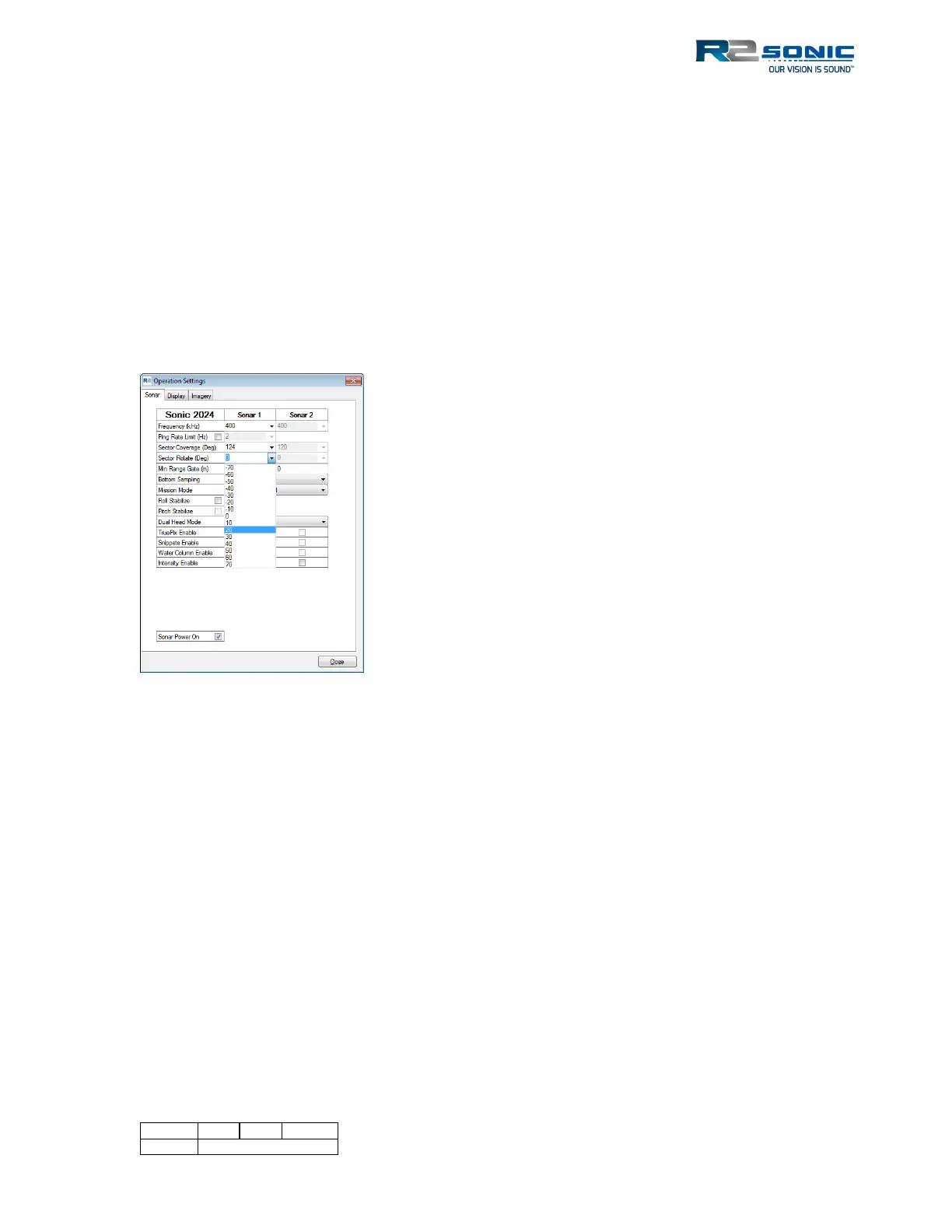
5.6.4 Sector Rotate
The Sonic MBES has the capability to direct the selected sector to either port or starboard, allowing
the user to map vertical features, or areas of interest, with a high concentration of soundings
resulting from the compressed sector.
First, change the sector coverage to the desired opening angle; this will concentrate the 256 beams
within the sector, and then increase the Range setting.
Second, rotate the swath towards the feature to be mapped with high definition. This is done on
the fly, with no need to stop data recording or to go offline. When rotating, make sure to keep the
bottom detections within the confines of the range.
Figure 63: Sector Rotate
5.6.5 Minimum Range Gate (m)
This provides a means to block out noise or interference close to the sonar head. Enter the range, in
metres, from the sonar head to establish the gate; anything within that range will be blocked. This
gate is an arc, from the sonar head, with the entered distance. As a safety precaution: This gate
should not be used when working in very shallow water.
5.6.6 Bottom Sampling
There are two main options: Equiangular or Equidistant. The equiangular and equidistant modes are
further enhanced by the Dual/Quad mode, described below. In the equidistant mode, all beams are
equally distributed within the sector. There are limits to what the equidistant can do, based on the
opening angle and bottom topography; it is best on the flat seafloor and with an opening angle
(Sector Coverage) equal to, or less than, 130°. When in the equidistant mode, the conditions, such
as excessive vessel roll, may cause the system to change from equidistant mode to equiangular
mode; this is normal operation. The GUI will indicate that the system that is supposed to be in
equidistant mode is now operating in equiangular mode by changing the BSM indicator to yellow.
The sector can also be rotated using the mouse cursor, in
the wedge display. Position the cursor on the curved
bottom of the wedge; the cursor will change to a
horizontal double arrow, the wedge can now be rotated to
port or starboard. The angle of rotation is numerically
visible in the lower left hand corner of the wedge display
during rotation. A clockwise rotation is positive, an anti-
clockwise rotation is negative.
The change only takes place when the mouse button is
released. To return to a 0 rotation, use the Hotkey: Alt+Z.



 To Next Page